Car Racing 3D: Real Simulator

Car Racing 3D: Real Simulator

Racing

| A TOUCH OF PAINT LLC

Play on PC with BlueStacks or from our cloud

  • Overview
  • Game Features
  • How to Play

Page Modified On: April 21, 2026

Play Car Racing 3D: Real Simulator on PC or Mac

Explore a whole new adventure with Car Racing 3D: Real Simulator, a Racing game created by A TOUCH OF PAINT LLC. Experience great gameplay with BlueStacks, the most popular gaming platform to play Android games on your PC or Mac.

About the Game

Car Racing 3D: Real Simulator throws you into white‑knuckle track battles where clean racing and chaotic escapes collide. You play as Zego, a fearless wheelman who clips apexes on professional circuits and keeps his cool when the sirens flare up. It’s fast, punchy, and a little unpredictable—one lap you’re nailing perfect lines, the next you’re muscling past a blockade.

Game Features

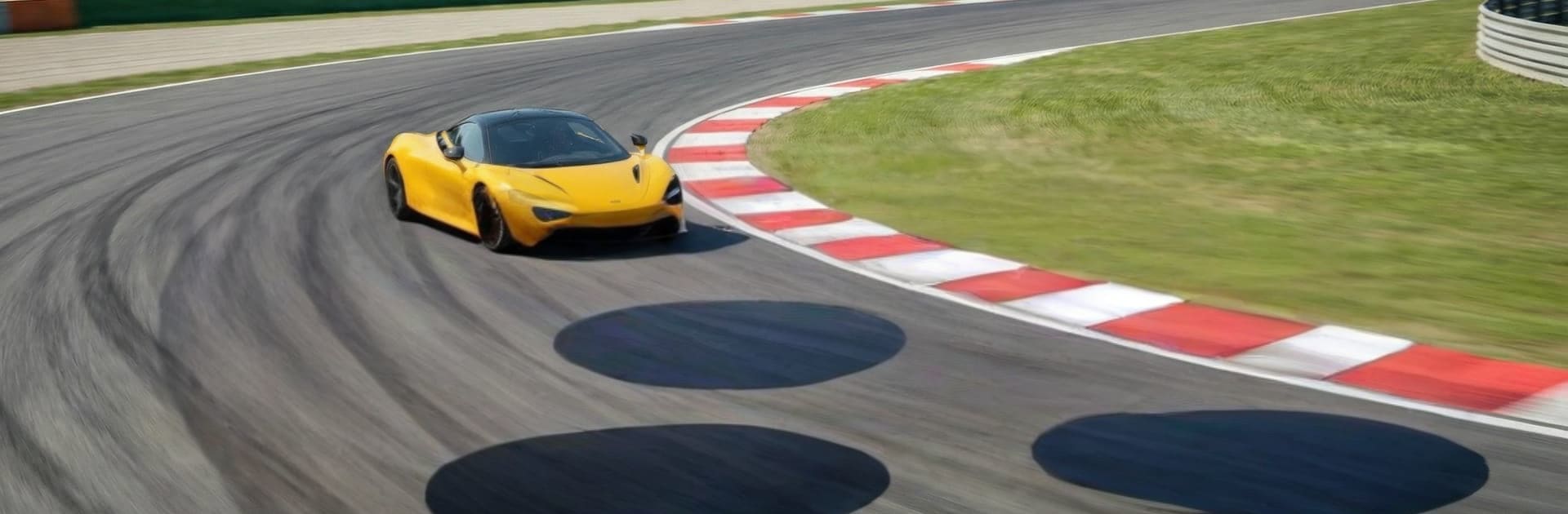
  • Pro Tracks, Real Grip: Carve through hairpins, attack long straights, and ride tidy curbs on daylight circuits designed for pure speed and tight timing.
  • Police Pursuits With Teeth: Interceptors and beefy SUVs don’t just follow—they box you in, set up blocks, and force smart escapes under pressure.
  • Takedowns That Hit Hard: Feel every side-swipe and rear shunt with weighty physics. Wreck barriers, trade paint, and walk away from wild pileups.
  • Supercar Garage: Unlock quick, premium rides, then upgrade performance and personalize your look to fit your style.
  • Sharp 3D Presentation: Slick lighting, crisp details, and meaty engine audio sell the sense of speed without getting in your way.
  • Smooth, Responsive Controls: Steering, braking, and drift balance feel snappy and controllable, whether you’re chasing lap times or shaking a tail.
  • Race as Zego: Step into the helmet of a born competitor who treats every clean pass—and every narrow escape—as part of the job.
  • Built by A TOUCH OF PAINT LLC: A focused Racing experience that blends circuit precision with rowdy, high-stakes chases.
  • Play Bigger (Optional): Prefer a wider view? Run Car Racing 3D: Real Simulator on PC with BlueStacks for a clean, roomy perspective.

Start your journey now. Download the game on BlueStacks, invite your friends, and march on a new adventure.


Game Features

Enhancements

  • Macros
  • Multi Instance
  • Multi Instance Sync
  • Script
  • Enhancements
Macros

Macros

Automate the predictable in Car Racing 3D: Real Simulator and transform your gameplay with Macros. Get access to inventive Macros in the BlueStacks Macro Community
Multi Instance

Multi Instance

Play Car Racing 3D: Real Simulator on one window. And chat with your friend on the other. Press CTRL + Shift + 8 to open the Multi-Instance Manager. And start creating fresh instances or clone an existing one.
Multi Instance Sync

Multi Instance Sync

Play Car Racing 3D: Real Simulator with the power of Multi-Instance Sync. Replicate what you are doing on the main instance on all other instances. Level up faster, play more.
Script

Script

Script your way to gaming glory in Car Racing 3D: Real Simulator with BlueStacks Script. Write and run a set of commands to automate repeated tasks. Trigger the command by assigning it to any key.
Read More

How to Download and Play Car Racing 3D: Real Simulator on PC or Mac

  • Download and install BlueStacks on your PC or Mac

  • Complete Google sign-in to access the Play Store, or do it later

  • Look for Car Racing 3D: Real Simulator in the search bar at the top right corner

  • Click to install Car Racing 3D: Real Simulator from the search results

  • Complete Google sign-in (if you skipped step 2) to install Car Racing 3D: Real Simulator

  • Click the Car Racing 3D: Real Simulator icon on the home screen to start playing

video
Watch Video

Minimum System Requirements

With BlueStacks 5, you can get started on a PC that fulfills the following requirements.

  • Operating System

    Microsoft Windows 7 or above, macOS 11 (Big Sur) or above

  • Processor

    Intel, AMD or Apple Silicon Processor

  • RAM

    at least 4GB

  • HDD

    10GB Free Disk Space

Note:

* You must be an Administrator on your PC. Up to date graphics drivers from Microsoft or the chipset vendor.

Car Racing 3D: Real Simulator - FAQs

  • How to play Car Racing 3D: Real Simulator on Windows PC & Mac?

    Play Car Racing 3D: Real Simulator on your PC or Mac by following these simple steps.

    • Click on 'Play Car Racing 3D: Real Simulator on PC’ to download BlueStacks
    • Install it and log-in to Google Play Store
    • Launch and play the game.
  • Why is BlueStacks the fastest and safest platform to play games on PC?

    BlueStacks respects your privacy and is always safe and secure to use. It does not carry any malware, spyware, or any sort of additional software that could harm your PC.

    It is engineered to optimize speed and performance for a seamless gaming experience.

  • What are Car Racing 3D: Real Simulator PC requirements?

    Minimum requirement to run Car Racing 3D: Real Simulator on your PC

    • OS: Microsoft Windows 7 or above MacOS 11 (Big Sur) or above
    • Processor: Intel, AMD or Apple Silicon Processor
    • RAM: Your PC must have at least 4GB of RAM. (Note that having 4GB or more disk space is not a substitute for RAM)
    • HDD: 10GB Free Disk Space.
    • You must be an Administrator on your PC.