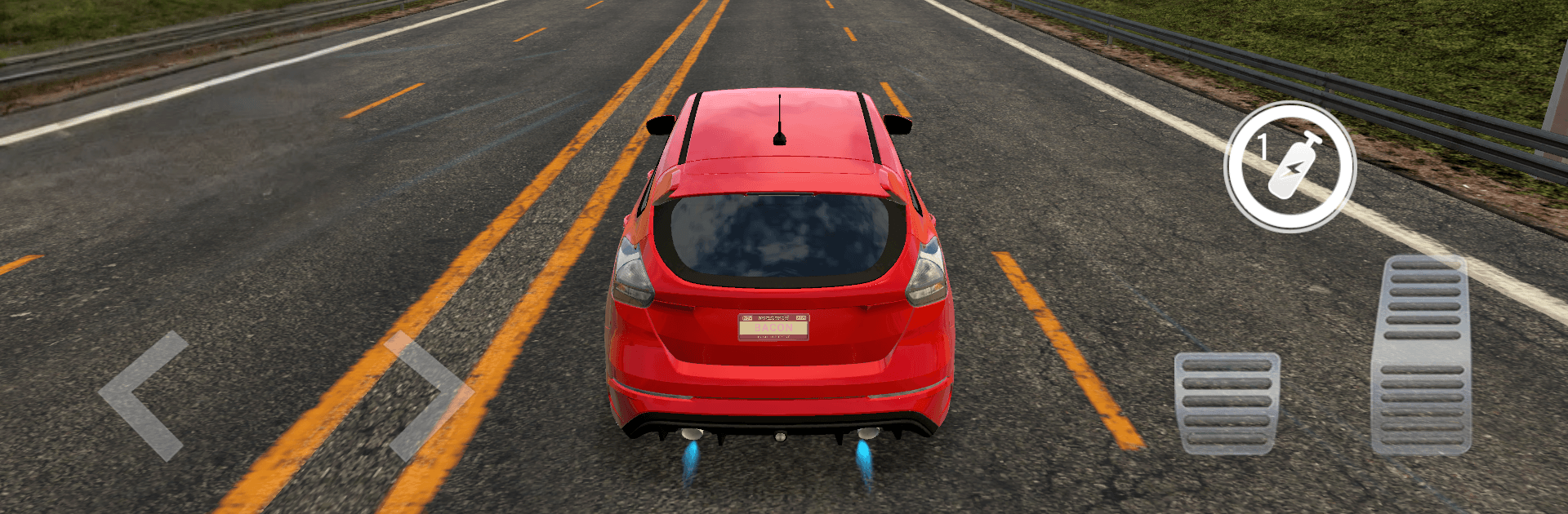
City Traffic Car: Real Driving

City Traffic Car: Real Driving

Racing

| Arcane Game Studio

Play on PC with BlueStacks or from our cloud

  • Overview
  • Game Features
  • How to Play

Page Modified On: August 03, 2026

Play City Traffic Car: Real Driving on PC or Mac

Play City Traffic Car: Real Driving by Arcane Game Studio on PC or Mac with BlueStacks. Use a bigger screen, mouse and keyboard controls, and smoother performance while you play.

About the Game

City Traffic Car: Real Driving is a fast, street-smart Racing game where threading through rush-hour traffic is the whole thrill. It’s all about tight handling, gutsy overtakes, and that sweet snap of acceleration when you punch it. Expect crisp visuals, reactive physics, and a constant push to squeeze just one more car-length out of every lane change.

Game Features

  • Real-city feel: Dense traffic, believable behavior, and weighty physics make every gap and brake tap matter. Engines growl, tires chirp, and your reflexes do the heavy lifting.
  • Flexible controls: Go with tilt, tap-to-steer buttons, or an on-screen wheel. First-person cockpit view puts the dash right in your face. Playing on PC with BlueStacks? Keyboard inputs feel tight and consistent.
  • Cars you want to drive: Build a garage from quick street machines to full-blooded supercars. Tweak paint, rims, and plates, then upgrade power, brakes, and handling to sharpen every run.
  • Risk pays off: Near-misses and bold overtakes stack multipliers, so clean aggression is rewarded. Chase leaderboards and compare runs with players aiming for the same razor-thin gaps.
  • Nitro and pickups: Hit Nitro for instant punch when traffic locks up. Road magnets scoop up gold and gems so you can stay focused on threading through the pack.
  • Modes for every mood: Work through mission-based career challenges, shave seconds in time trials, or zone out in endless runs through unrelenting traffic. Each mode pushes a different skill set.
  • Visual polish: High-quality 3D cities with dynamic lighting and smooth effects make speed look and feel fast, whether you’re in cockpit view or chasing cameras.

Start playing City Traffic Car: Real Driving on BlueStacks and get a smoother, more comfortable PC or Mac setup.


Game Features

Enhancements

  • Macros
  • Multi Instance
  • Multi Instance Sync
  • Script
  • Enhancements
Macros

Macros

Automate the predictable in City Traffic Car: Real Driving and transform your gameplay with Macros. Get access to inventive Macros in the BlueStacks Macro Community
Multi Instance

Multi Instance

Play City Traffic Car: Real Driving on one window. And chat with your friend on the other. Press CTRL + Shift + 8 to open the Multi-Instance Manager. And start creating fresh instances or clone an existing one.
Multi Instance Sync

Multi Instance Sync

Play City Traffic Car: Real Driving with the power of Multi-Instance Sync. Replicate what you are doing on the main instance on all other instances. Level up faster, play more.
Script

Script

Script your way to gaming glory in City Traffic Car: Real Driving with BlueStacks Script. Write and run a set of commands to automate repeated tasks. Trigger the command by assigning it to any key.
Read More

How to Download and Play City Traffic Car: Real Driving on PC or Mac

  • Download and install BlueStacks on your PC or Mac

  • Complete Google sign-in to access the Play Store, or do it later

  • Look for City Traffic Car: Real Driving in the search bar at the top right corner

  • Click to install City Traffic Car: Real Driving from the search results

  • Complete Google sign-in (if you skipped step 2) to install City Traffic Car: Real Driving

  • Click the City Traffic Car: Real Driving icon on the home screen to start playing

video
Watch Video

Minimum System Requirements

With BlueStacks 5, you can get started on a PC that fulfills the following requirements.

  • Operating System

    Microsoft Windows 7 or above, macOS 11 (Big Sur) or above

  • Processor

    Intel, AMD or Apple Silicon Processor

  • RAM

    at least 4GB

  • HDD

    10GB Free Disk Space

Note:

* You must be an Administrator on your PC. Up to date graphics drivers from Microsoft or the chipset vendor.

City Traffic Car: Real Driving - FAQs

  • How to play City Traffic Car: Real Driving on Windows PC & Mac?

    Play City Traffic Car: Real Driving on your PC or Mac by following these simple steps.

    • Click on 'Play City Traffic Car: Real Driving on PC’ to download BlueStacks
    • Install it and log-in to Google Play Store
    • Launch and play the game.
  • Why is BlueStacks the fastest and safest platform to play games on PC?

    BlueStacks respects your privacy and is always safe and secure to use. It does not carry any malware, spyware, or any sort of additional software that could harm your PC.

    It is engineered to optimize speed and performance for a seamless gaming experience.

  • What are City Traffic Car: Real Driving PC requirements?

    Minimum requirement to run City Traffic Car: Real Driving on your PC

    • OS: Microsoft Windows 7 or above MacOS 11 (Big Sur) or above
    • Processor: Intel, AMD or Apple Silicon Processor
    • RAM: Your PC must have at least 4GB of RAM. (Note that having 4GB or more disk space is not a substitute for RAM)
    • HDD: 10GB Free Disk Space.
    • You must be an Administrator on your PC.