Draw Rider 2: Happy Racing

Draw Rider 2: Happy Racing

Racing

| 17Studio LLC

Play on PC with BlueStacks or from our cloud

  • Overview
  • Game Features
  • How to Play

Page Modified On: April 21, 2026

Play Draw Rider 2: Happy Racing on PC or Mac

From the innovators and creators at 17Studio LLC, Draw Rider 2: Happy Racing is another fun addition to the World of Racing games. Go beyond your mobile screen and play it bigger and better on your PC or Mac. An immersive experience awaits you.

About the Game

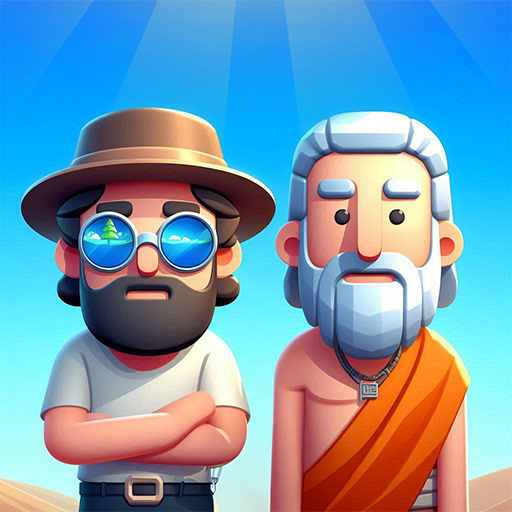
Draw Rider 2: Happy Racing is a wild, physics-driven Racing game where every jump, crash, and near-miss tells a story. You’ll hop on a bike, tear through deadly obstacle courses, and try to keep your rider in one piece—easier said than done. It mixes a story about two racers, Max and Emily, with survival-style runs, a powerful level editor, and a nonstop feed of community-made tracks. Want a bigger view? It plays smoothly on BlueStacks, too.

Developed by 17Studio LLC, this sequel keeps the series’ goofy ragdoll energy and adds more ways to create, compete, and laugh at your own wipeouts.

Game Features

  • Story Campaign
    Follow Max and Emily through a set of handcrafted races that start simple and quickly get ruthless.

  • Survival Tracks
    Reach the finish without getting shredded by spikes, saws, bombs, and other nasty surprises. One bad landing can end it.

  • Ridiculous Physics
    Expect wobbly bikes, parts flying off, and slapstick crashes that are equal parts “ouch” and “okay, that was hilarious.”

  • Build Your Own Courses
    Use the built-in editor to draw ramps, place traps, and design the perfect run—then share it.

  • Endless Community Levels
    Browse and play an unlimited stream of user-made tracks, from clever puzzles to brutal gauntlets.

  • Online and Offline Play
    Race anytime. Go solo without internet, or connect to chase scores and challenge others.

  • Customization and Skins
    Unlock outfits and gear, mix up your look, and swap between characters when you want a change.

  • Clean 3D Vector Style
    Minimalist visuals keep the focus on speed, timing, and those wonderfully chaotic collisions.

  • Race With Friends
    Jump into network play to compare skills, swap creations, and push each other’s best times.

  • Character Voiceover
    Scenes and reactions are brought to life with expressive voice lines that add personality to every crash and comeback.

Get ready for a buttery smooth, high-performance gaming action only on BlueStacks.

Game Features

Enhancements

  • Macros
  • Multi Instance
  • Multi Instance Sync
  • Script
  • Enhancements
Macros

Macros

Automate the predictable in Draw Rider 2: Happy Racing and transform your gameplay with Macros. Get access to inventive Macros in the BlueStacks Macro Community
Multi Instance

Multi Instance

Play Draw Rider 2: Happy Racing on one window. And chat with your friend on the other. Press CTRL + Shift + 8 to open the Multi-Instance Manager. And start creating fresh instances or clone an existing one.
Multi Instance Sync

Multi Instance Sync

Play Draw Rider 2: Happy Racing with the power of Multi-Instance Sync. Replicate what you are doing on the main instance on all other instances. Level up faster, play more.
Script

Script

Script your way to gaming glory in Draw Rider 2: Happy Racing with BlueStacks Script. Write and run a set of commands to automate repeated tasks. Trigger the command by assigning it to any key.
Read More

How to Download and Play Draw Rider 2: Happy Racing on PC or Mac

  • Download and install BlueStacks on your PC or Mac

  • Complete Google sign-in to access the Play Store, or do it later

  • Look for Draw Rider 2: Happy Racing in the search bar at the top right corner

  • Click to install Draw Rider 2: Happy Racing from the search results

  • Complete Google sign-in (if you skipped step 2) to install Draw Rider 2: Happy Racing

  • Click the Draw Rider 2: Happy Racing icon on the home screen to start playing

video
Watch Video

Minimum System Requirements

With BlueStacks 5, you can get started on a PC that fulfills the following requirements.

  • Operating System

    Microsoft Windows 7 or above, macOS 11 (Big Sur) or above

  • Processor

    Intel, AMD or Apple Silicon Processor

  • RAM

    at least 4GB

  • HDD

    10GB Free Disk Space

Note:

* You must be an Administrator on your PC. Up to date graphics drivers from Microsoft or the chipset vendor.

Draw Rider 2: Happy Racing - FAQs

  • How to play Draw Rider 2: Happy Racing on Windows PC & Mac?

    Play Draw Rider 2: Happy Racing on your PC or Mac by following these simple steps.

    • Click on 'Play Draw Rider 2: Happy Racing on PC’ to download BlueStacks
    • Install it and log-in to Google Play Store
    • Launch and play the game.
  • Why is BlueStacks the fastest and safest platform to play games on PC?

    BlueStacks respects your privacy and is always safe and secure to use. It does not carry any malware, spyware, or any sort of additional software that could harm your PC.

    It is engineered to optimize speed and performance for a seamless gaming experience.

  • What are Draw Rider 2: Happy Racing PC requirements?

    Minimum requirement to run Draw Rider 2: Happy Racing on your PC

    • OS: Microsoft Windows 7 or above MacOS 11 (Big Sur) or above
    • Processor: Intel, AMD or Apple Silicon Processor
    • RAM: Your PC must have at least 4GB of RAM. (Note that having 4GB or more disk space is not a substitute for RAM)
    • HDD: 10GB Free Disk Space.
    • You must be an Administrator on your PC.