Drift
Drift

Drift

Racing

| cartoon.studio.ltd

Play on PC with BlueStacks or from our cloud

  • Overview
  • Game Features
  • How to Play

Page Modified On: February 04, 2025

Play Drift on PC or Mac

From the innovators and creators at cartoon.studio.ltd, Drift is another fun addition to the World of Racing games. Go beyond your mobile screen and play it bigger and better on your PC or Mac. An immersive experience awaits you.

About the Game

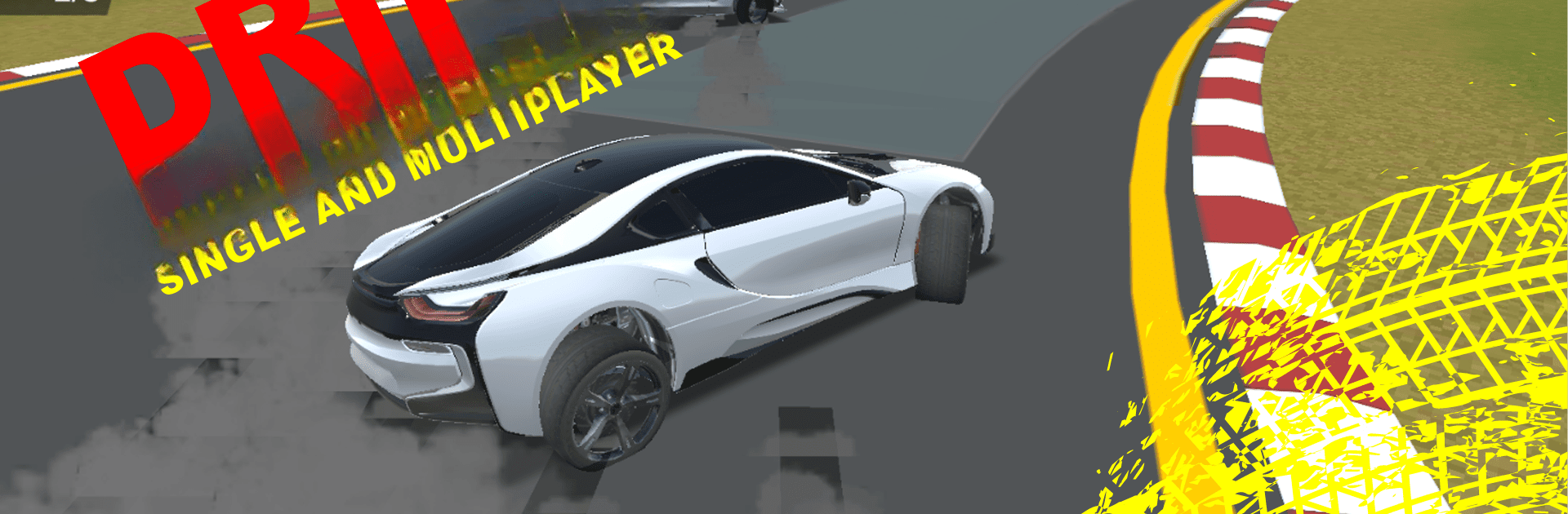
Get your engines revved up with Drift, the ultimate racing adventure by cartoon.studio.ltd. Take on the thrilling world of sports cars as you drift, race, and explore diverse terrains. Whether you’re sliding around corners or navigating through open-world environments, expect heart-pounding action and endless excitement in this car driving simulator.

Game Features

  • Realistic Drifting: Master the art of drifting as you slide around corners, leaving your rivals way behind. Perfect those drifts and earn your title as the drift king.

  • High-End Sports Cars: Feel the raw power of luxury sports cars as you blaze through stunt tracks and intricate parkour courses, all while experiencing the extreme car simulator mode.

  • Open-World Exploration: From busy city streets to tranquil countryside lanes, discover hidden tracks, challenging terrains, and secret shortcuts across immersive landscapes.

  • Customization: Tailor your race car’s performance and look, competing in exhilarating races against formidable opponents.

  • Stunning Graphics: Every engine roar and tire screech is crafted to immerse you in this high-octane racing world.

  • Single and Multiplayer Modes: Race solo or compete in thrilling multiplayer challenges—Drift has something for every racing enthusiast.

Ready to top the leaderboard? We bet you do. Let precise controls and sharp visuals optimized on BlueStacks lead you to victory.


Game Features

Enhancements

  • Macros
  • Multi Instance
  • Multi Instance Sync
  • Script
  • Enhancements
Macros

Macros

Automate the predictable in Drift and transform your gameplay with Macros. Get access to inventive Macros in the BlueStacks Macro Community
Multi Instance

Multi Instance

Play Drift on one window. And chat with your friend on the other. Press CTRL + Shift + 8 to open the Multi-Instance Manager. And start creating fresh instances or clone an existing one.
Multi Instance Sync

Multi Instance Sync

Play Drift with the power of Multi-Instance Sync. Replicate what you are doing on the main instance on all other instances. Level up faster, play more.
Script

Script

Script your way to gaming glory in Drift with BlueStacks Script. Write and run a set of commands to automate repeated tasks. Trigger the command by assigning it to any key.
Read More

How to Download and Play Drift on PC or Mac

  • Download and install BlueStacks on your PC or Mac

  • Complete Google sign-in to access the Play Store, or do it later

  • Look for Drift in the search bar at the top right corner

  • Click to install Drift from the search results

  • Complete Google sign-in (if you skipped step 2) to install Drift

  • Click the Drift icon on the home screen to start playing

video
Watch Video

Minimum System Requirements

With BlueStacks 5, you can get started on a PC that fulfills the following requirements.

  • Operating System

    Microsoft Windows 7 or above, macOS 11 (Big Sur) or above

  • Processor

    Intel, AMD or Apple Silicon Processor

  • RAM

    at least 4GB

  • HDD

    10GB Free Disk Space

Note:

* You must be an Administrator on your PC. Up to date graphics drivers from Microsoft or the chipset vendor.

Drift - FAQs

  • How to play Drift on Windows PC & Mac?

    Play Drift on your PC or Mac by following these simple steps.

    • Click on 'Play Drift on PC’ to download BlueStacks
    • Install it and log-in to Google Play Store
    • Launch and play the game.
  • Why is BlueStacks the fastest and safest platform to play games on PC?

    BlueStacks respects your privacy and is always safe and secure to use. It does not carry any malware, spyware, or any sort of additional software that could harm your PC.

    It is engineered to optimize speed and performance for a seamless gaming experience.

  • What are Drift PC requirements?

    Minimum requirement to run Drift on your PC

    • OS: Microsoft Windows 7 or above MacOS 11 (Big Sur) or above
    • Processor: Intel, AMD or Apple Silicon Processor
    • RAM: Your PC must have at least 4GB of RAM. (Note that having 4GB or more disk space is not a substitute for RAM)
    • HDD: 10GB Free Disk Space.
    • You must be an Administrator on your PC.