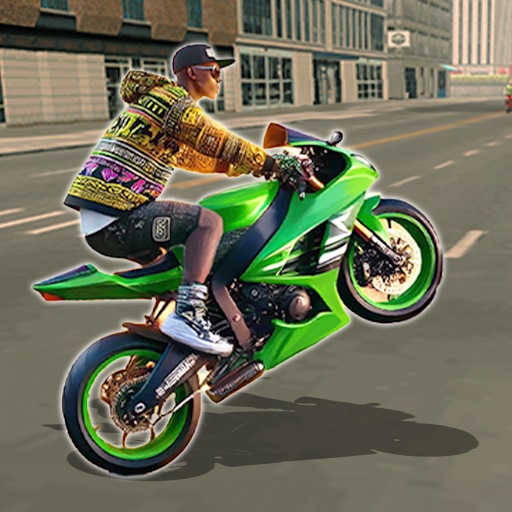
Driving School : Car Games

Driving School : Car Games

Racing

| XOX Games Studio

Play on PC with BlueStacks or from our cloud

  • Overview
  • Game Features
  • How to Play

Page Modified On: September 07, 2026

Play Driving School : Car Games on PC or Mac

Step into the World of Driving School : Car Games, a thrilling Racing game from the house of XOX Games Studio. Play this Android game on BlueStacks App Player and experience immersive gaming on PC or Mac.

About the Game

Driving School : Car Games takes a grounded, skill-first approach to the Racing genre. It’s all about real rules, real traffic, and real car behavior in a busy open city—practice parallel parking one minute and cruise wide highways the next. Want a bigger screen and keyboard controls? It also plays smoothly on BlueStacks.

Game Features

  • True-to-life handling: Feel the weight of each car with responsive steering, braking, and gear shifts that make every maneuver matter.
  • Living city streets: Navigate bustling avenues, roundabouts, alleys, and highways packed with believable traffic and pedestrians.
  • Real road rules: Learn and apply signals, lane changes, speed limits, and right-of-way like you would in an actual driving course.
  • Step-by-step lessons: Tackle guided missions—from basic turns to tight parking drills—and earn your virtual license as you improve.
  • Play your way: Swap between Free Drive for relaxed cruising, structured Driving School tasks, a long-form Career, and a clean Photo Mode.
  • Big garage of rides: Test sedans, SUVs, and sporty models, each with its own feel and personality on the road.
  • Detailed interiors: Drive from fully modeled cockpits with working mirrors and dashboards for a proper behind-the-wheel vibe.
  • Deep customization: Change colors, wheels, and tuning options, then tweak upgrades to match your style and goals.
  • Flexible controls: Choose steering wheel, tilt, or on-screen buttons, and map things how you like; works great with BlueStacks key controls, too.
  • Manual or automatic: Shift gears yourself for extra control or keep it simple with an automatic setup.
  • Multiple camera views: Swap between first-person immersion and third-person awareness with a tap.
  • All the essentials: Use turn signals, headlights, wipers, horn, and hazards—because small habits make big drivers.
  • Damage that matters: Mistakes leave marks, teaching cleaner lines and smarter spacing in traffic.
  • Smooth performance: Adjustable graphics and stable frame rates keep the drive crisp across a wide range of hardware.
  • Dynamic ambience: Day and night cycles, weather effects, and smart traffic AI make every commute feel different.

Get ready for a buttery smooth, high-performance gaming action only on BlueStacks.

Game Features

Enhancements

  • Macros
  • Multi Instance
  • Multi Instance Sync
  • Script
  • Enhancements
Macros

Macros

Automate the predictable in Driving School : Car Games and transform your gameplay with Macros. Get access to inventive Macros in the BlueStacks Macro Community
Multi Instance

Multi Instance

Play Driving School : Car Games on one window. And chat with your friend on the other. Press CTRL + Shift + 8 to open the Multi-Instance Manager. And start creating fresh instances or clone an existing one.
Multi Instance Sync

Multi Instance Sync

Play Driving School : Car Games with the power of Multi-Instance Sync. Replicate what you are doing on the main instance on all other instances. Level up faster, play more.
Script

Script

Script your way to gaming glory in Driving School : Car Games with BlueStacks Script. Write and run a set of commands to automate repeated tasks. Trigger the command by assigning it to any key.
Read More

How to Download and Play Driving School : Car Games on PC or Mac

  • Download and install BlueStacks on your PC or Mac

  • Complete Google sign-in to access the Play Store, or do it later

  • Look for Driving School : Car Games in the search bar at the top right corner

  • Click to install Driving School : Car Games from the search results

  • Complete Google sign-in (if you skipped step 2) to install Driving School : Car Games

  • Click the Driving School : Car Games icon on the home screen to start playing

video
Watch Video

Minimum System Requirements

With BlueStacks 5, you can get started on a PC that fulfills the following requirements.

  • Operating System

    Microsoft Windows 7 or above, macOS 11 (Big Sur) or above

  • Processor

    Intel, AMD or Apple Silicon Processor

  • RAM

    at least 4GB

  • HDD

    10GB Free Disk Space

Note:

* You must be an Administrator on your PC. Up to date graphics drivers from Microsoft or the chipset vendor.

Driving School : Car Games - FAQs

  • How to play Driving School : Car Games on Windows PC & Mac?

    Play Driving School : Car Games on your PC or Mac by following these simple steps.

    • Click on 'Play Driving School : Car Games on PC’ to download BlueStacks
    • Install it and log-in to Google Play Store
    • Launch and play the game.
  • Why is BlueStacks the fastest and safest platform to play games on PC?

    BlueStacks respects your privacy and is always safe and secure to use. It does not carry any malware, spyware, or any sort of additional software that could harm your PC.

    It is engineered to optimize speed and performance for a seamless gaming experience.

  • What are Driving School : Car Games PC requirements?

    Minimum requirement to run Driving School : Car Games on your PC

    • OS: Microsoft Windows 7 or above MacOS 11 (Big Sur) or above
    • Processor: Intel, AMD or Apple Silicon Processor
    • RAM: Your PC must have at least 4GB of RAM. (Note that having 4GB or more disk space is not a substitute for RAM)
    • HDD: 10GB Free Disk Space.
    • You must be an Administrator on your PC.