Geometry Dash Lite
Geometry Dash Lite

Geometry Dash Lite

Racing

| HEXQUANTUM SMC-PRIVATE LIMITED

Play on PC with BlueStacks or from our cloud

  • Overview
  • Game Features
  • How to Play

Page Modified On: June 17, 2026

Play Geometry Dash Lite on PC or Mac

Play Geometry Dash Lite by HEXQUANTUM SMC-PRIVATE LIMITED on PC or Mac with BlueStacks. Use a bigger screen, mouse and keyboard controls, and smoother performance while you play.

About the Game

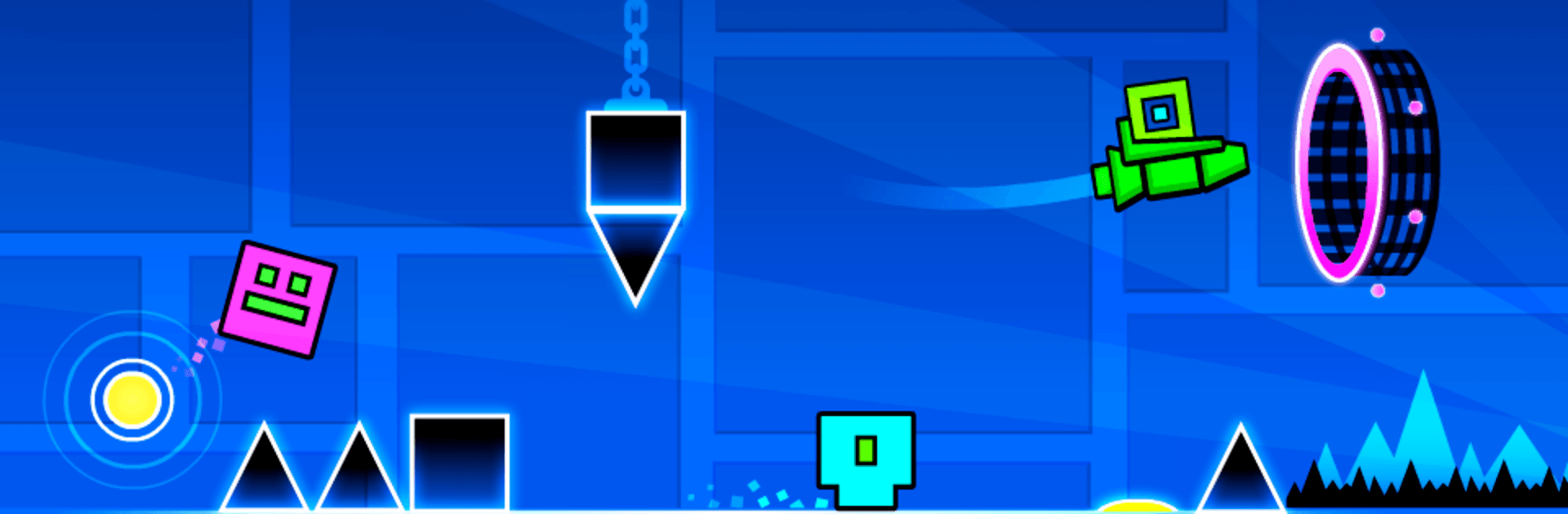
Geometry Dash Lite is a fast, rhythm-soaked challenge where your timing matters more than anything. You’ll hop, rocket, and flip through flashy courses that sync to the beat, trying to thread the needle between spikes, traps, and sudden shifts. It’s quick to learn, tough to master, and weirdly addictive once you catch the groove.

Game Features

  • Music-led mayhem: Every jump and flip feels tied to the soundtrack, so your ears help your thumbs keep pace when the level turns chaotic.
  • Crafted stages + community creations: Tackle a curated set of official levels, then dip into a huge pool of community-made stages when you want something fresh or extra spicy.
  • Tap, fly, and flip: One moment you’re bouncing over hazards, the next you’re piloting a mini rocket or flipping gravity to run on the ceiling—portals constantly remix how you play.
  • Practice without pressure: Use practice mode to map out nasty sections, set checkpoints, and smooth out your timing before chasing clean runs.
  • Make it yours: Unlock icons and color combos to give your cube (and its many forms) a look that actually feels like you.
  • Daily challenges: Short goals nudge you to try different levels and tricks, perfect for quick sessions or warming up before a serious attempt.
  • Tough but fair: Instant restarts keep failures painless and the momentum high, so you can grind that one spot until it finally clicks.
  • Play your way: Simple one-touch controls on mobile work great, and you can also run Geometry Dash Lite on PC with BlueStacks if you’d rather click or tap keys.

Start playing Geometry Dash Lite on BlueStacks and get a smoother, more comfortable PC or Mac setup.


Game Features

Enhancements

  • Macros
  • Multi Instance
  • Multi Instance Sync
  • Script
  • Enhancements
Macros

Macros

Automate the predictable in Geometry Dash Lite and transform your gameplay with Macros. Get access to inventive Macros in the BlueStacks Macro Community
Multi Instance

Multi Instance

Play Geometry Dash Lite on one window. And chat with your friend on the other. Press CTRL + Shift + 8 to open the Multi-Instance Manager. And start creating fresh instances or clone an existing one.
Multi Instance Sync

Multi Instance Sync

Play Geometry Dash Lite with the power of Multi-Instance Sync. Replicate what you are doing on the main instance on all other instances. Level up faster, play more.
Script

Script

Script your way to gaming glory in Geometry Dash Lite with BlueStacks Script. Write and run a set of commands to automate repeated tasks. Trigger the command by assigning it to any key.
Read More

How to Download and Play Geometry Dash Lite on PC or Mac

  • Download and install BlueStacks on your PC or Mac

  • Complete Google sign-in to access the Play Store, or do it later

  • Look for Geometry Dash Lite in the search bar at the top right corner

  • Click to install Geometry Dash Lite from the search results

  • Complete Google sign-in (if you skipped step 2) to install Geometry Dash Lite

  • Click the Geometry Dash Lite icon on the home screen to start playing

video
Watch Video

Minimum System Requirements

With BlueStacks 5, you can get started on a PC that fulfills the following requirements.

  • Operating System

    Microsoft Windows 7 or above, macOS 11 (Big Sur) or above

  • Processor

    Intel, AMD or Apple Silicon Processor

  • RAM

    at least 4GB

  • HDD

    10GB Free Disk Space

Note:

* You must be an Administrator on your PC. Up to date graphics drivers from Microsoft or the chipset vendor.

Geometry Dash Lite - FAQs

  • How to play Geometry Dash Lite on Windows PC & Mac?

    Play Geometry Dash Lite on your PC or Mac by following these simple steps.

    • Click on 'Play Geometry Dash Lite on PC’ to download BlueStacks
    • Install it and log-in to Google Play Store
    • Launch and play the game.
  • Why is BlueStacks the fastest and safest platform to play games on PC?

    BlueStacks respects your privacy and is always safe and secure to use. It does not carry any malware, spyware, or any sort of additional software that could harm your PC.

    It is engineered to optimize speed and performance for a seamless gaming experience.

  • What are Geometry Dash Lite PC requirements?

    Minimum requirement to run Geometry Dash Lite on your PC

    • OS: Microsoft Windows 7 or above MacOS 11 (Big Sur) or above
    • Processor: Intel, AMD or Apple Silicon Processor
    • RAM: Your PC must have at least 4GB of RAM. (Note that having 4GB or more disk space is not a substitute for RAM)
    • HDD: 10GB Free Disk Space.
    • You must be an Administrator on your PC.