Real Car Driving: Racing Sim

Real Car Driving: Racing Sim

Racing

| Racing Games - Make it for fun

Play on PC with BlueStacks or from our cloud

  • Overview
  • Game Features
  • How to Play

Page Modified On: November 28, 2025

Play Real Car Driving: Racing Sim on PC or Mac

Step into the World of Real Car Driving: Racing Sim, a thrilling Racing game from the house of Racing Games – Make it for fun. Play this Android game on BlueStacks App Player and experience immersive gaming on PC or Mac.

About the Game

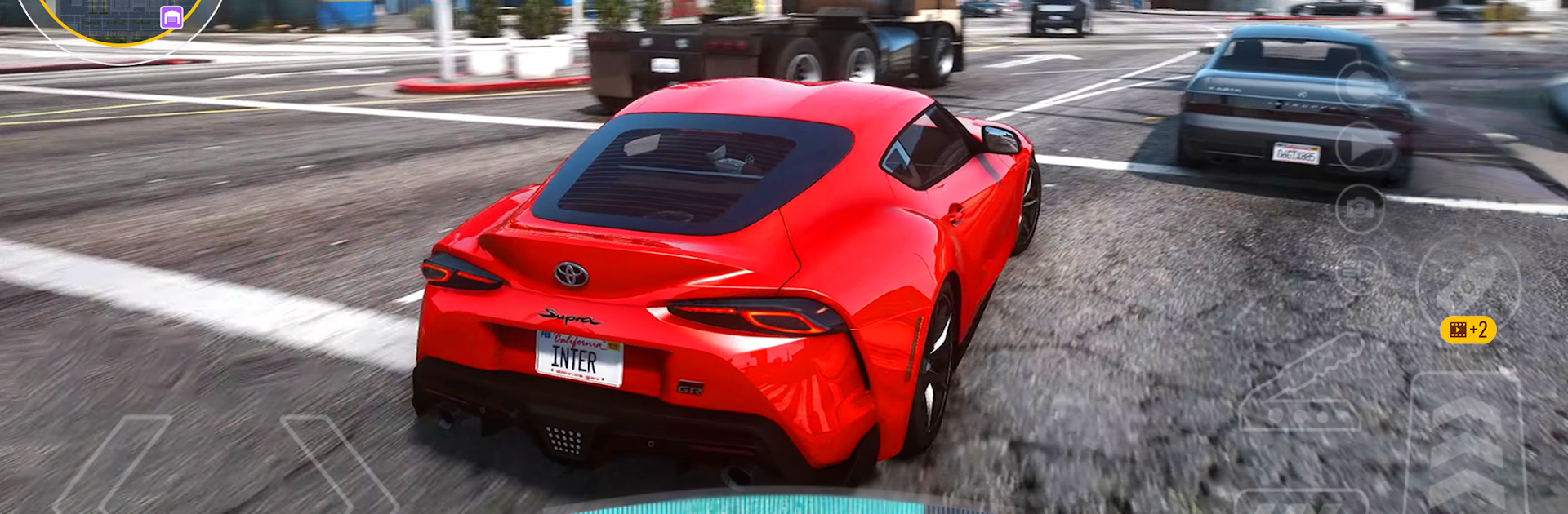
Real Car Driving: Racing Sim is for players who want that sweet spot between serious driving feel and all-out fun. It’s a Racing game from Racing Games – Make it for fun where every corner, drift, and late brake actually matters. Play on your phone, or fire it up on BlueStacks if you’re into bigger screens and smoother controls.

Game Features

  • True-to-road handling: Feel weight shift, grip change, and throttle response as you push the car. It’s not arcade floaty—you’ll learn to read the road and your tires.
  • Tune every part: Swap parts, tweak suspension, adjust gearing, and pick the perfect paint and rims. Build a car that fits your style and the track.
  • Rivals that push back: Face tough AI and real racers across city loops, mountain switchbacks, and proper circuits. Smart driving beats raw power.
  • A garage worth bragging about: Collect sports cars, classic muscle, and beloved imports. Mix performance builds with eye-catching decals.
  • Tracks with attitude: Race through shifting weather and day–night lighting that changes how each course feels—and how you attack it.
  • Modes for every mood: Climb the ladder in Career, chase personal bests in Time Trial, or go big in Megaramp for wild challenges.
  • Looks and sounds right: Crisp 3D visuals and punchy engine audio keep the adrenaline up without muddying what’s happening on track.
  • Easy to pick up, hard to master: Choose the control setup that fits you—casual-friendly options with the depth to grow into a pro rhythm. Regular updates keep new cars, tracks, and tweaks coming.

Slay your opponents with your epic moves. Play it your way on BlueStacks and dominate the battlefield.


Game Features

Enhancements

  • Macros
  • Multi Instance
  • Multi Instance Sync
  • Script
  • Enhancements
Macros

Macros

Automate the predictable in Real Car Driving: Racing Sim and transform your gameplay with Macros. Get access to inventive Macros in the BlueStacks Macro Community
Multi Instance

Multi Instance

Play Real Car Driving: Racing Sim on one window. And chat with your friend on the other. Press CTRL + Shift + 8 to open the Multi-Instance Manager. And start creating fresh instances or clone an existing one.
Multi Instance Sync

Multi Instance Sync

Play Real Car Driving: Racing Sim with the power of Multi-Instance Sync. Replicate what you are doing on the main instance on all other instances. Level up faster, play more.
Script

Script

Script your way to gaming glory in Real Car Driving: Racing Sim with BlueStacks Script. Write and run a set of commands to automate repeated tasks. Trigger the command by assigning it to any key.
Read More

How to Download and Play Real Car Driving: Racing Sim on PC or Mac

  • Download and install BlueStacks on your PC or Mac

  • Complete Google sign-in to access the Play Store, or do it later

  • Look for Real Car Driving: Racing Sim in the search bar at the top right corner

  • Click to install Real Car Driving: Racing Sim from the search results

  • Complete Google sign-in (if you skipped step 2) to install Real Car Driving: Racing Sim

  • Click the Real Car Driving: Racing Sim icon on the home screen to start playing

video
Watch Video

Minimum System Requirements

With BlueStacks 5, you can get started on a PC that fulfills the following requirements.

  • Operating System

    Microsoft Windows 7 or above, macOS 11 (Big Sur) or above

  • Processor

    Intel, AMD or Apple Silicon Processor

  • RAM

    at least 4GB

  • HDD

    10GB Free Disk Space

Note:

* You must be an Administrator on your PC. Up to date graphics drivers from Microsoft or the chipset vendor.

Real Car Driving: Racing Sim - FAQs

  • How to play Real Car Driving: Racing Sim on Windows PC & Mac?

    Play Real Car Driving: Racing Sim on your PC or Mac by following these simple steps.

    • Click on 'Play Real Car Driving: Racing Sim on PC’ to download BlueStacks
    • Install it and log-in to Google Play Store
    • Launch and play the game.
  • Why is BlueStacks the fastest and safest platform to play games on PC?

    BlueStacks respects your privacy and is always safe and secure to use. It does not carry any malware, spyware, or any sort of additional software that could harm your PC.

    It is engineered to optimize speed and performance for a seamless gaming experience.

  • What are Real Car Driving: Racing Sim PC requirements?

    Minimum requirement to run Real Car Driving: Racing Sim on your PC

    • OS: Microsoft Windows 7 or above MacOS 11 (Big Sur) or above
    • Processor: Intel, AMD or Apple Silicon Processor
    • RAM: Your PC must have at least 4GB of RAM. (Note that having 4GB or more disk space is not a substitute for RAM)
    • HDD: 10GB Free Disk Space.
    • You must be an Administrator on your PC.