Street Racing: Car Racing Game

Street Racing: Car Racing Game

Racing

| ngagames

Play on PC with BlueStacks or from our cloud

  • Overview
  • Game Features
  • How to Play

Page Modified On: April 24, 2026

Play Street Racing: Car Racing Game on PC or Mac

Explore a whole new adventure with Street Racing: Car Racing Game, a Racing game created by ngagames. Experience great gameplay with BlueStacks, the most popular gaming platform to play Android games on your PC or Mac.

About the Game

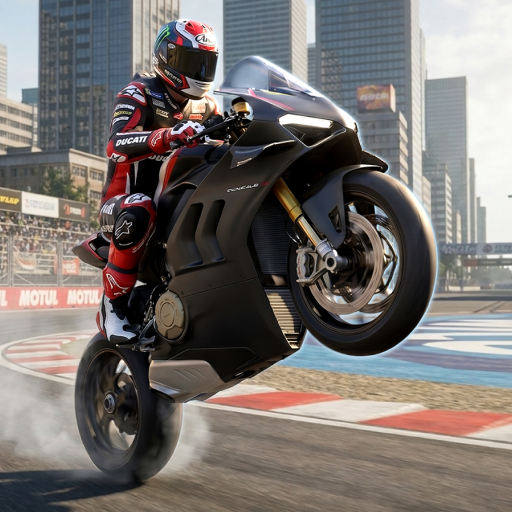
Street Racing: Car Racing Game by ngagames throws you into the driver’s seat as the crew’s newest wheelman. It’s a gritty Racing experience built around outlaw runs, breakneck speed, and that heart-in-your-throat moment when the sirens light up behind you. Thread traffic, cash in on wins, and tune your ride for the next showdown. If you like playing on a bigger screen with precise inputs, you can run it on PC using BlueStacks.

Game Features

  • Open-city streets: Roam a sprawling urban map packed with moving traffic, tight alleys, and risky shortcuts that reward bold driving.
  • Heat on your tail: Police pursuits crank up the tension—outrun, outsmart, and shake the chase before the cuffs come out.
  • Head-to-head racing: Line up against tough street rivals in high-speed events where clean lines and gutsy passes decide the podium.
  • Punchy, physical handling: Feel the weight of your car as you drift, clip bumpers, and muscle through chaos with responsive, realistic physics.
  • Build real speed: Spend race winnings to boost your car’s overall performance, turning a scrappy starter into a serious highway menace.
  • Missions that pay: Tackle varied objectives to earn big rewards, unlock fresh rides, and push your collection forward.
  • Modes for every mood: Jump into Escape the Cops, chase wins in high-speed races, or just free-roam and set your own challenges across the city.
  • Traffic as an obstacle: Navigate dense, unpredictable flow—time gaps, read patterns, and keep your nerve when lanes pinch.
  • Daily bonuses: Log in to grab steady perks that help you upgrade faster and stay ready for your next run.

Ready to top the leaderboard? We bet you do. Let precise controls and sharp visuals optimized on BlueStacks lead you to victory.


Game Features

Enhancements

  • Macros
  • Multi Instance
  • Multi Instance Sync
  • Script
  • Enhancements
Macros

Macros

Automate the predictable in Street Racing: Car Racing Game and transform your gameplay with Macros. Get access to inventive Macros in the BlueStacks Macro Community
Multi Instance

Multi Instance

Play Street Racing: Car Racing Game on one window. And chat with your friend on the other. Press CTRL + Shift + 8 to open the Multi-Instance Manager. And start creating fresh instances or clone an existing one.
Multi Instance Sync

Multi Instance Sync

Play Street Racing: Car Racing Game with the power of Multi-Instance Sync. Replicate what you are doing on the main instance on all other instances. Level up faster, play more.
Script

Script

Script your way to gaming glory in Street Racing: Car Racing Game with BlueStacks Script. Write and run a set of commands to automate repeated tasks. Trigger the command by assigning it to any key.
Read More

How to Download and Play Street Racing: Car Racing Game on PC or Mac

  • Download and install BlueStacks on your PC or Mac

  • Complete Google sign-in to access the Play Store, or do it later

  • Look for Street Racing: Car Racing Game in the search bar at the top right corner

  • Click to install Street Racing: Car Racing Game from the search results

  • Complete Google sign-in (if you skipped step 2) to install Street Racing: Car Racing Game

  • Click the Street Racing: Car Racing Game icon on the home screen to start playing

video
Watch Video

Minimum System Requirements

With BlueStacks 5, you can get started on a PC that fulfills the following requirements.

  • Operating System

    Microsoft Windows 7 or above, macOS 11 (Big Sur) or above

  • Processor

    Intel, AMD or Apple Silicon Processor

  • RAM

    at least 4GB

  • HDD

    10GB Free Disk Space

Note:

* You must be an Administrator on your PC. Up to date graphics drivers from Microsoft or the chipset vendor.

Street Racing: Car Racing Game - FAQs

  • How to play Street Racing: Car Racing Game on Windows PC & Mac?

    Play Street Racing: Car Racing Game on your PC or Mac by following these simple steps.

    • Click on 'Play Street Racing: Car Racing Game on PC’ to download BlueStacks
    • Install it and log-in to Google Play Store
    • Launch and play the game.
  • Why is BlueStacks the fastest and safest platform to play games on PC?

    BlueStacks respects your privacy and is always safe and secure to use. It does not carry any malware, spyware, or any sort of additional software that could harm your PC.

    It is engineered to optimize speed and performance for a seamless gaming experience.

  • What are Street Racing: Car Racing Game PC requirements?

    Minimum requirement to run Street Racing: Car Racing Game on your PC

    • OS: Microsoft Windows 7 or above MacOS 11 (Big Sur) or above
    • Processor: Intel, AMD or Apple Silicon Processor
    • RAM: Your PC must have at least 4GB of RAM. (Note that having 4GB or more disk space is not a substitute for RAM)
    • HDD: 10GB Free Disk Space.
    • You must be an Administrator on your PC.