الطارة
الطارة

الطارة

Racing

| Iqaat

Play on PC with BlueStacks or from our cloud

  • Overview
  • Game Features
  • How to Play

Page Modified On: November 03, 2025

Play الطارة on PC or Mac

الطارة brings the Racing genre to life, and throws up exciting challenges for gamers. Developed by Iqaat, this Android game is best experienced on BlueStacks, the World’s #1 app player for PC and Mac users.

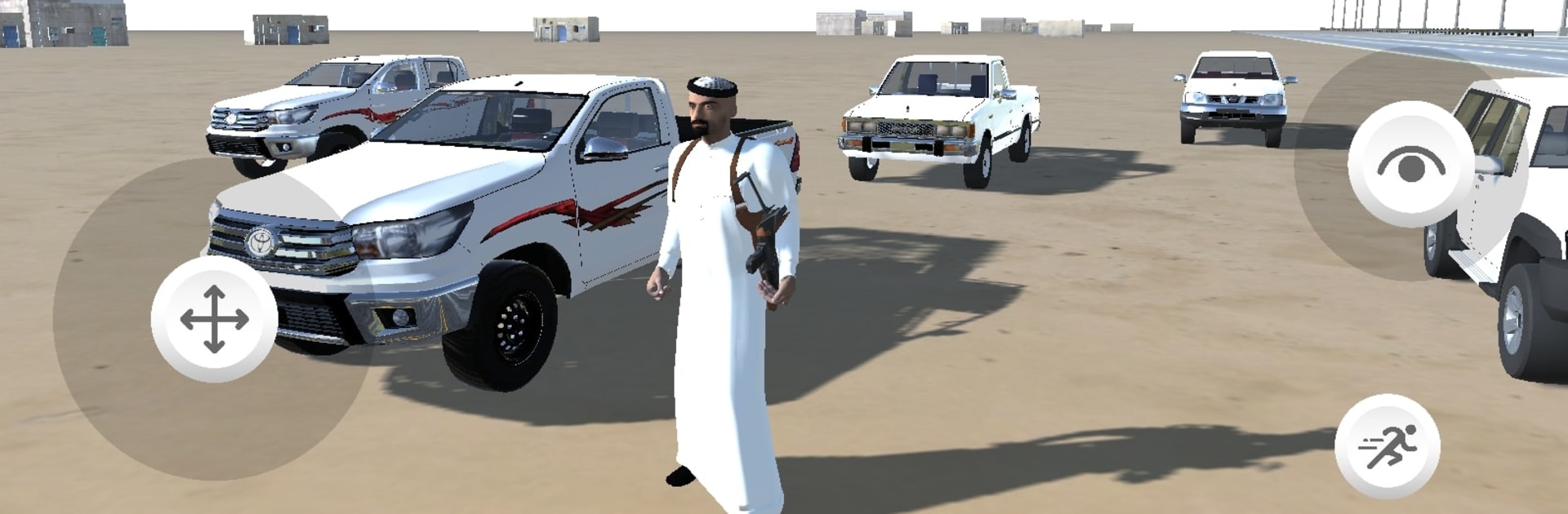
الطارة is a straightforward driving game that keeps things focused on the road. It splits time between long highway runs and sandy desert routes, so the player gets both smooth asphalt and loose, dusty turns. Traffic threads in and out, and the game really leans into drifting. Points stack up for long slides, clean lines, and staying close to other cars without crashing. The handling sits between arcade and mild realism, so cars have some weight but still swing out nicely when the handbrake taps. On PC through BlueStacks, mapping the handbrake to a key and steering to arrows or a gamepad makes drifting feel steady and a bit easier to control.

There is also a parking side that is more about patience than speed. Tight spaces, cones, small margins, and a camera that asks for careful angle changes. Scraping a barrier punishes mistakes, so precise brakeing matters. Cars can be modified with paint, rims, and parts, which gives a reason to keep grinding points from drifts and clean runs. New cars and tweaks roll in at a decent pace, nothing too complicated, just a steady loop of run, earn, upgrade, try a tougher route. Engine sounds and tire squeal do the job, and the desert glare against metal looks nice when the car is sliding sideways and the score counter keeps ticking.

Make your gaming sessions memorable with precise controls that give you an edge in close combats and visuals that pop up, bringing every character to life.


Game Features

Enhancements

  • Macros
  • Multi Instance
  • Multi Instance Sync
  • Script
  • Enhancements
Macros

Macros

Automate the predictable in الطارة and transform your gameplay with Macros. Get access to inventive Macros in the BlueStacks Macro Community
Multi Instance

Multi Instance

Play الطارة on one window. And chat with your friend on the other. Press CTRL + Shift + 8 to open the Multi-Instance Manager. And start creating fresh instances or clone an existing one.
Multi Instance Sync

Multi Instance Sync

Play الطارة with the power of Multi-Instance Sync. Replicate what you are doing on the main instance on all other instances. Level up faster, play more.
Script

Script

Script your way to gaming glory in الطارة with BlueStacks Script. Write and run a set of commands to automate repeated tasks. Trigger the command by assigning it to any key.
Read More

How to Download and Play الطارة on PC or Mac

  • Download and install BlueStacks on your PC or Mac

  • Complete Google sign-in to access the Play Store, or do it later

  • Look for الطارة in the search bar at the top right corner

  • Click to install الطارة from the search results

  • Complete Google sign-in (if you skipped step 2) to install الطارة

  • Click the الطارة icon on the home screen to start playing

video
Watch Video

Minimum System Requirements

With BlueStacks 5, you can get started on a PC that fulfills the following requirements.

  • Operating System

    Microsoft Windows 7 or above, macOS 11 (Big Sur) or above

  • Processor

    Intel, AMD or Apple Silicon Processor

  • RAM

    at least 4GB

  • HDD

    10GB Free Disk Space

Note:

* You must be an Administrator on your PC. Up to date graphics drivers from Microsoft or the chipset vendor.

الطارة - FAQs

  • How to play الطارة on Windows PC & Mac?

    Play الطارة on your PC or Mac by following these simple steps.

    • Click on 'Play الطارة on PC’ to download BlueStacks
    • Install it and log-in to Google Play Store
    • Launch and play the game.
  • Why is BlueStacks the fastest and safest platform to play games on PC?

    BlueStacks respects your privacy and is always safe and secure to use. It does not carry any malware, spyware, or any sort of additional software that could harm your PC.

    It is engineered to optimize speed and performance for a seamless gaming experience.

  • What are الطارة PC requirements?

    Minimum requirement to run الطارة on your PC

    • OS: Microsoft Windows 7 or above MacOS 11 (Big Sur) or above
    • Processor: Intel, AMD or Apple Silicon Processor
    • RAM: Your PC must have at least 4GB of RAM. (Note that having 4GB or more disk space is not a substitute for RAM)
    • HDD: 10GB Free Disk Space.
    • You must be an Administrator on your PC.