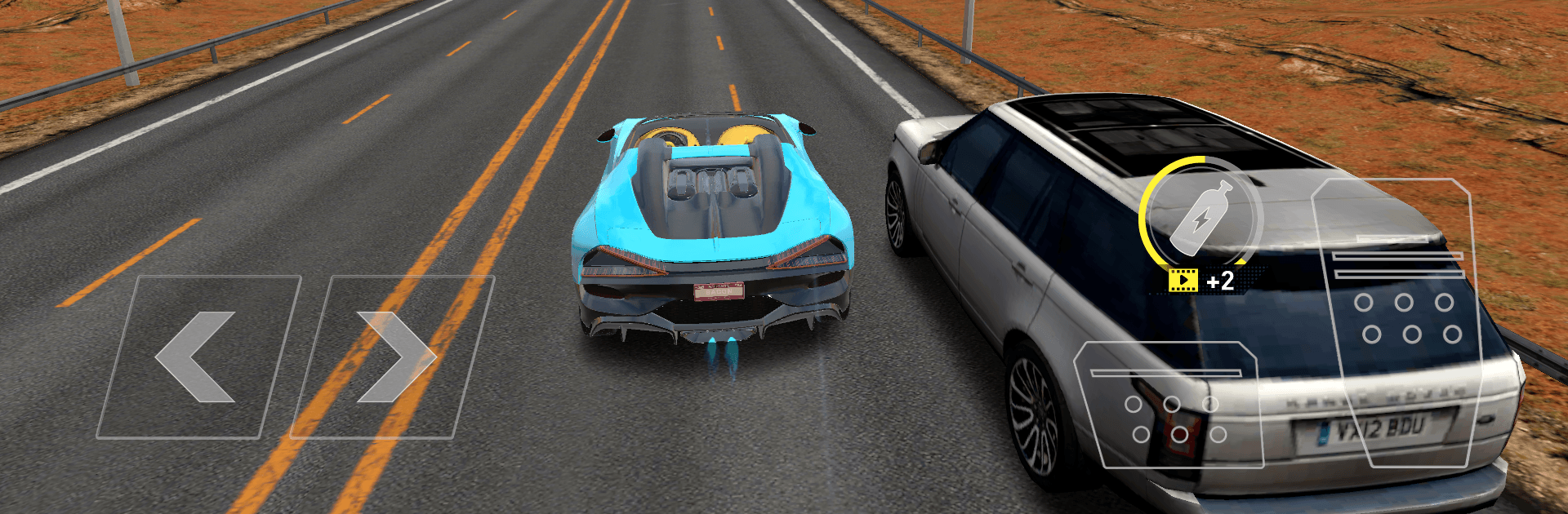
Traffic Car Pro - Driving Sim

Traffic Car Pro - Driving Sim

Racing

| DT Trading Lab

Play on PC with BlueStacks or from our cloud

  • Overview
  • Game Features
  • How to Play

Page Modified On: July 27, 2026

Play Traffic Car Pro - Driving Sim on PC or Mac

Explore a whole new adventure with Traffic Car Pro – Driving Sim, a Racing game created by DT Trading Lab. Experience great gameplay with BlueStacks, the most popular gaming platform to play Android games on your PC or Mac.

About the Game

Traffic Car Pro – Driving Sim throws you into fast, focused street action where every lane change matters. It’s a clean, no-fuss Racing experience: pick a car, pick a mode, and chase that next record while threading through traffic at ridiculous speeds. Expect tight controls, nitro bursts when you need them most, and a steady flow of rewards that make your garage feel more personal with every run.

Game Features

  • Build Your Garage: Start small and work your way up to a 21-car lineup, from everyday sleepers to track-ready rockets. Upgrade performance, fine-tune your favorites, and shape a collection that fits how you like to drive.

  • Earn While Away: Step off the road and your cash still trickles in. That idle income helps you snag new rides and upgrades faster without grinding nonstop.

  • Mission-Based Runs: Short, focused objectives with timers keep the pressure high. Nail the targets, move the campaign forward, and unlock fresh wheels along the way.

  • Head-to-Head Duels: Face a rival car in quick showdowns with rewards on the line. Win clean, take the prize, and prove you’ve got the nerve for close-quarters racing.

  • Endless Highway: Settle into the flow and see how far you can go. Weave through traffic, grab boosts, and push your personal best one risky pass at a time.

  • Skill Challenges: Precision-focused trials test your reaction time and consistency. It’s all about clean lines, quick thinking, and staying cool at high speed.

  • Real Road Feel: Snowy mountain routes, dense city streets, and long open stretches keep things varied. Responsive handling and nitro kicks sell the speed without overcomplicating the controls.

  • Smooth on PC: Prefer a bigger screen and precise input? Traffic Car Pro – Driving Sim feels great on BlueStacks, with sharp visuals and snappy control.

Ready to top the leaderboard? We bet you do. Let precise controls and sharp visuals optimized on BlueStacks lead you to victory.


Game Features

Enhancements

  • Macros
  • Multi Instance
  • Multi Instance Sync
  • Script
  • Enhancements
Macros

Macros

Automate the predictable in Traffic Car Pro - Driving Sim and transform your gameplay with Macros. Get access to inventive Macros in the BlueStacks Macro Community
Multi Instance

Multi Instance

Play Traffic Car Pro - Driving Sim on one window. And chat with your friend on the other. Press CTRL + Shift + 8 to open the Multi-Instance Manager. And start creating fresh instances or clone an existing one.
Multi Instance Sync

Multi Instance Sync

Play Traffic Car Pro - Driving Sim with the power of Multi-Instance Sync. Replicate what you are doing on the main instance on all other instances. Level up faster, play more.
Script

Script

Script your way to gaming glory in Traffic Car Pro - Driving Sim with BlueStacks Script. Write and run a set of commands to automate repeated tasks. Trigger the command by assigning it to any key.
Read More

How to Download and Play Traffic Car Pro - Driving Sim on PC or Mac

  • Download and install BlueStacks on your PC or Mac

  • Complete Google sign-in to access the Play Store, or do it later

  • Look for Traffic Car Pro - Driving Sim in the search bar at the top right corner

  • Click to install Traffic Car Pro - Driving Sim from the search results

  • Complete Google sign-in (if you skipped step 2) to install Traffic Car Pro - Driving Sim

  • Click the Traffic Car Pro - Driving Sim icon on the home screen to start playing

video
Watch Video

Minimum System Requirements

With BlueStacks 5, you can get started on a PC that fulfills the following requirements.

  • Operating System

    Microsoft Windows 7 or above, macOS 11 (Big Sur) or above

  • Processor

    Intel, AMD or Apple Silicon Processor

  • RAM

    at least 4GB

  • HDD

    10GB Free Disk Space

Note:

* You must be an Administrator on your PC. Up to date graphics drivers from Microsoft or the chipset vendor.

Traffic Car Pro - Driving Sim - FAQs

  • How to play Traffic Car Pro - Driving Sim on Windows PC & Mac?

    Play Traffic Car Pro - Driving Sim on your PC or Mac by following these simple steps.

    • Click on 'Play Traffic Car Pro - Driving Sim on PC’ to download BlueStacks
    • Install it and log-in to Google Play Store
    • Launch and play the game.
  • Why is BlueStacks the fastest and safest platform to play games on PC?

    BlueStacks respects your privacy and is always safe and secure to use. It does not carry any malware, spyware, or any sort of additional software that could harm your PC.

    It is engineered to optimize speed and performance for a seamless gaming experience.

  • What are Traffic Car Pro - Driving Sim PC requirements?

    Minimum requirement to run Traffic Car Pro - Driving Sim on your PC

    • OS: Microsoft Windows 7 or above MacOS 11 (Big Sur) or above
    • Processor: Intel, AMD or Apple Silicon Processor
    • RAM: Your PC must have at least 4GB of RAM. (Note that having 4GB or more disk space is not a substitute for RAM)
    • HDD: 10GB Free Disk Space.
    • You must be an Administrator on your PC.