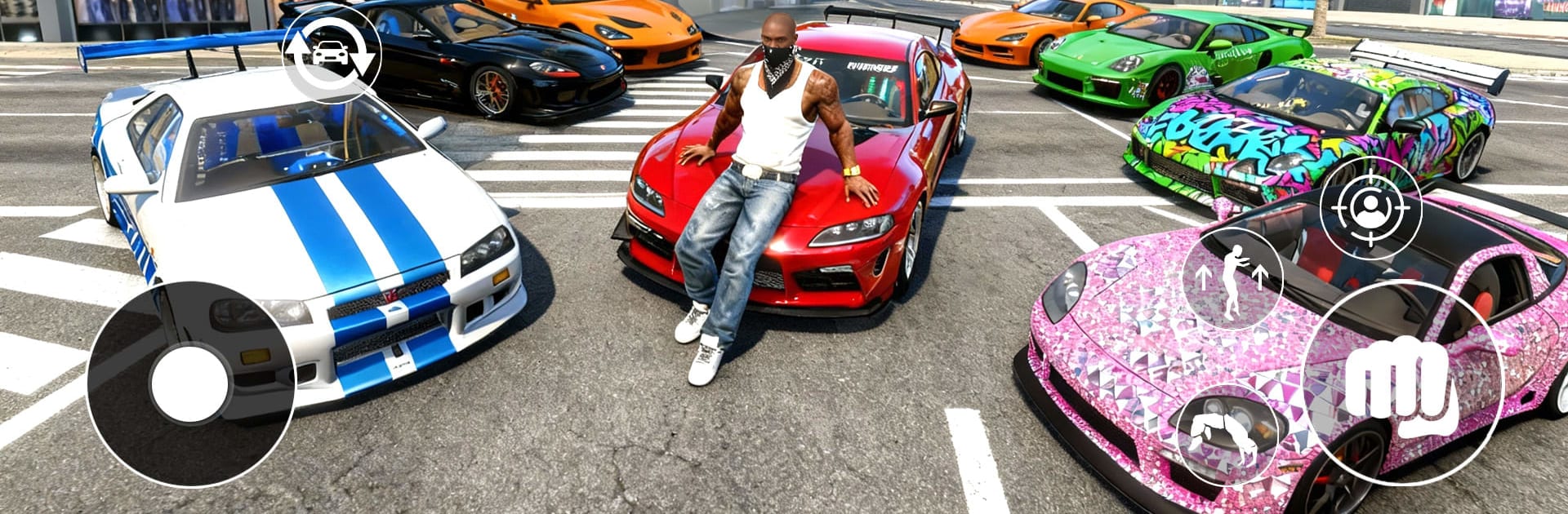
Real Car Simulator: Crime City

Real Car Simulator: Crime City

Simulation

| DT Trading Lab

Play on PC with BlueStacks or from our cloud

  • Overview
  • Game Features
  • How to Play

Page Modified On: December 05, 2025

Play Real Car Simulator: Crime City on PC or Mac

Step into the World of Real Car Simulator: Crime City, a thrilling Simulation game from the house of DT Trading Lab. Play this Android game on BlueStacks App Player and experience immersive gaming on PC or Mac.

About the Game

Real Car Simulator: Crime City drops you into a gritty open-world playground where fast cars, messy street brawls, and daring jobs all collide. It’s a bold Simulation from DT Trading Lab that mixes realistic driving with open-ended mayhem, letting you decide whether tonight’s plan is a high-speed chase or a quiet cruise through city lights. Prefer a bigger view of the action? You can play it on BlueStacks too.

Game Features

  • Open-city freedom: Roam a sprawling urban map packed with shortcuts, back alleys, and wide avenues. Go looking for trouble—or lay low and just enjoy the ride.
  • Big garage energy: Jump between sleek sports cars and tough off-road beasts. Every vehicle has its own feel, from tight cornering to raw, grippy power.
  • Real-feel handling: Physics-driven controls make every turn, drift, and handbrake slide count. Nail clean lines or throw the tail out when you need a quick escape.
  • Style your outlaw: Swap outfits and build a look that matches your reputation, whether that’s sharp and expensive or straight-up street.
  • Fists, races, and risky work: Take on missions, scrap with rivals, and push for more territory. Some nights are about speed; others end with bruised knuckles.
  • Play your way: Steal a ride, pick fights, or simply cruise and explore. The city doesn’t rush you—unless you bring the heat.

Slay your opponents with your epic moves. Play it your way on BlueStacks and dominate the battlefield.


Game Features

Enhancements

  • Macros
  • Multi Instance
  • Multi Instance Sync
  • Script
  • Enhancements
Macros

Macros

Automate the predictable in Real Car Simulator: Crime City and transform your gameplay with Macros. Get access to inventive Macros in the BlueStacks Macro Community
Multi Instance

Multi Instance

Play Real Car Simulator: Crime City on one window. And chat with your friend on the other. Press CTRL + Shift + 8 to open the Multi-Instance Manager. And start creating fresh instances or clone an existing one.
Multi Instance Sync

Multi Instance Sync

Play Real Car Simulator: Crime City with the power of Multi-Instance Sync. Replicate what you are doing on the main instance on all other instances. Level up faster, play more.
Script

Script

Script your way to gaming glory in Real Car Simulator: Crime City with BlueStacks Script. Write and run a set of commands to automate repeated tasks. Trigger the command by assigning it to any key.
Read More

How to Download and Play Real Car Simulator: Crime City on PC or Mac

  • Download and install BlueStacks on your PC or Mac

  • Complete Google sign-in to access the Play Store, or do it later

  • Look for Real Car Simulator: Crime City in the search bar at the top right corner

  • Click to install Real Car Simulator: Crime City from the search results

  • Complete Google sign-in (if you skipped step 2) to install Real Car Simulator: Crime City

  • Click the Real Car Simulator: Crime City icon on the home screen to start playing

video
Watch Video

Minimum System Requirements

With BlueStacks 5, you can get started on a PC that fulfills the following requirements.

  • Operating System

    Microsoft Windows 7 or above, macOS 11 (Big Sur) or above

  • Processor

    Intel, AMD or Apple Silicon Processor

  • RAM

    at least 4GB

  • HDD

    10GB Free Disk Space

Note:

* You must be an Administrator on your PC. Up to date graphics drivers from Microsoft or the chipset vendor.

Real Car Simulator: Crime City - FAQs

  • How to play Real Car Simulator: Crime City on Windows PC & Mac?

    Play Real Car Simulator: Crime City on your PC or Mac by following these simple steps.

    • Click on 'Play Real Car Simulator: Crime City on PC’ to download BlueStacks
    • Install it and log-in to Google Play Store
    • Launch and play the game.
  • Why is BlueStacks the fastest and safest platform to play games on PC?

    BlueStacks respects your privacy and is always safe and secure to use. It does not carry any malware, spyware, or any sort of additional software that could harm your PC.

    It is engineered to optimize speed and performance for a seamless gaming experience.

  • What are Real Car Simulator: Crime City PC requirements?

    Minimum requirement to run Real Car Simulator: Crime City on your PC

    • OS: Microsoft Windows 7 or above MacOS 11 (Big Sur) or above
    • Processor: Intel, AMD or Apple Silicon Processor
    • RAM: Your PC must have at least 4GB of RAM. (Note that having 4GB or more disk space is not a substitute for RAM)
    • HDD: 10GB Free Disk Space.
    • You must be an Administrator on your PC.