US Police Car Chase Games 3d

US Police Car Chase Games 3d

Racing

| EmpireX Gaming LLC

Play on PC with BlueStacks or from our cloud

  • Overview
  • Game Features
  • How to Play

Page Modified On: July 16, 2026

Play US Police Car Chase Games 3d on PC or Mac

Step into the World of US Police Car Chase Games 3d, a thrilling Racing game from the house of EmpireX Gaming LLC. Play this Android game on BlueStacks App Player and experience immersive gaming on PC or Mac.

About the Game

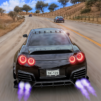
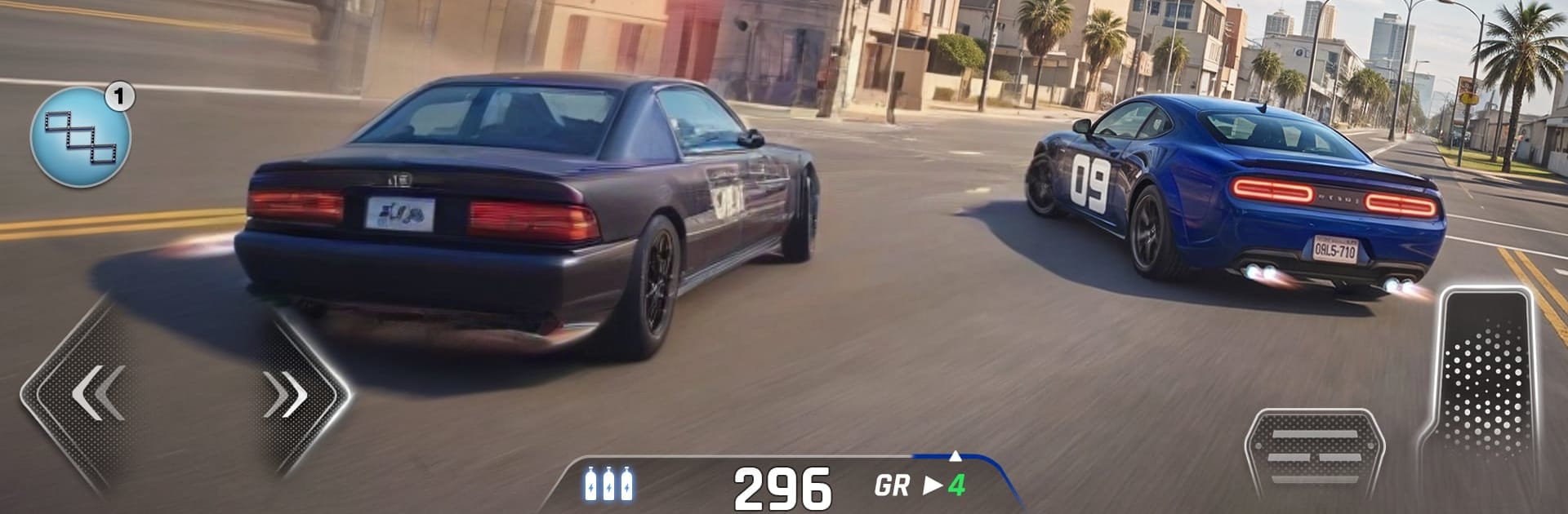
US Police Car Chase Games 3d throws you behind the wheel of modern patrol cars and lets you race after getaway drivers across a bustling city. It’s a fast, street-smart take on Racing where quick thinking matters as much as raw speed—cut off escape routes, slide through tight turns, and nail clean arrests. Expect short, punchy missions, tense near-misses, and that adrenaline kick when the siren lights up and the suspect’s cornered.

Game Features

  • High-speed pursuits: Weave through traffic, read suspect routes, and time your accelerations to close the gap before they slip away.
  • Smart takedowns: Box in fleeing cars, set up clean cutoffs, and line up precision hits that end the chase without wrecking your ride.
  • City built for action: Navigate busy intersections, sharp turns, and long straights designed to test reflexes and route planning.
  • Precision drifting: Use controlled slides to keep speed through hairpins and swing the rear around for tight, satisfying corners.
  • Mission variety: From quick interceptions to longer pursuits, each challenge pushes your driving, timing, and strategy in new ways.
  • Growing garage: Unlock a lineup of authentic police vehicles—each with its own feel, acceleration, and handling personality.
  • Smooth, responsive controls: Steering and braking feel snappy, making split-second course changes and last-second drifts natural.
  • Clean audio-visual punch: Sirens, engine roars, and city ambience amplify the rush of every chase and capture.
  • Plays great on PC: Prefer a desk setup? It feels right at home on BlueStacks with keyboard-style precision and crisp visuals.

Start playing US Police Car Chase Games 3d on BlueStacks and get a smoother, more comfortable PC or Mac setup.


Game Features

Enhancements

  • Macros
  • Multi Instance
  • Multi Instance Sync
  • Script
  • Enhancements
Macros

Macros

Automate the predictable in US Police Car Chase Games 3d and transform your gameplay with Macros. Get access to inventive Macros in the BlueStacks Macro Community
Multi Instance

Multi Instance

Play US Police Car Chase Games 3d on one window. And chat with your friend on the other. Press CTRL + Shift + 8 to open the Multi-Instance Manager. And start creating fresh instances or clone an existing one.
Multi Instance Sync

Multi Instance Sync

Play US Police Car Chase Games 3d with the power of Multi-Instance Sync. Replicate what you are doing on the main instance on all other instances. Level up faster, play more.
Script

Script

Script your way to gaming glory in US Police Car Chase Games 3d with BlueStacks Script. Write and run a set of commands to automate repeated tasks. Trigger the command by assigning it to any key.
Read More

How to Download and Play US Police Car Chase Games 3d on PC or Mac

  • Download and install BlueStacks on your PC or Mac

  • Complete Google sign-in to access the Play Store, or do it later

  • Look for US Police Car Chase Games 3d in the search bar at the top right corner

  • Click to install US Police Car Chase Games 3d from the search results

  • Complete Google sign-in (if you skipped step 2) to install US Police Car Chase Games 3d

  • Click the US Police Car Chase Games 3d icon on the home screen to start playing

video
Watch Video

Minimum System Requirements

With BlueStacks 5, you can get started on a PC that fulfills the following requirements.

  • Operating System

    Microsoft Windows 7 or above, macOS 11 (Big Sur) or above

  • Processor

    Intel, AMD or Apple Silicon Processor

  • RAM

    at least 4GB

  • HDD

    10GB Free Disk Space

Note:

* You must be an Administrator on your PC. Up to date graphics drivers from Microsoft or the chipset vendor.

US Police Car Chase Games 3d - FAQs

  • How to play US Police Car Chase Games 3d on Windows PC & Mac?

    Play US Police Car Chase Games 3d on your PC or Mac by following these simple steps.

    • Click on 'Play US Police Car Chase Games 3d on PC’ to download BlueStacks
    • Install it and log-in to Google Play Store
    • Launch and play the game.
  • Why is BlueStacks the fastest and safest platform to play games on PC?

    BlueStacks respects your privacy and is always safe and secure to use. It does not carry any malware, spyware, or any sort of additional software that could harm your PC.

    It is engineered to optimize speed and performance for a seamless gaming experience.

  • What are US Police Car Chase Games 3d PC requirements?

    Minimum requirement to run US Police Car Chase Games 3d on your PC

    • OS: Microsoft Windows 7 or above MacOS 11 (Big Sur) or above
    • Processor: Intel, AMD or Apple Silicon Processor
    • RAM: Your PC must have at least 4GB of RAM. (Note that having 4GB or more disk space is not a substitute for RAM)
    • HDD: 10GB Free Disk Space.
    • You must be an Administrator on your PC.