Car Crash Simulator
Car Crash Simulator

Car Crash Simulator

Racing

| Carrot Games Studio

Play on PC with BlueStacks or from our cloud

  • Overview
  • Game Features
  • How to Play

Page Modified On: January 06, 2026

Play Car Crash Simulator on PC or Mac

Step into the World of Car Crash Simulator, a thrilling Racing game from the house of Carrot Games Studio. Play this Android game on BlueStacks App Player and experience immersive gaming on PC or Mac.

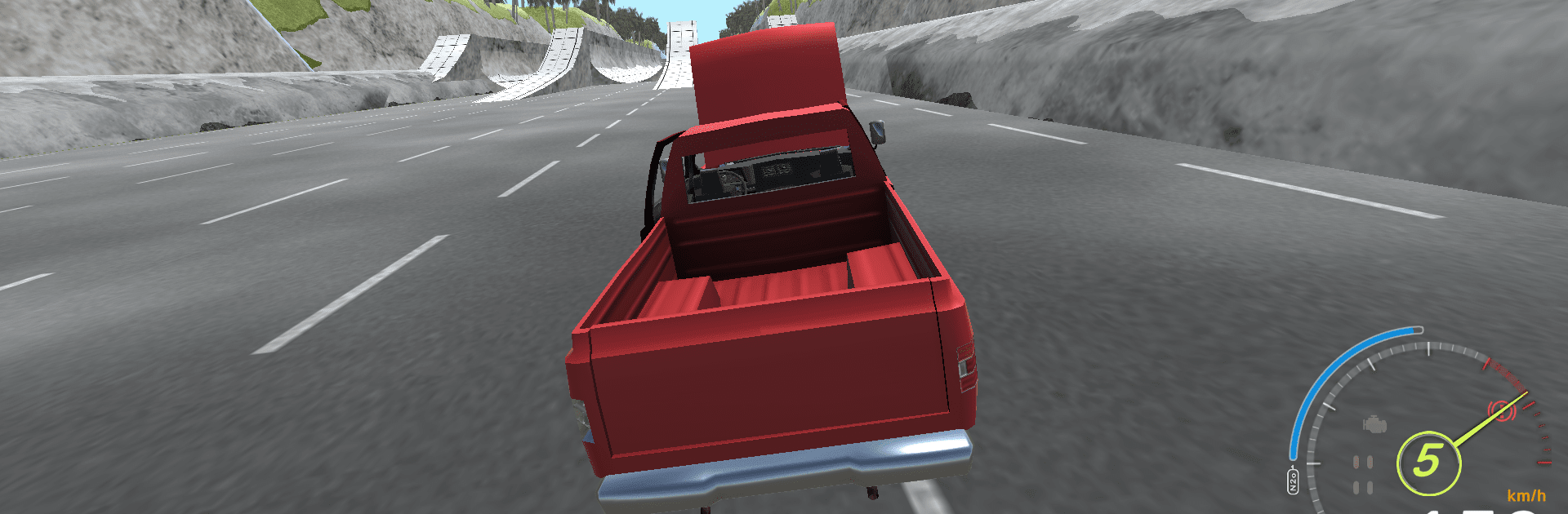
Car Crash Simulator feels less like a clean racing game and more like a big physics playground where metal bends, suspensions groan, and bad decisions are sometimes the fun choice. The cars have weight, so when a fender clips a barrier or the truck lands off a jump, the body crumples and the wheels bite or skid in ways that look and sound right. It leans into that BeamNG-style feel, so every bump matters, and the game kind of dares players to push a little harder just to see what breaks first. One run might be a downhill sprint full of tight turns, the next is a messy offroad climb with ruts and mud, then a snowy track that punishes speed. There are derby arenas, traffic runs, drifting sections, even parking-style skill checks, and the roster is wild, from old muscle to 4x4s, monster trucks, and heavy rigs like a garbage truck.

What stands out is the variety and the freedom to treat each map like a test course. Tinker with performance, swap visuals, then send it into another corner to see if that tweak actually helped or just made the crash louder. Multiplayer is there for people who want to smash and show off. On PC with BlueStacks, the bigger screen and keyboard control make the physics easier to read, and the cars feel a bit more precise through rough terrain. It is not a strict sim, but it respects momentum and damage enough to keep players honest, then hands them another ridiculous track to try again.

Get ready for a buttery smooth, high-performance gaming action only on BlueStacks.

Game Features

Enhancements

  • Macros
  • Multi Instance
  • Multi Instance Sync
  • Script
  • Enhancements
Macros

Macros

Automate the predictable in Car Crash Simulator and transform your gameplay with Macros. Get access to inventive Macros in the BlueStacks Macro Community
Multi Instance

Multi Instance

Play Car Crash Simulator on one window. And chat with your friend on the other. Press CTRL + Shift + 8 to open the Multi-Instance Manager. And start creating fresh instances or clone an existing one.
Multi Instance Sync

Multi Instance Sync

Play Car Crash Simulator with the power of Multi-Instance Sync. Replicate what you are doing on the main instance on all other instances. Level up faster, play more.
Script

Script

Script your way to gaming glory in Car Crash Simulator with BlueStacks Script. Write and run a set of commands to automate repeated tasks. Trigger the command by assigning it to any key.
Read More

How to Download and Play Car Crash Simulator on PC or Mac

  • Download and install BlueStacks on your PC or Mac

  • Complete Google sign-in to access the Play Store, or do it later

  • Look for Car Crash Simulator in the search bar at the top right corner

  • Click to install Car Crash Simulator from the search results

  • Complete Google sign-in (if you skipped step 2) to install Car Crash Simulator

  • Click the Car Crash Simulator icon on the home screen to start playing

video
Watch Video

Minimum System Requirements

With BlueStacks 5, you can get started on a PC that fulfills the following requirements.

  • Operating System

    Microsoft Windows 7 or above, macOS 11 (Big Sur) or above

  • Processor

    Intel, AMD or Apple Silicon Processor

  • RAM

    at least 4GB

  • HDD

    10GB Free Disk Space

Note:

* You must be an Administrator on your PC. Up to date graphics drivers from Microsoft or the chipset vendor.

Car Crash Simulator - FAQs

  • How to play Car Crash Simulator on Windows PC & Mac?

    Play Car Crash Simulator on your PC or Mac by following these simple steps.

    • Click on 'Play Car Crash Simulator on PC’ to download BlueStacks
    • Install it and log-in to Google Play Store
    • Launch and play the game.
  • Why is BlueStacks the fastest and safest platform to play games on PC?

    BlueStacks respects your privacy and is always safe and secure to use. It does not carry any malware, spyware, or any sort of additional software that could harm your PC.

    It is engineered to optimize speed and performance for a seamless gaming experience.

  • What are Car Crash Simulator PC requirements?

    Minimum requirement to run Car Crash Simulator on your PC

    • OS: Microsoft Windows 7 or above MacOS 11 (Big Sur) or above
    • Processor: Intel, AMD or Apple Silicon Processor
    • RAM: Your PC must have at least 4GB of RAM. (Note that having 4GB or more disk space is not a substitute for RAM)
    • HDD: 10GB Free Disk Space.
    • You must be an Administrator on your PC.