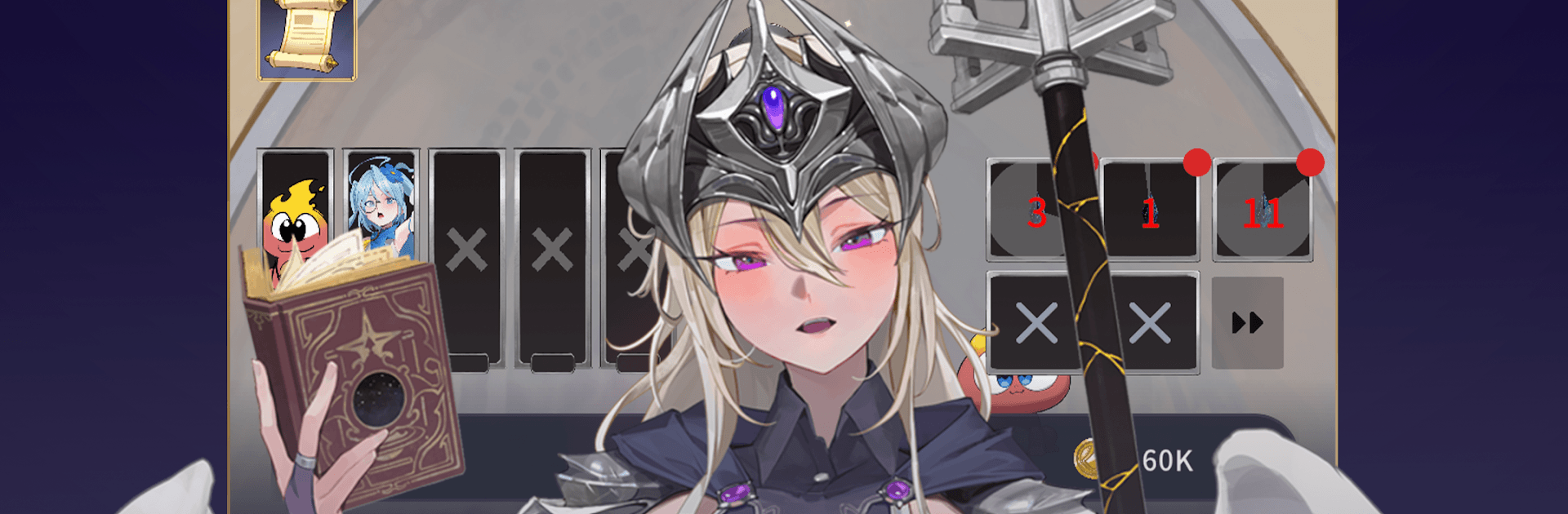
Po Una Idle Beta
Po Una Idle Beta

Po Una Idle Beta

Role Playing

| Gruuw

Play on PC with BlueStacks or from our cloud

  • Overview
  • Game Features
  • How to Play

Page Modified On: September 18, 2026

Play Po Una Idle Beta on PC or Mac

Play Po Una Idle Beta by Gruuw on PC or Mac with BlueStacks. Use a bigger screen, mouse and keyboard controls, and smoother performance while you play.

About the Game

Po Una Idle Beta is a Role Playing adventure about climbing a living, ever-changing tower while running the base camp that keeps your journey alive. This is an early test build with no in-app purchases and optional ads, so you can explore freely, share feedback, and help shape where it goes next—it also runs smoothly on BlueStacks. Expect a mix of laid-back idle progress and hands-on action when big fights demand quick dodges and well-timed spells.

Game Features

  • A living tower: Scale a semi-sentient tower that rewrites itself—one floor might be an endless sea, the next a memory-wiping desert, then a hall that reflects your desires.
  • Hybrid combat flow: Your party auto-battles for steady gains, but you can jump in to reposition, swipe-dodge, and fire off skills when bosses push back.
  • Build and defend your camp: Set up a proper operation with upgrades that power every climb, and brace for raids that test your defenses.
  • Specialists on call: Recruit a Blacksmith for gear, an Alchemist for flasks, and a Summoner to bring in new heroes as your base grows.
  • Allies with real roles: Assemble attackers, healers, and supports, strengthen their bonds, and shape a team that actually feels like a team.
  • Spells you can shape: Equip up to six spells, then awaken them into nastier, flashier tiers that change how you handle tough encounters.
  • Gear, artifacts, and relics: Hunt for loot that tweaks your build and your look, from stat sticks to odd relics with game-changing perks.
  • Progression with personality: Push stats, unlock paths, and use glamour options to make your hero feel unmistakably yours.
  • Challenge modes and a mine to plunder: Take on Wave, Kill Count, and Damage-style trials, then dig into a mining minigame for ore and hidden artifacts.
  • A story that keeps unfolding: Track the mystery of Macapi’s fall, clash with Ifrit and stare down Aeon, and move through arcs that resolve while setting up the next threat.
  • Built for early testing: Send feedback and bug reports straight from the game (screenshots included), and note that progress will reset before the next major stage to keep things fair.

Start your journey now. Download the game on BlueStacks, invite your friends, and march on a new adventure.


Game Features

Enhancements

  • Macros
  • Rerolling
  • Eco Mode
  • Multi Instance Sync
  • Enhancements
Macros

Macros

Focus more on the fun part of the game, skip the tedious aspects. Master Po Una Idle Beta with Macros. Record yourself completing the monotonous tasks you wish to automate and replay them later with just one keypress.
Rerolling

Rerolling

Speed up the rerolling process in Po Una Idle Beta. Perform multiple summons and keep looking for the best Heroes. Use Multi-Instance sync to replicate the rerolling mechanism in all instances.
Eco Mode

Eco Mode

Farm in-game resources with ease in Po Una Idle Beta. Enable the Eco Mode when running the game in multiple instances. And lower your PC's resource consumption.
Multi Instance Sync

Multi Instance Sync

With the Multi-instance Sync, you can do even more in Po Una Idle Beta. Sync the action of the main instance and repeat them in real time for all other instances. Sync and sit back, let the game progress unfold.
Read More

How to Download and Play Po Una Idle Beta on PC or Mac

  • Download and install BlueStacks on your PC or Mac

  • Complete Google sign-in to access the Play Store, or do it later

  • Look for Po Una Idle Beta in the search bar at the top right corner

  • Click to install Po Una Idle Beta from the search results

  • Complete Google sign-in (if you skipped step 2) to install Po Una Idle Beta

  • Click the Po Una Idle Beta icon on the home screen to start playing

video
Watch Video

Minimum System Requirements

With BlueStacks 5, you can get started on a PC that fulfills the following requirements.

  • Operating System

    Microsoft Windows 7 or above, macOS 11 (Big Sur) or above

  • Processor

    Intel, AMD or Apple Silicon Processor

  • RAM

    at least 4GB

  • HDD

    10GB Free Disk Space

Note:

* You must be an Administrator on your PC. Up to date graphics drivers from Microsoft or the chipset vendor.

Po Una Idle Beta - FAQs

  • How to play Po Una Idle Beta on Windows PC & Mac?

    Play Po Una Idle Beta on your PC or Mac by following these simple steps.

    • Click on 'Play Po Una Idle Beta on PC’ to download BlueStacks
    • Install it and log-in to Google Play Store
    • Launch and play the game.
  • Why is BlueStacks the fastest and safest platform to play games on PC?

    BlueStacks respects your privacy and is always safe and secure to use. It does not carry any malware, spyware, or any sort of additional software that could harm your PC.

    It is engineered to optimize speed and performance for a seamless gaming experience.

  • What are Po Una Idle Beta PC requirements?

    Minimum requirement to run Po Una Idle Beta on your PC

    • OS: Microsoft Windows 7 or above MacOS 11 (Big Sur) or above
    • Processor: Intel, AMD or Apple Silicon Processor
    • RAM: Your PC must have at least 4GB of RAM. (Note that having 4GB or more disk space is not a substitute for RAM)
    • HDD: 10GB Free Disk Space.
    • You must be an Administrator on your PC.