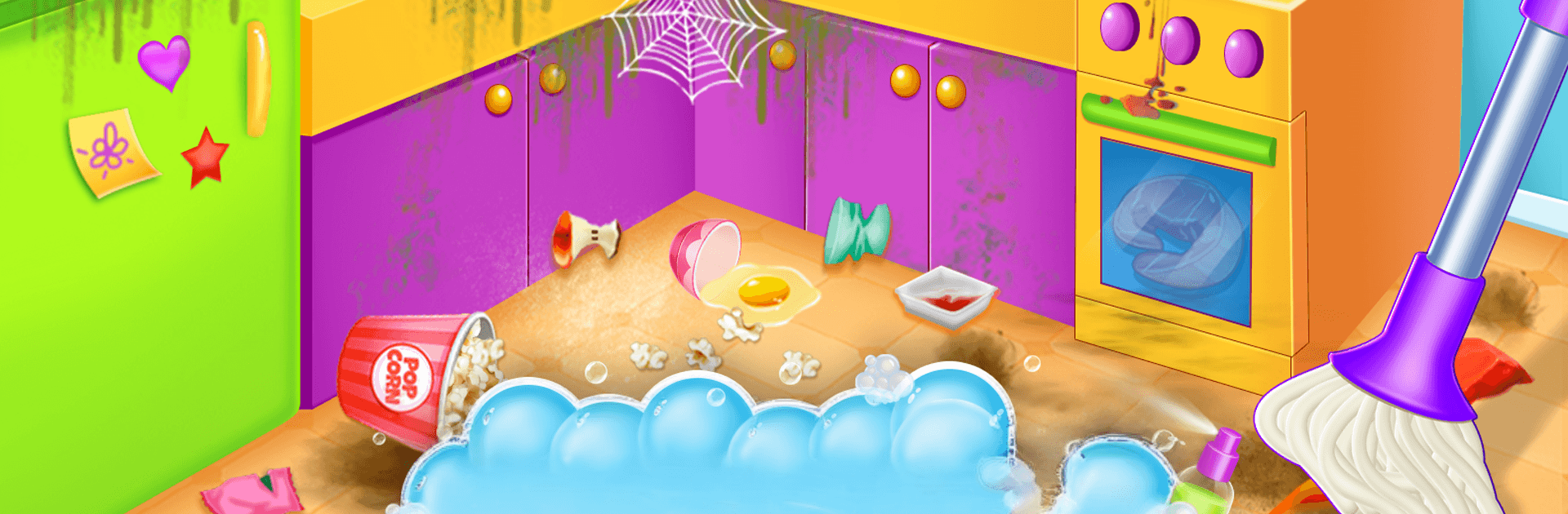
Home cleaning game for girls

Home cleaning game for girls

Role Playing

| Ginchu Games

Play on PC with BlueStacks or from our cloud

  • Overview
  • Game Features
  • How to Play

Page Modified On: August 15, 2026

Play Home cleaning game for girls on PC or Mac

Explore a whole new adventure with Home cleaning game for girls, a Role Playing game created by Ginchu Games. Experience great gameplay with BlueStacks, the most popular gaming platform to play Android games on your PC or Mac.

About the Game

Home cleaning game for girls turns everyday chores into playful mini-missions kids actually want to finish. This cheerful Role Playing experience lets them step into a helper’s shoes, tackle messes room by room, and enjoy that satisfying “all clean!” moment. Want a bigger workspace for those scrubs and swipes? It runs smoothly on PC with BlueStacks, too.

Game Features

  • Tidy Bedroom Mission: Pick up toys, fold clothes, organize shelves, and clear the floor to make the room look cozy and neat.
  • Bathroom Sparkle: Scrub the toilet, wipe the sink and counter, polish the mirror, and leave the place fresh and hygienic.
  • Kitchen Cleanup: Wash dishes, wipe down counters and appliances, and sweep up crumbs to keep the cooking area spotless.
  • Garden Care: Pull weeds, water plants, sweep paths, and collect debris to bring the yard back to life.
  • Kid-Friendly Tools: Simple tap-and-drag actions, clear prompts, and upbeat feedback make tasks easy to follow—even for first-timers.
  • Teaches Good Habits: Reinforces organization, responsibility, and basic hygiene without feeling like homework.
  • Short, Satisfying Sessions: Each task is bite-sized, so kids can jump in, finish a job, and feel accomplished in a few minutes.
  • Before-and-After Moments: Watch messy spaces transform step by step—great visual payoff that keeps kids coming back.

Start your journey now. Download the game on BlueStacks, invite your friends, and march on a new adventure.


Game Features

Enhancements

  • Macros
  • Rerolling
  • Eco Mode
  • Multi Instance Sync
  • Enhancements
Macros

Macros

Focus more on the fun part of the game, skip the tedious aspects. Master Home cleaning game for girls with Macros. Record yourself completing the monotonous tasks you wish to automate and replay them later with just one keypress.
Rerolling

Rerolling

Speed up the rerolling process in Home cleaning game for girls. Perform multiple summons and keep looking for the best Heroes. Use Multi-Instance sync to replicate the rerolling mechanism in all instances.
Eco Mode

Eco Mode

Farm in-game resources with ease in Home cleaning game for girls. Enable the Eco Mode when running the game in multiple instances. And lower your PC's resource consumption.
Multi Instance Sync

Multi Instance Sync

With the Multi-instance Sync, you can do even more in Home cleaning game for girls. Sync the action of the main instance and repeat them in real time for all other instances. Sync and sit back, let the game progress unfold.
Read More

How to Download and Play Home cleaning game for girls on PC or Mac

  • Download and install BlueStacks on your PC or Mac

  • Complete Google sign-in to access the Play Store, or do it later

  • Look for Home cleaning game for girls in the search bar at the top right corner

  • Click to install Home cleaning game for girls from the search results

  • Complete Google sign-in (if you skipped step 2) to install Home cleaning game for girls

  • Click the Home cleaning game for girls icon on the home screen to start playing

video
Watch Video

Minimum System Requirements

With BlueStacks 5, you can get started on a PC that fulfills the following requirements.

  • Operating System

    Microsoft Windows 7 or above, macOS 11 (Big Sur) or above

  • Processor

    Intel, AMD or Apple Silicon Processor

  • RAM

    at least 4GB

  • HDD

    10GB Free Disk Space

Note:

* You must be an Administrator on your PC. Up to date graphics drivers from Microsoft or the chipset vendor.

Home cleaning game for girls - FAQs

  • How to play Home cleaning game for girls on Windows PC & Mac?

    Play Home cleaning game for girls on your PC or Mac by following these simple steps.

    • Click on 'Play Home cleaning game for girls on PC’ to download BlueStacks
    • Install it and log-in to Google Play Store
    • Launch and play the game.
  • Why is BlueStacks the fastest and safest platform to play games on PC?

    BlueStacks respects your privacy and is always safe and secure to use. It does not carry any malware, spyware, or any sort of additional software that could harm your PC.

    It is engineered to optimize speed and performance for a seamless gaming experience.

  • What are Home cleaning game for girls PC requirements?

    Minimum requirement to run Home cleaning game for girls on your PC

    • OS: Microsoft Windows 7 or above MacOS 11 (Big Sur) or above
    • Processor: Intel, AMD or Apple Silicon Processor
    • RAM: Your PC must have at least 4GB of RAM. (Note that having 4GB or more disk space is not a substitute for RAM)
    • HDD: 10GB Free Disk Space.
    • You must be an Administrator on your PC.