BFF Girls Pajama Party Fun

BFF Girls Pajama Party Fun

Role Playing

| GameSticky

Play on PC with BlueStacks or from our cloud

  • Overview
  • Game Features
  • How to Play

Page Modified On: April 21, 2026

Play BFF Girls Pajama Party Fun on PC or Mac

Step into the World of BFF Girls Pajama Party Fun, a thrilling Role Playing game from the house of GameSticky. Play this Android game on BlueStacks App Player and experience immersive gaming on PC or Mac.

About the Game

BFF Girls Pajama Party Fun is a cozy Role Playing hangout where four besties plan the ultimate sleepover and you’re in charge of every cute detail. Pick your favorite girl, prep the house, glam up, and jump into a night full of mini-games, snacks, and pure best-friend chaos. Prefer a bigger screen for all the sparkle and selfies? You can play on your PC with BlueStacks, too.

Game Features

  • Pick Your Bestie: Choose one of four friends and step into her night—from planning to the last selfie.
  • Create Adorable Invites: Craft a stylish pajama party invitation that sets the mood for the whole sleepover.
  • Clean, Prep, Repeat: Tidy the house before guests arrive, then handle tent cleaning and even tent-making for that cozy camp-in vibe.
  • Spa Night Glow-Up: Do a relaxing face spa and hair wash, then try cute hair designs and nail art to match the PJs.
  • Style the Perfect PJs: Mix and match pajamas, slippers, and accessories for comfy-cute looks.
  • Room Makeover Fun: Decorate the bedroom with sweet touches, fluff up pillows, and make the space party-ready.
  • Snack Station Time: Whip up popcorn, cupcakes, and colorful mocktails—because late-night munchies are a must.
  • Dance Floor Energy: Turn up the DJ beats and let the girls show off their moves.
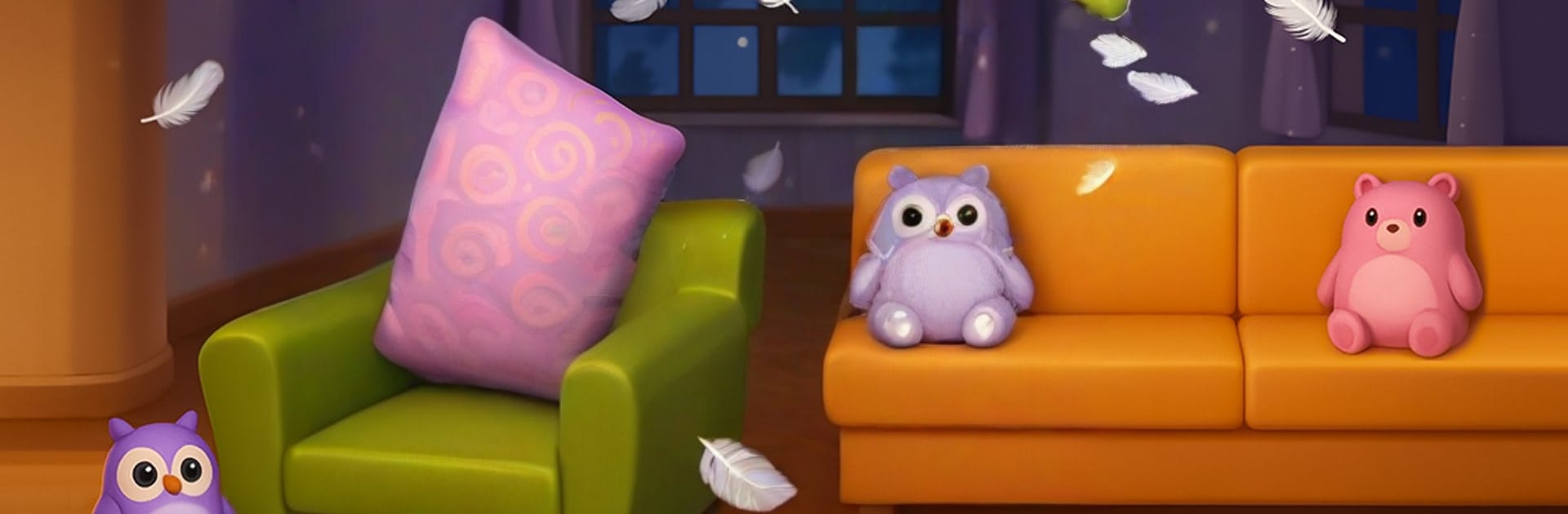
  • Pillow Fight Challenge: Grab a pillow and go head-to-head in a friendly, feathery showdown.
  • Face Paint & More: Add funny face paint and playful details for those giggly photo moments.
  • Hidden Object Hunt: Race to find items around the room before your rival spots them.
  • Guess The Number: Try the new mini-game for surprise gifts and bragging rights.
  • Selfie Moments: Capture the best poses with your BFFs and save the memories for later.

Slay your opponents with your epic moves. Play it your way on BlueStacks and dominate the battlefield.


Game Features

Enhancements

  • Macros
  • Rerolling
  • Eco Mode
  • Multi Instance Sync
  • Enhancements
Macros

Macros

Focus more on the fun part of the game, skip the tedious aspects. Master BFF Girls Pajama Party Fun with Macros. Record yourself completing the monotonous tasks you wish to automate and replay them later with just one keypress.
Rerolling

Rerolling

Speed up the rerolling process in BFF Girls Pajama Party Fun. Perform multiple summons and keep looking for the best Heroes. Use Multi-Instance sync to replicate the rerolling mechanism in all instances.
Eco Mode

Eco Mode

Farm in-game resources with ease in BFF Girls Pajama Party Fun. Enable the Eco Mode when running the game in multiple instances. And lower your PC's resource consumption.
Multi Instance Sync

Multi Instance Sync

With the Multi-instance Sync, you can do even more in BFF Girls Pajama Party Fun. Sync the action of the main instance and repeat them in real time for all other instances. Sync and sit back, let the game progress unfold.
Read More

How to Download and Play BFF Girls Pajama Party Fun on PC or Mac

  • Download and install BlueStacks on your PC or Mac

  • Complete Google sign-in to access the Play Store, or do it later

  • Look for BFF Girls Pajama Party Fun in the search bar at the top right corner

  • Click to install BFF Girls Pajama Party Fun from the search results

  • Complete Google sign-in (if you skipped step 2) to install BFF Girls Pajama Party Fun

  • Click the BFF Girls Pajama Party Fun icon on the home screen to start playing

video
Watch Video

Minimum System Requirements

With BlueStacks 5, you can get started on a PC that fulfills the following requirements.

  • Operating System

    Microsoft Windows 7 or above, macOS 11 (Big Sur) or above

  • Processor

    Intel, AMD or Apple Silicon Processor

  • RAM

    at least 4GB

  • HDD

    10GB Free Disk Space

Note:

* You must be an Administrator on your PC. Up to date graphics drivers from Microsoft or the chipset vendor.

BFF Girls Pajama Party Fun - FAQs

  • How to play BFF Girls Pajama Party Fun on Windows PC & Mac?

    Play BFF Girls Pajama Party Fun on your PC or Mac by following these simple steps.

    • Click on 'Play BFF Girls Pajama Party Fun on PC’ to download BlueStacks
    • Install it and log-in to Google Play Store
    • Launch and play the game.
  • Why is BlueStacks the fastest and safest platform to play games on PC?

    BlueStacks respects your privacy and is always safe and secure to use. It does not carry any malware, spyware, or any sort of additional software that could harm your PC.

    It is engineered to optimize speed and performance for a seamless gaming experience.

  • What are BFF Girls Pajama Party Fun PC requirements?

    Minimum requirement to run BFF Girls Pajama Party Fun on your PC

    • OS: Microsoft Windows 7 or above MacOS 11 (Big Sur) or above
    • Processor: Intel, AMD or Apple Silicon Processor
    • RAM: Your PC must have at least 4GB of RAM. (Note that having 4GB or more disk space is not a substitute for RAM)
    • HDD: 10GB Free Disk Space.
    • You must be an Administrator on your PC.