Blossom Tales
Blossom Tales

Blossom Tales

Role Playing

| FDG Entertainment GmbH & Co.KG

Play on PC with BlueStacks or from our cloud

  • Overview
  • Game Features
  • How to Play

Page Modified On: October 09, 2026

Play Blossom Tales on PC or Mac

Blossom Tales brings the Role Playing genre to life, and throws up exciting challenges for gamers. Developed by FDG Entertainment GmbH & Co.KG, this Android game is best experienced on BlueStacks, the World’s #1 app player for PC and Mac users.

About the Game

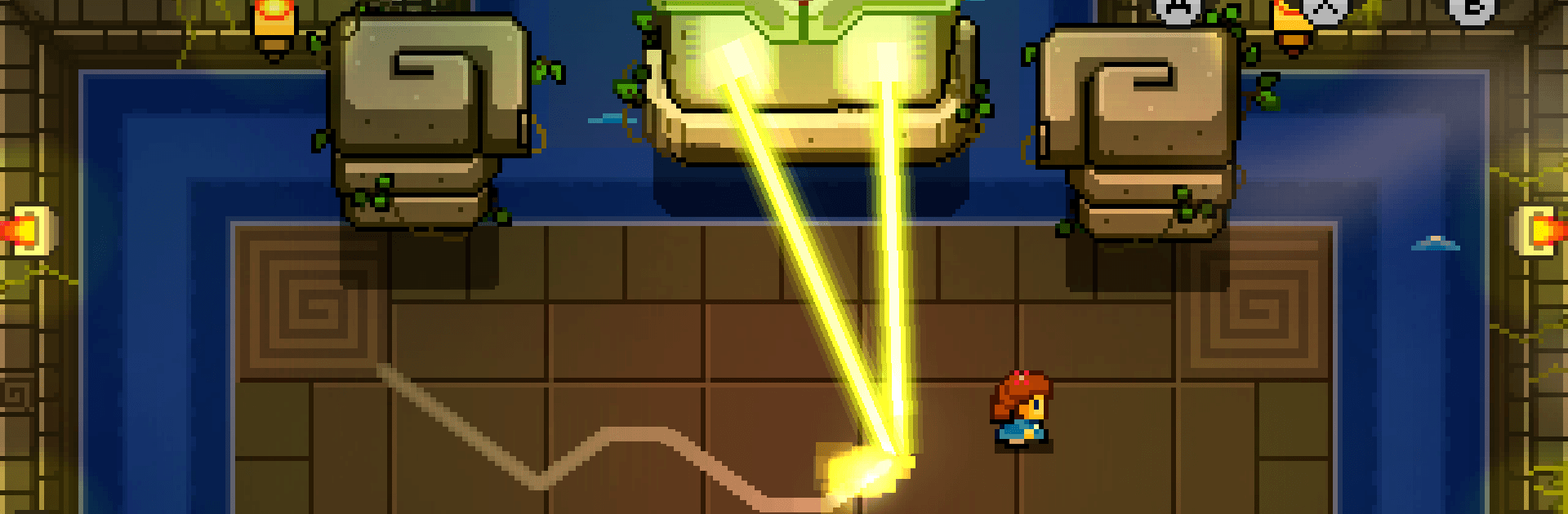
Blossom Tales is a cozy, sword-swinging Role Playing adventure where you guide Lily, a budding Knight of the Rose, on a quest to keep her kingdom safe. Expect nostalgic top-down action, chunky puzzles, and a charming tale told by a grandpa with a flair for theatrics. It’s lighthearted, quick to learn, and stuffed with secrets if you love to explore.

Game Features

  • Try before you buy: Start with the entire first chapter at no cost, then unlock the rest when you’re ready for the full journey.
  • A world worth wandering: Roam forests, deserts, ancient ruins, and lively towns in a sprawling overworld packed with side paths, caves, and surprises.
  • Five memorable dungeons: Conquer distinct, enemy-filled labyrinths, each topped by a boss that pushes your timing, tools, and tactics.
  • Combat that clicks: Mix and match unique weapons and handy spells to suit your style—rush in, play cautious, or get clever with gadgets.
  • Puzzles with bite: From switch rooms and sliding blocks to pattern clues, each challenge nudges you to think without stalling the adventure.
  • A story with a wink: The tale unfolds as a grandpa narrates to his grandkids, with your choices subtly shaping how moments play out.
  • Built for comfort: Enjoy smooth controller support and responsive controls; it also feels right at home on BlueStacks if you’d like the bigger-screen treatment.
  • Hours well spent: Settle in for 15+ hours of lively questing, with plenty of optional secrets and collectibles for completionists.

Get ready for a buttery smooth, high-performance gaming action only on BlueStacks.

Game Features

Enhancements

  • Macros
  • Rerolling
  • Eco Mode
  • Multi Instance Sync
  • Enhancements
Macros

Macros

Focus more on the fun part of the game, skip the tedious aspects. Master Blossom Tales with Macros. Record yourself completing the monotonous tasks you wish to automate and replay them later with just one keypress.
Rerolling

Rerolling

Speed up the rerolling process in Blossom Tales. Perform multiple summons and keep looking for the best Heroes. Use Multi-Instance sync to replicate the rerolling mechanism in all instances.
Eco Mode

Eco Mode

Farm in-game resources with ease in Blossom Tales. Enable the Eco Mode when running the game in multiple instances. And lower your PC's resource consumption.
Multi Instance Sync

Multi Instance Sync

With the Multi-instance Sync, you can do even more in Blossom Tales. Sync the action of the main instance and repeat them in real time for all other instances. Sync and sit back, let the game progress unfold.
Read More

How to Download and Play Blossom Tales on PC or Mac

  • Download and install BlueStacks on your PC or Mac

  • Complete Google sign-in to access the Play Store, or do it later

  • Look for Blossom Tales in the search bar at the top right corner

  • Click to install Blossom Tales from the search results

  • Complete Google sign-in (if you skipped step 2) to install Blossom Tales

  • Click the Blossom Tales icon on the home screen to start playing

video
Watch Video

Minimum System Requirements

With BlueStacks 5, you can get started on a PC that fulfills the following requirements.

  • Operating System

    Microsoft Windows 7 or above, macOS 11 (Big Sur) or above

  • Processor

    Intel, AMD or Apple Silicon Processor

  • RAM

    at least 4GB

  • HDD

    10GB Free Disk Space

Note:

* You must be an Administrator on your PC. Up to date graphics drivers from Microsoft or the chipset vendor.

Blossom Tales - FAQs

  • How to play Blossom Tales on Windows PC & Mac?

    Play Blossom Tales on your PC or Mac by following these simple steps.

    • Click on 'Play Blossom Tales on PC’ to download BlueStacks
    • Install it and log-in to Google Play Store
    • Launch and play the game.
  • Why is BlueStacks the fastest and safest platform to play games on PC?

    BlueStacks respects your privacy and is always safe and secure to use. It does not carry any malware, spyware, or any sort of additional software that could harm your PC.

    It is engineered to optimize speed and performance for a seamless gaming experience.

  • What are Blossom Tales PC requirements?

    Minimum requirement to run Blossom Tales on your PC

    • OS: Microsoft Windows 7 or above MacOS 11 (Big Sur) or above
    • Processor: Intel, AMD or Apple Silicon Processor
    • RAM: Your PC must have at least 4GB of RAM. (Note that having 4GB or more disk space is not a substitute for RAM)
    • HDD: 10GB Free Disk Space.
    • You must be an Administrator on your PC.