Coach Bus Driving Simulator 2020: City Bus Free

Coach Bus Driving Simulator 2020: City Bus Free

Role Playing

| Gaming Wave

Play on PC with BlueStacks or from our cloud

  • Overview
  • Game Features
  • How to Play

Page Modified On: July 27, 2026

Play Coach Bus Driving Simulator 2020: City Bus Free on PC or Mac

Bring your A-game to Coach Bus Driving Simulator 2020: City Bus Free, the Role Playing game sensation from Gaming Wave. Give your gameplay the much-needed boost with precise game controls, high FPS graphics, and top-tier features on your PC or Mac with BlueStacks.

About the Game

Coach Bus Driving Simulator 2020: City Bus Free lets you slip into the driver’s seat and run real bus routes across busy streets and winding mountain roads. It’s a Role Playing take on driving: follow the rules, keep a schedule, and make every stop count. Expect tight turns, time pressure, and that oddly satisfying feeling when you nail a perfect route.

Game Features

  • City and hillside routes: Navigate crowded downtown avenues, smooth highways, and steep hill stations with sharp curves and sudden climbs.
  • Real traffic, real rules: Watch the signals, mind oncoming cars, and keep your passengers safe while staying on time.
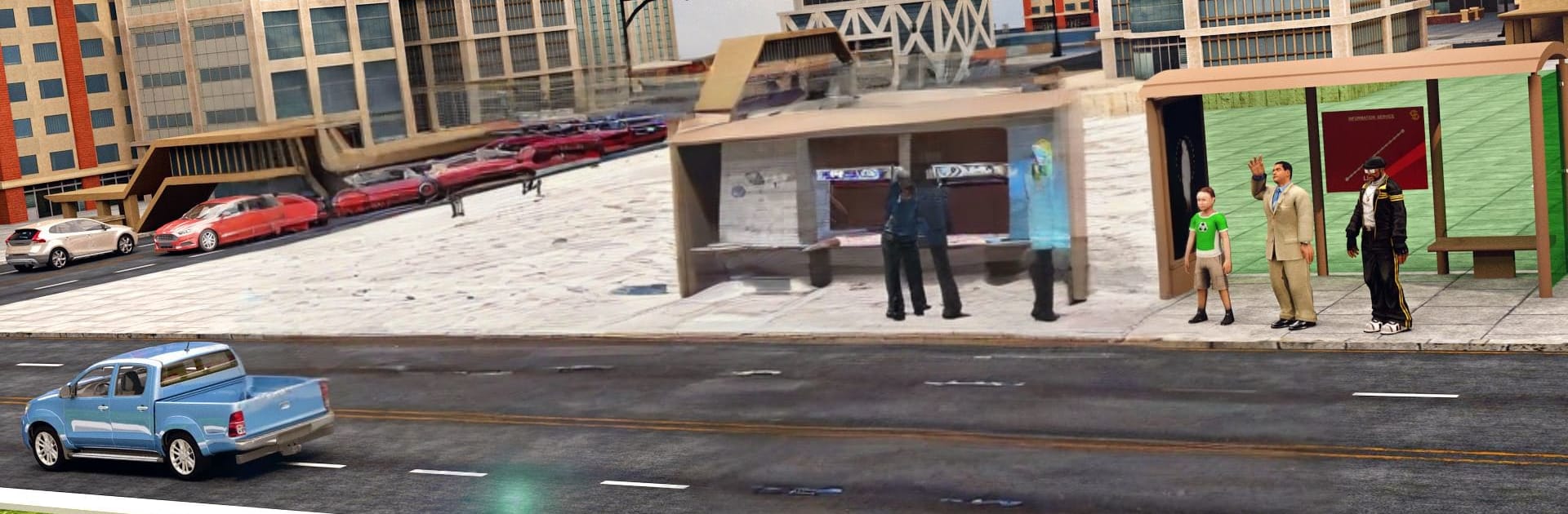
  • Timed pick-ups and drop-offs: Hit each bus stop, manage the clock, and earn star ratings and bonus coins for clean, on-time runs.
  • Parking that actually matters: Thread a full-size coach into tight lots, practice reverse parking, and finish the job at the bus stand.
  • School and commuter runs: Swap between school routes and city services, each with different pacing and passenger needs.
  • Free Ride mode: Take a relaxed cruise through scenic routes to soak in the landscape and get comfortable with your bus.
  • A garage full of buses: Try different coaches and styles, from city shuttles to luxury rides with an easy automatic gearbox feel.
  • Multi-angle cameras: Switch views on the fly to handle tough turns, narrow streets, and precision parking.
  • Clean presentation: High-quality stations, detailed highways and buildings, and fresh background music to keep you in the zone.
  • Smooth control options: Drive on mobile or use BlueStacks if you prefer a bigger screen and keyboard-style steering.

BlueStacks gives you more room to focus on the game and less time adjusting around mobile limitations.


Game Features

Enhancements

  • Macros
  • Rerolling
  • Eco Mode
  • Multi Instance Sync
  • Enhancements
Macros

Macros

Focus more on the fun part of the game, skip the tedious aspects. Master Coach Bus Driving Simulator 2020: City Bus Free with Macros. Record yourself completing the monotonous tasks you wish to automate and replay them later with just one keypress.
Rerolling

Rerolling

Speed up the rerolling process in Coach Bus Driving Simulator 2020: City Bus Free. Perform multiple summons and keep looking for the best Heroes. Use Multi-Instance sync to replicate the rerolling mechanism in all instances.
Eco Mode

Eco Mode

Farm in-game resources with ease in Coach Bus Driving Simulator 2020: City Bus Free. Enable the Eco Mode when running the game in multiple instances. And lower your PC's resource consumption.
Multi Instance Sync

Multi Instance Sync

With the Multi-instance Sync, you can do even more in Coach Bus Driving Simulator 2020: City Bus Free. Sync the action of the main instance and repeat them in real time for all other instances. Sync and sit back, let the game progress unfold.
Read More

How to Download and Play Coach Bus Driving Simulator 2020: City Bus Free on PC or Mac

  • Download and install BlueStacks on your PC or Mac

  • Complete Google sign-in to access the Play Store, or do it later

  • Look for Coach Bus Driving Simulator 2020: City Bus Free in the search bar at the top right corner

  • Click to install Coach Bus Driving Simulator 2020: City Bus Free from the search results

  • Complete Google sign-in (if you skipped step 2) to install Coach Bus Driving Simulator 2020: City Bus Free

  • Click the Coach Bus Driving Simulator 2020: City Bus Free icon on the home screen to start playing

video
Watch Video

Minimum System Requirements

With BlueStacks 5, you can get started on a PC that fulfills the following requirements.

  • Operating System

    Microsoft Windows 7 or above, macOS 11 (Big Sur) or above

  • Processor

    Intel, AMD or Apple Silicon Processor

  • RAM

    at least 4GB

  • HDD

    10GB Free Disk Space

Note:

* You must be an Administrator on your PC. Up to date graphics drivers from Microsoft or the chipset vendor.

Coach Bus Driving Simulator 2020: City Bus Free - FAQs

  • How to play Coach Bus Driving Simulator 2020: City Bus Free on Windows PC & Mac?

    Play Coach Bus Driving Simulator 2020: City Bus Free on your PC or Mac by following these simple steps.

    • Click on 'Play Coach Bus Driving Simulator 2020: City Bus Free on PC’ to download BlueStacks
    • Install it and log-in to Google Play Store
    • Launch and play the game.
  • Why is BlueStacks the fastest and safest platform to play games on PC?

    BlueStacks respects your privacy and is always safe and secure to use. It does not carry any malware, spyware, or any sort of additional software that could harm your PC.

    It is engineered to optimize speed and performance for a seamless gaming experience.

  • What are Coach Bus Driving Simulator 2020: City Bus Free PC requirements?

    Minimum requirement to run Coach Bus Driving Simulator 2020: City Bus Free on your PC

    • OS: Microsoft Windows 7 or above MacOS 11 (Big Sur) or above
    • Processor: Intel, AMD or Apple Silicon Processor
    • RAM: Your PC must have at least 4GB of RAM. (Note that having 4GB or more disk space is not a substitute for RAM)
    • HDD: 10GB Free Disk Space.
    • You must be an Administrator on your PC.