Bus Simulator: Real Driving

Bus Simulator: Real Driving

Role Playing

| The Estate Master Studio

Play on PC with BlueStacks or from our cloud

  • Overview
  • Game Features
  • How to Play

Page Modified On: May 18, 2026

Play Bus Simulator: Real Driving on PC or Mac

From the innovators and creators at The Estate Master Studio, Bus Simulator: Real Driving is another fun addition to the World of Role Playing games. Go beyond your mobile screen and play it bigger and better on your PC or Mac. An immersive experience awaits you.

About the Game

Bus Simulator: Real Driving hands you the keys to a full-sized coach and asks a simple question: can you run a clean, on-time route when the streets get hectic? You’ll slip into the daily grind of a pro driver—watching your mirrors, minding the clock, and keeping passengers happy across cities, highways, and backroads. It sits in the Role Playing genre, so you’re stepping into a job and living the routine. Prefer playing on a bigger screen? It also runs nicely with keyboard controls on BlueStacks.

Game Features

  • Authentic handling: Feel the weight of a real bus with believable physics, responsive steering, and braking that rewards smooth, smart driving.
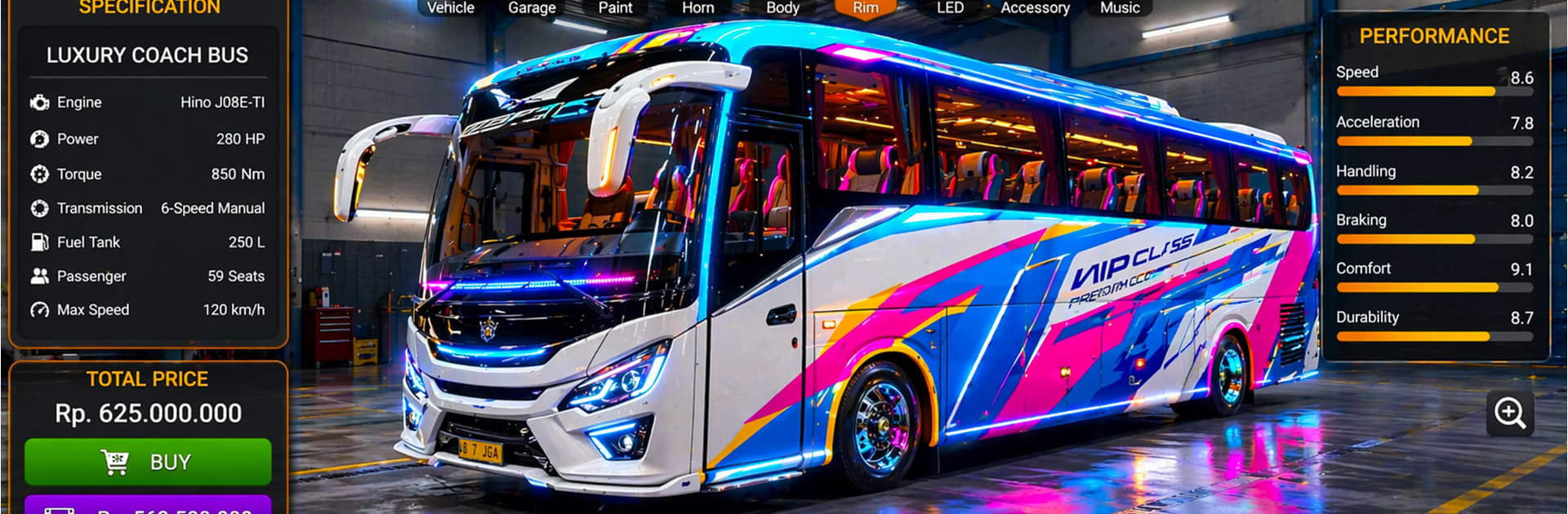
  • A growing garage: Unlock modern buses and upgrade parts to improve performance, comfort, and reliability across your fleet.
  • Varied routes: Navigate busy downtown avenues, long highway stretches, village lanes, and occasional off-road segments with different road conditions and scenery.
  • Passenger duties: Pull into marked stops, open the doors, keep a steady pace, and complete routes on schedule to earn better payouts.
  • Traffic that keeps you honest: Work around congestion, changing patterns, and the flow of AI vehicles that make every trip a little different.
  • Weather and timing: Manage visibility and grip as conditions shift—bright afternoons, gray skies, or slick roads can change how you plan turns and braking.
  • Structured challenges: Tackle goal-based levels that test precision, timing, and route knowledge, then use rewards to push further.
  • Easy-to-learn controls: Choose simple inputs that feel natural right away, so you can focus on reading the road and driving like a pro.
  • Immersive sights and sounds: Detailed streets, roadside details, and ambient audio help each route feel like a real shift behind the wheel.
  • Made by pros of the craft: Created by The Estate Master Studio, Bus Simulator: Real Driving focuses on the little details that make everyday driving satisfying.

Start your journey now. Download the game on BlueStacks, invite your friends, and march on a new adventure.


Game Features

Enhancements

  • Macros
  • Rerolling
  • Eco Mode
  • Multi Instance Sync
  • Enhancements
Macros

Macros

Focus more on the fun part of the game, skip the tedious aspects. Master Bus Simulator: Real Driving with Macros. Record yourself completing the monotonous tasks you wish to automate and replay them later with just one keypress.
Rerolling

Rerolling

Speed up the rerolling process in Bus Simulator: Real Driving. Perform multiple summons and keep looking for the best Heroes. Use Multi-Instance sync to replicate the rerolling mechanism in all instances.
Eco Mode

Eco Mode

Farm in-game resources with ease in Bus Simulator: Real Driving. Enable the Eco Mode when running the game in multiple instances. And lower your PC's resource consumption.
Multi Instance Sync

Multi Instance Sync

With the Multi-instance Sync, you can do even more in Bus Simulator: Real Driving. Sync the action of the main instance and repeat them in real time for all other instances. Sync and sit back, let the game progress unfold.
Read More

How to Download and Play Bus Simulator: Real Driving on PC or Mac

  • Download and install BlueStacks on your PC or Mac

  • Complete Google sign-in to access the Play Store, or do it later

  • Look for Bus Simulator: Real Driving in the search bar at the top right corner

  • Click to install Bus Simulator: Real Driving from the search results

  • Complete Google sign-in (if you skipped step 2) to install Bus Simulator: Real Driving

  • Click the Bus Simulator: Real Driving icon on the home screen to start playing

video
Watch Video

Minimum System Requirements

With BlueStacks 5, you can get started on a PC that fulfills the following requirements.

  • Operating System

    Microsoft Windows 7 or above, macOS 11 (Big Sur) or above

  • Processor

    Intel, AMD or Apple Silicon Processor

  • RAM

    at least 4GB

  • HDD

    10GB Free Disk Space

Note:

* You must be an Administrator on your PC. Up to date graphics drivers from Microsoft or the chipset vendor.

Bus Simulator: Real Driving - FAQs

  • How to play Bus Simulator: Real Driving on Windows PC & Mac?

    Play Bus Simulator: Real Driving on your PC or Mac by following these simple steps.

    • Click on 'Play Bus Simulator: Real Driving on PC’ to download BlueStacks
    • Install it and log-in to Google Play Store
    • Launch and play the game.
  • Why is BlueStacks the fastest and safest platform to play games on PC?

    BlueStacks respects your privacy and is always safe and secure to use. It does not carry any malware, spyware, or any sort of additional software that could harm your PC.

    It is engineered to optimize speed and performance for a seamless gaming experience.

  • What are Bus Simulator: Real Driving PC requirements?

    Minimum requirement to run Bus Simulator: Real Driving on your PC

    • OS: Microsoft Windows 7 or above MacOS 11 (Big Sur) or above
    • Processor: Intel, AMD or Apple Silicon Processor
    • RAM: Your PC must have at least 4GB of RAM. (Note that having 4GB or more disk space is not a substitute for RAM)
    • HDD: 10GB Free Disk Space.
    • You must be an Administrator on your PC.