Deadly Dungeons
Deadly Dungeons

Deadly Dungeons

Role Playing

| code_zombie

Play on PC with BlueStacks or from our cloud

  • Overview
  • Game Features
  • How to Play

Page Modified On: September 19, 2025

Play Deadly Dungeons on PC or Mac

Deadly Dungeons brings the Role Playing genre to life, and throws up exciting challenges for gamers. Developed by code_zombie, this Android game is best experienced on BlueStacks, the World’s #1 app player for PC and Mac users.

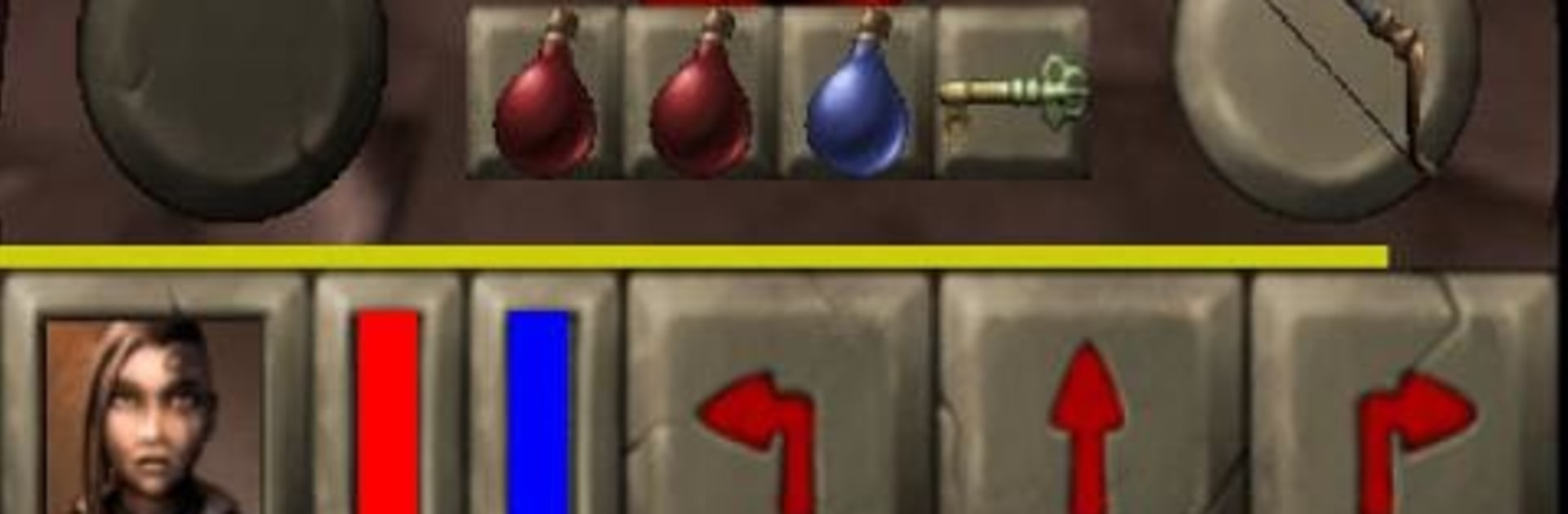
Deadly Dungeons is a first person crawler that feels like a love letter to those old school dungeon games, only meaner the deeper it goes. The setup is simple enough. The party is gone, the exit is far away, and the halls are stuffed with creatures that really want someone to fail. At first it plays like a quick escape, then it turns into a long haul with an ancient menace waiting beneath. Movement is snappy, rooms are tight, and the maze keeps shifting because the layouts, monsters, and loot are randomized. That keeps runs fresh and a bit tense, since nobody really knows what is around the next corner.

What stands out is the difficulty options. Casual is basically a no-stress story tour with god-mode. Normal feels fair, with saves and reloads when things go sideways. Hardcore deletes a run when death happens. Nightmare does that too, and the enemies sprint like they had five coffees. Beat the game and it does not roll credits and call it a day. A new run scales the dungeon to the current character, adds nastier variations, and throws a big mix of attack types at the player. There is a surprising amount of text, little notes and descriptions that make the place feel like a real ruin rather than a series of rooms. On PC through BlueStacks, mouse and keyboard make looking and clicking smoother than touch, and it still plays like a straight shot dungeon trek without fluff. If a person wants a focused, repeatable crawl with permadeath options and lots of enemy behavior variety, this is that.

Ready to top the leaderboard? We bet you do. Let precise controls and sharp visuals optimized on BlueStacks lead you to victory.


Game Features

Enhancements

  • Macros
  • Rerolling
  • Eco Mode
  • Multi Instance Sync
  • Enhancements
Macros

Macros

Focus more on the fun part of the game, skip the tedious aspects. Master Deadly Dungeons with Macros. Record yourself completing the monotonous tasks you wish to automate and replay them later with just one keypress.
Rerolling

Rerolling

Speed up the rerolling process in Deadly Dungeons. Perform multiple summons and keep looking for the best Heroes. Use Multi-Instance sync to replicate the rerolling mechanism in all instances.
Eco Mode

Eco Mode

Farm in-game resources with ease in Deadly Dungeons. Enable the Eco Mode when running the game in multiple instances. And lower your PC's resource consumption.
Multi Instance Sync

Multi Instance Sync

With the Multi-instance Sync, you can do even more in Deadly Dungeons. Sync the action of the main instance and repeat them in real time for all other instances. Sync and sit back, let the game progress unfold.
Read More

How to Download and Play Deadly Dungeons on PC or Mac

  • Download and install BlueStacks on your PC or Mac

  • Complete Google sign-in to access the Play Store, or do it later

  • Look for Deadly Dungeons in the search bar at the top right corner

  • Click to install Deadly Dungeons from the search results

  • Complete Google sign-in (if you skipped step 2) to install Deadly Dungeons

  • Click the Deadly Dungeons icon on the home screen to start playing

video
Watch Video

Minimum System Requirements

With BlueStacks 5, you can get started on a PC that fulfills the following requirements.

  • Operating System

    Microsoft Windows 7 or above, macOS 11 (Big Sur) or above

  • Processor

    Intel, AMD or Apple Silicon Processor

  • RAM

    at least 4GB

  • HDD

    10GB Free Disk Space

Note:

* You must be an Administrator on your PC. Up to date graphics drivers from Microsoft or the chipset vendor.

Deadly Dungeons - FAQs

  • How to play Deadly Dungeons on Windows PC & Mac?

    Play Deadly Dungeons on your PC or Mac by following these simple steps.

    • Click on 'Play Deadly Dungeons on PC’ to download BlueStacks
    • Install it and log-in to Google Play Store
    • Launch and play the game.
  • Why is BlueStacks the fastest and safest platform to play games on PC?

    BlueStacks respects your privacy and is always safe and secure to use. It does not carry any malware, spyware, or any sort of additional software that could harm your PC.

    It is engineered to optimize speed and performance for a seamless gaming experience.

  • What are Deadly Dungeons PC requirements?

    Minimum requirement to run Deadly Dungeons on your PC

    • OS: Microsoft Windows 7 or above MacOS 11 (Big Sur) or above
    • Processor: Intel, AMD or Apple Silicon Processor
    • RAM: Your PC must have at least 4GB of RAM. (Note that having 4GB or more disk space is not a substitute for RAM)
    • HDD: 10GB Free Disk Space.
    • You must be an Administrator on your PC.