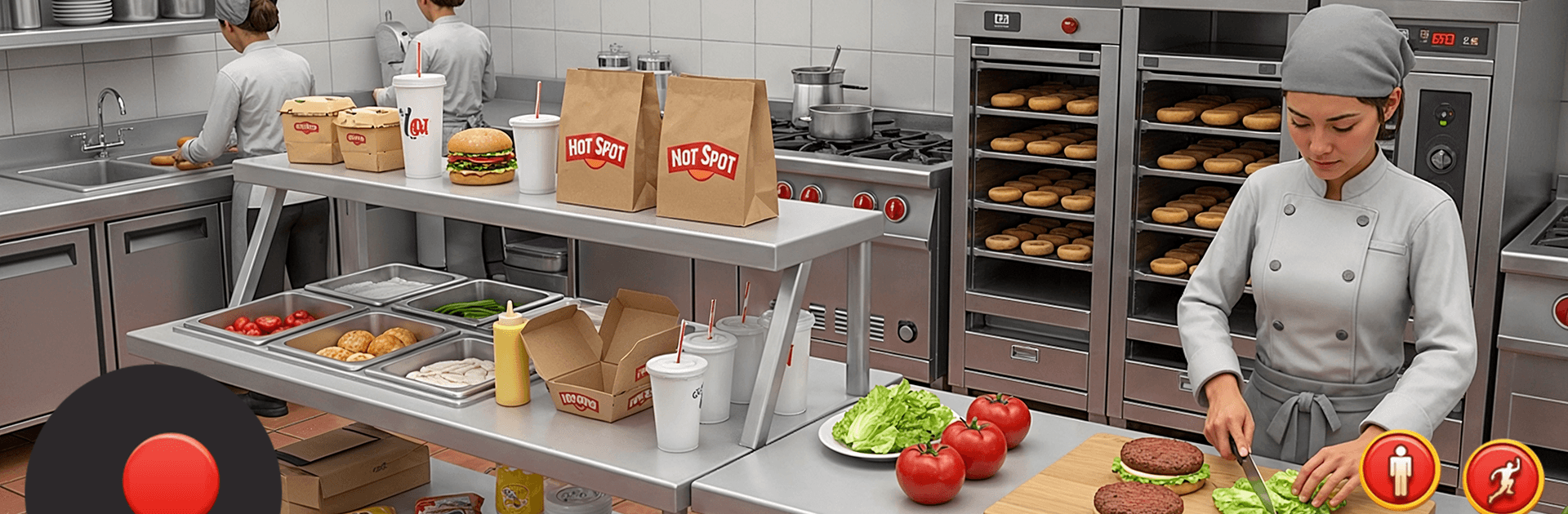
Fast Restaurant Food Shop Sim

Fast Restaurant Food Shop Sim

Role Playing

| Furious Games Lab

Play on PC with BlueStacks or from our cloud

  • Overview
  • Game Features
  • How to Play

Page Modified On: August 11, 2026

Play Fast Restaurant Food Shop Sim on PC or Mac

Play Fast Restaurant Food Shop Sim by Furious Games Lab on PC or Mac with BlueStacks. Use a bigger screen, mouse and keyboard controls, and smoother performance while you play.

About the Game

Fast Restaurant Food Shop Sim is a quick, snack-sized blast of kitchen chaos where every second matters. You’re running a packed fast-food spot, taking orders, firing up grills, and getting meals out the door before customers lose patience. It’s a Role Playing spin on running a busy eatery—fast, tactile, and surprisingly strategic. Prefer playing on PC? It runs comfortably on BlueStacks, too.

Game Features

  • Fast-paced service: Keep a steady flow of burgers, pizzas, fries, and desserts moving with sharp timing and clean sequencing.
  • Build your chain: Start with a tiny stall and grow into a citywide café network with new shops in busier locations.
  • Big, varied menu: Unlock recipes across multiple cuisines—think tacos, sushi, donuts, shakes, and more—then juggle them during rushes.
  • Real rush-hour challenge: Breakfast regulars and late-night snackers bring different moods and patience levels; nail combos for bigger tips.
  • Upgrades that matter: Boost grills, ovens, fryers, and drink stations to cook faster, keep food hot, and cut down wait times.
  • Hire and optimize: Bring in helpers, assign smart roles, and streamline your workflow to handle waves of hungry customers.
  • Custom kitchens: Add decorations and themes to make each spot feel unique while you fine-tune layout and flow.
  • Smooth controls: Snappy, responsive taps that make multitasking feel natural; also comfy with mouse and keyboard on BlueStacks.
  • Goals and mastery: Push for flawless orders, rack up coins and gems, unlock achievements, and chase personal bests across tougher stages.

Get ready for a buttery smooth, high-performance gaming action only on BlueStacks.

Game Features

Enhancements

  • Macros
  • Rerolling
  • Eco Mode
  • Multi Instance Sync
  • Enhancements
Macros

Macros

Focus more on the fun part of the game, skip the tedious aspects. Master Fast Restaurant Food Shop Sim with Macros. Record yourself completing the monotonous tasks you wish to automate and replay them later with just one keypress.
Rerolling

Rerolling

Speed up the rerolling process in Fast Restaurant Food Shop Sim. Perform multiple summons and keep looking for the best Heroes. Use Multi-Instance sync to replicate the rerolling mechanism in all instances.
Eco Mode

Eco Mode

Farm in-game resources with ease in Fast Restaurant Food Shop Sim. Enable the Eco Mode when running the game in multiple instances. And lower your PC's resource consumption.
Multi Instance Sync

Multi Instance Sync

With the Multi-instance Sync, you can do even more in Fast Restaurant Food Shop Sim. Sync the action of the main instance and repeat them in real time for all other instances. Sync and sit back, let the game progress unfold.
Read More

How to Download and Play Fast Restaurant Food Shop Sim on PC or Mac

  • Download and install BlueStacks on your PC or Mac

  • Complete Google sign-in to access the Play Store, or do it later

  • Look for Fast Restaurant Food Shop Sim in the search bar at the top right corner

  • Click to install Fast Restaurant Food Shop Sim from the search results

  • Complete Google sign-in (if you skipped step 2) to install Fast Restaurant Food Shop Sim

  • Click the Fast Restaurant Food Shop Sim icon on the home screen to start playing

video
Watch Video

Minimum System Requirements

With BlueStacks 5, you can get started on a PC that fulfills the following requirements.

  • Operating System

    Microsoft Windows 7 or above, macOS 11 (Big Sur) or above

  • Processor

    Intel, AMD or Apple Silicon Processor

  • RAM

    at least 4GB

  • HDD

    10GB Free Disk Space

Note:

* You must be an Administrator on your PC. Up to date graphics drivers from Microsoft or the chipset vendor.

Fast Restaurant Food Shop Sim - FAQs

  • How to play Fast Restaurant Food Shop Sim on Windows PC & Mac?

    Play Fast Restaurant Food Shop Sim on your PC or Mac by following these simple steps.

    • Click on 'Play Fast Restaurant Food Shop Sim on PC’ to download BlueStacks
    • Install it and log-in to Google Play Store
    • Launch and play the game.
  • Why is BlueStacks the fastest and safest platform to play games on PC?

    BlueStacks respects your privacy and is always safe and secure to use. It does not carry any malware, spyware, or any sort of additional software that could harm your PC.

    It is engineered to optimize speed and performance for a seamless gaming experience.

  • What are Fast Restaurant Food Shop Sim PC requirements?

    Minimum requirement to run Fast Restaurant Food Shop Sim on your PC

    • OS: Microsoft Windows 7 or above MacOS 11 (Big Sur) or above
    • Processor: Intel, AMD or Apple Silicon Processor
    • RAM: Your PC must have at least 4GB of RAM. (Note that having 4GB or more disk space is not a substitute for RAM)
    • HDD: 10GB Free Disk Space.
    • You must be an Administrator on your PC.