Frog Rope City Fight: Spider Power Crime Battle

Frog Rope City Fight: Spider Power Crime Battle

Role Playing

| Gyrabreu

Play on PC with BlueStacks or from our cloud

  • Overview
  • Game Features
  • How to Play

Page Modified On: December 09, 2025

Play Frog Rope City Fight: Spider Power Crime Battle on PC or Mac

Bring your A-game to Frog Rope City Fight: Spider Power Crime Battle, the Role Playing game sensation from Gyrabreu. Give your gameplay the much-needed boost with precise game controls, high FPS graphics, and top-tier features on your PC or Mac with BlueStacks.

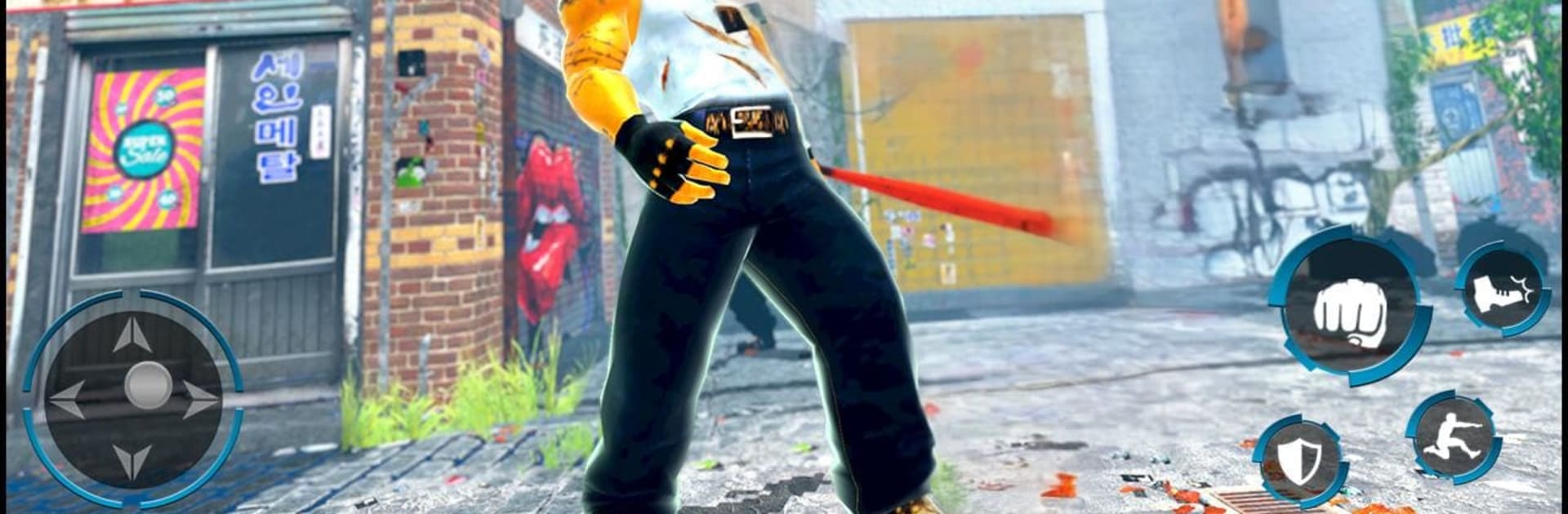
Frog Rope City Fight is basically a chaotic superhero sandbox where a frog themed hero with spider style powers cleans up a crime packed city. Players swing between buildings on a rope, land on rooftops, and jump into quick shootouts whenever gangs start trouble. The game throws a lot of wild tools at the problem, so it leans into spectacle over realism. There are machine guns and sniper rifles, but also laser beam eyes that melt cars, plus fast bikes, supercars, a helicopter, even a tank. Some missions have the police fighting alongside the hero, other times it is a one frog show chasing kidnappers or stopping car thefts. The map is open and oddly big, with city blocks that spill out into beaches, rivers, hills, and some dusty desert roads, so there is room to mess with car chases and rooftop runs for quite a while.

Moment to moment, it plays like third person action with lots of shooting and quick mobility. Rope swinging is the main trick, but climbing tall buildings to line up a sniper shot feels surprisingly clean. Combat is simple and punchy, enemies arrive in groups, and players clear them fast with powers or heavy weapons. It is not a story heavy game, it is a stack of short missions and free roaming chaos where causing, then solving, mayhem is most of the fun. On PC with BlueStacks, mouse aim helps a lot for sniping and driving feels steadier with keys, which makes the chase stuff less clumsy. The whole thing is loud, arcade style, and a bit rough around the edges in a way that suits the superhero wreck everything fantasy. There is alot to unlock in terms of tools and vehicles, and the city keeps tossing new fights at the player, so it stays busy without getting too complicated.

Get ready for a buttery smooth, high-performance gaming action only on BlueStacks.

Game Features

Enhancements

  • Macros
  • Rerolling
  • Eco Mode
  • Multi Instance Sync
  • Enhancements
Macros

Macros

Focus more on the fun part of the game, skip the tedious aspects. Master Frog Rope City Fight: Spider Power Crime Battle with Macros. Record yourself completing the monotonous tasks you wish to automate and replay them later with just one keypress.
Rerolling

Rerolling

Speed up the rerolling process in Frog Rope City Fight: Spider Power Crime Battle. Perform multiple summons and keep looking for the best Heroes. Use Multi-Instance sync to replicate the rerolling mechanism in all instances.
Eco Mode

Eco Mode

Farm in-game resources with ease in Frog Rope City Fight: Spider Power Crime Battle. Enable the Eco Mode when running the game in multiple instances. And lower your PC's resource consumption.
Multi Instance Sync

Multi Instance Sync

With the Multi-instance Sync, you can do even more in Frog Rope City Fight: Spider Power Crime Battle. Sync the action of the main instance and repeat them in real time for all other instances. Sync and sit back, let the game progress unfold.
Read More

How to Download and Play Frog Rope City Fight: Spider Power Crime Battle on PC or Mac

  • Download and install BlueStacks on your PC or Mac

  • Complete Google sign-in to access the Play Store, or do it later

  • Look for Frog Rope City Fight: Spider Power Crime Battle in the search bar at the top right corner

  • Click to install Frog Rope City Fight: Spider Power Crime Battle from the search results

  • Complete Google sign-in (if you skipped step 2) to install Frog Rope City Fight: Spider Power Crime Battle

  • Click the Frog Rope City Fight: Spider Power Crime Battle icon on the home screen to start playing

video
Watch Video

Minimum System Requirements

With BlueStacks 5, you can get started on a PC that fulfills the following requirements.

  • Operating System

    Microsoft Windows 7 or above, macOS 11 (Big Sur) or above

  • Processor

    Intel, AMD or Apple Silicon Processor

  • RAM

    at least 4GB

  • HDD

    10GB Free Disk Space

Note:

* You must be an Administrator on your PC. Up to date graphics drivers from Microsoft or the chipset vendor.

Frog Rope City Fight: Spider Power Crime Battle - FAQs

  • How to play Frog Rope City Fight: Spider Power Crime Battle on Windows PC & Mac?

    Play Frog Rope City Fight: Spider Power Crime Battle on your PC or Mac by following these simple steps.

    • Click on 'Play Frog Rope City Fight: Spider Power Crime Battle on PC’ to download BlueStacks
    • Install it and log-in to Google Play Store
    • Launch and play the game.
  • Why is BlueStacks the fastest and safest platform to play games on PC?

    BlueStacks respects your privacy and is always safe and secure to use. It does not carry any malware, spyware, or any sort of additional software that could harm your PC.

    It is engineered to optimize speed and performance for a seamless gaming experience.

  • What are Frog Rope City Fight: Spider Power Crime Battle PC requirements?

    Minimum requirement to run Frog Rope City Fight: Spider Power Crime Battle on your PC

    • OS: Microsoft Windows 7 or above MacOS 11 (Big Sur) or above
    • Processor: Intel, AMD or Apple Silicon Processor
    • RAM: Your PC must have at least 4GB of RAM. (Note that having 4GB or more disk space is not a substitute for RAM)
    • HDD: 10GB Free Disk Space.
    • You must be an Administrator on your PC.