Tàng Long Bất Bại
Tàng Long Bất Bại

Tàng Long Bất Bại

Role Playing

| CMPlay

Play on PC with BlueStacks or from our cloud

  • Overview
  • Game Features
  • How to Play

Page Modified On: July 14, 2026

Play Tàng Long Bất Bại on PC or Mac

Explore a whole new adventure with Tàng Long Bất Bại, a Role Playing game created by CMPlay. Experience great gameplay with BlueStacks, the most popular gaming platform to play Android games on your PC or Mac.

About the Game

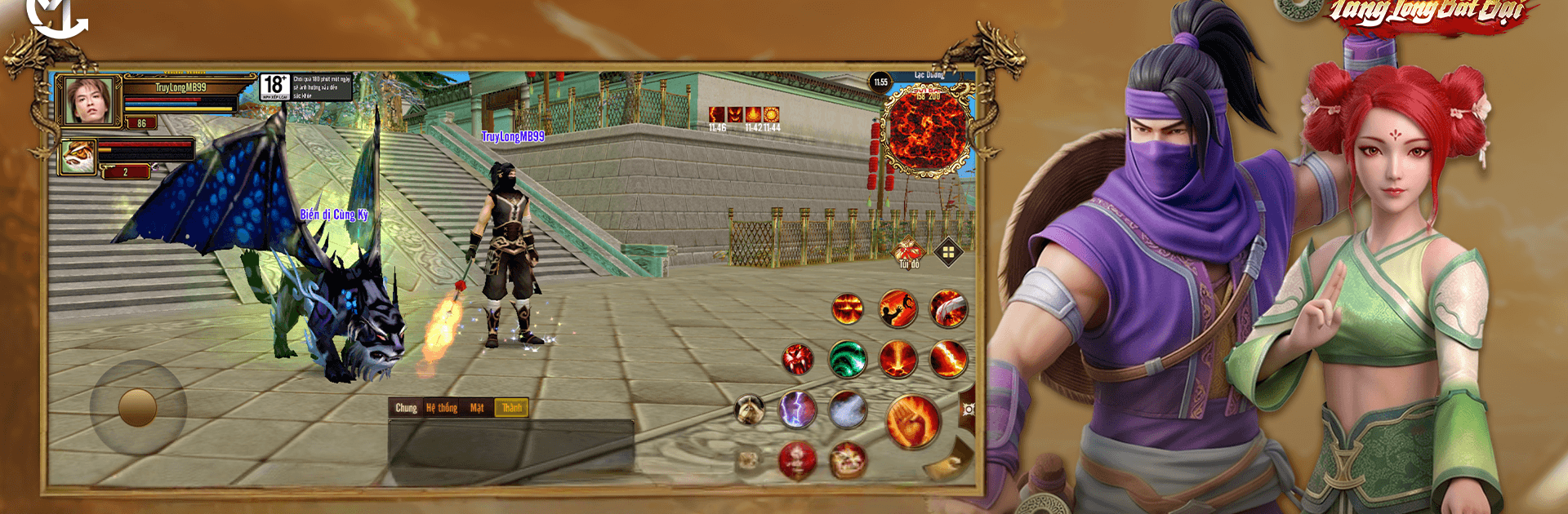
Tàng Long Bất Bại is a wuxia-style Role Playing adventure where you rise from a nameless fighter to a force everyone whispers about. Build a squad of martial legends, master secret techniques, and prove your skills in tense duels and big clan clashes. Prefer a bigger screen and tighter controls? It also plays great on PC with BlueStacks.

Game Features

  • Dazzling Martial Arts Combat: Snap into fast, fluid fights with crisp animations, aerial moves, and satisfying finishers that reward smart timing and skill use.
  • Legendary Companions: Recruit iconic heroes, mix their strengths, and create team synergies that fit your playstyle—burst damage, control, sustain, or a little of everything.
  • A Living Martial World: Wander bustling towns, wild frontiers, and hidden paths. Pick up side stories, uncover secrets, and stumble into the kind of trouble only a martial artist can handle.
  • Secret Techniques & Cultivation: Collect rare manuals, grow your inner power, and tune your build. Want a nimble duelist or a hard-hitting protector? You choose the path.
  • Competitive PvP: Test your mettle in one-on-one showdowns that favor quick reads and clean execution. Outthink opponents and climb the ranks at your pace.
  • Guild Brotherhood: Join a sect, team up for cooperative encounters, and coordinate strategies for large-scale battles that feel chaotic in the best way.
  • Steady Growth & Challenges: Tackle challenging bosses, daily trials, and special encounters that push your roster to evolve without wasting your time.
  • Plays Smooth on PC: Hop in through BlueStacks for sharper visuals and customizable controls while keeping all your progress synced with your mobile play.

Ready to top the leaderboard? We bet you do. Let precise controls and sharp visuals optimized on BlueStacks lead you to victory.


Game Features

Enhancements

  • Macros
  • Rerolling
  • Eco Mode
  • Multi Instance Sync
  • Enhancements
Macros

Macros

Focus more on the fun part of the game, skip the tedious aspects. Master Tàng Long Bất Bại with Macros. Record yourself completing the monotonous tasks you wish to automate and replay them later with just one keypress.
Rerolling

Rerolling

Speed up the rerolling process in Tàng Long Bất Bại. Perform multiple summons and keep looking for the best Heroes. Use Multi-Instance sync to replicate the rerolling mechanism in all instances.
Eco Mode

Eco Mode

Farm in-game resources with ease in Tàng Long Bất Bại. Enable the Eco Mode when running the game in multiple instances. And lower your PC's resource consumption.
Multi Instance Sync

Multi Instance Sync

With the Multi-instance Sync, you can do even more in Tàng Long Bất Bại. Sync the action of the main instance and repeat them in real time for all other instances. Sync and sit back, let the game progress unfold.
Read More

How to Download and Play Tàng Long Bất Bại on PC or Mac

  • Download and install BlueStacks on your PC or Mac

  • Complete Google sign-in to access the Play Store, or do it later

  • Look for Tàng Long Bất Bại in the search bar at the top right corner

  • Click to install Tàng Long Bất Bại from the search results

  • Complete Google sign-in (if you skipped step 2) to install Tàng Long Bất Bại

  • Click the Tàng Long Bất Bại icon on the home screen to start playing

video
Watch Video

Minimum System Requirements

With BlueStacks 5, you can get started on a PC that fulfills the following requirements.

  • Operating System

    Microsoft Windows 7 or above, macOS 11 (Big Sur) or above

  • Processor

    Intel, AMD or Apple Silicon Processor

  • RAM

    at least 4GB

  • HDD

    10GB Free Disk Space

Note:

* You must be an Administrator on your PC. Up to date graphics drivers from Microsoft or the chipset vendor.

Tàng Long Bất Bại - FAQs

  • How to play Tàng Long Bất Bại on Windows PC & Mac?

    Play Tàng Long Bất Bại on your PC or Mac by following these simple steps.

    • Click on 'Play Tàng Long Bất Bại on PC’ to download BlueStacks
    • Install it and log-in to Google Play Store
    • Launch and play the game.
  • Why is BlueStacks the fastest and safest platform to play games on PC?

    BlueStacks respects your privacy and is always safe and secure to use. It does not carry any malware, spyware, or any sort of additional software that could harm your PC.

    It is engineered to optimize speed and performance for a seamless gaming experience.

  • What are Tàng Long Bất Bại PC requirements?

    Minimum requirement to run Tàng Long Bất Bại on your PC

    • OS: Microsoft Windows 7 or above MacOS 11 (Big Sur) or above
    • Processor: Intel, AMD or Apple Silicon Processor
    • RAM: Your PC must have at least 4GB of RAM. (Note that having 4GB or more disk space is not a substitute for RAM)
    • HDD: 10GB Free Disk Space.
    • You must be an Administrator on your PC.