Hóa Thần: Trấn Ma Truyện

Hóa Thần: Trấn Ma Truyện

Role Playing

| Vision Game Joint Stock Company

Play on PC with BlueStacks or from our cloud

  • Overview
  • Game Features
  • How to Play

Page Modified On: December 15, 2025

Play Hóa Thần: Trấn Ma Truyện on PC or Mac

Bring your A-game to Hóa Thần: Trấn Ma Truyện, the Role Playing game sensation from Vision Game Joint Stock Company. Give your gameplay the much-needed boost with precise game controls, high FPS graphics, and top-tier features on your PC or Mac with BlueStacks.

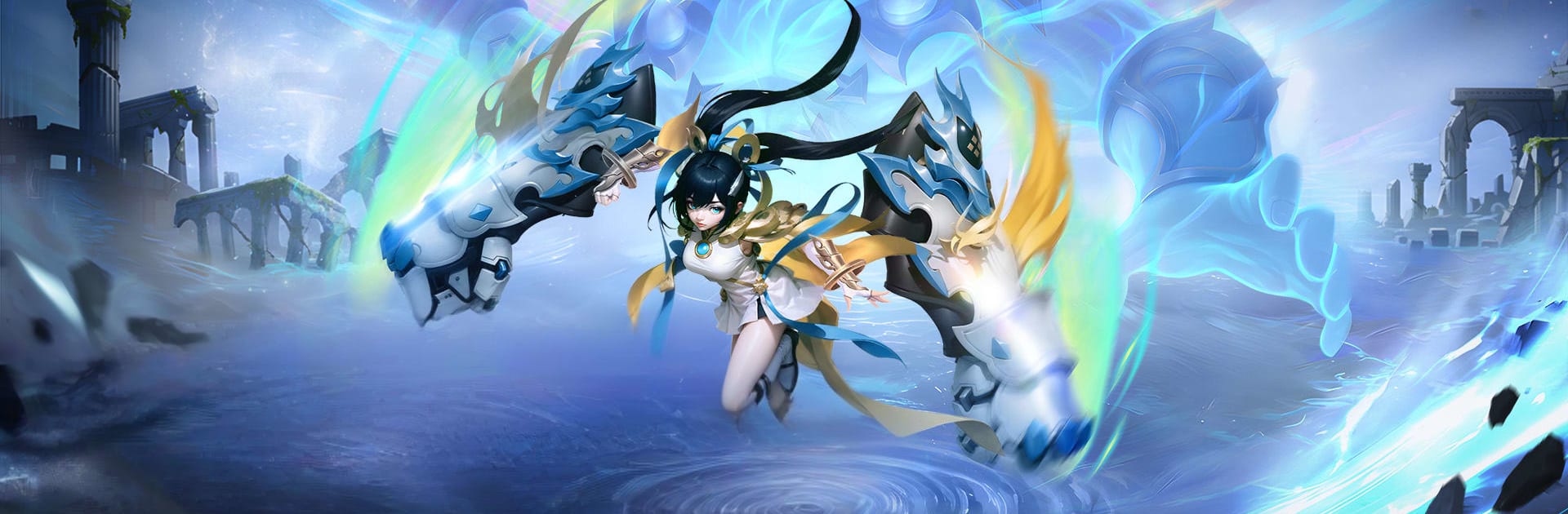
Hóa Thần: Trấn Ma Truyện is that wild mix of ancient immortals and neon tech that actually works. It is a vertical MMO where players pick from four weapon styles like gun, gauntlet, sword, or staff, then roam across flashy maps blasting demons and scooping loot. The big hook is an Angel Transformation button that kicks the character into a rampage for a bit. Huge screen-filling skills, big numbers flying everywhere, very arcade feeling. It leans hard into style too. There are tons of outfits to swap between, from flowing robes to chunky mech armor, plus mechanical pets and even a futuristic house setup if someone likes decorating between fights.

Combat is fast and noisy, with auto options for people who want to grind while doing something else. There are bosses to camp, team dungeons, cross server fights, and open PvP if that is the mood. Drops feel frequent and the game throws early VIP perks and buffs so progress does not feel stuck behind a wall. There is also a marriage system that lets any two players pair up and do shared progression stuff, which is cute if a duo wants long term goals. The game allows switching classes without rerolling, so testing a different playstyle does not punish anyone.

On PC, BlueStacks helps a lot. The vertical layout still works in a window, and simple keybinds make skill rotations and that Angel burst easy to pop on time. If someone likes loud, fast, flashy MMOs with steady gear chases and plenty of idle convenience, this will scratch that itch. If they want slow, tactical combat or deep manual combos, it might feel too automated.

Start your journey now. Download the game on BlueStacks, invite your friends, and march on a new adventure.


Game Features

Enhancements

  • Macros
  • Rerolling
  • Eco Mode
  • Multi Instance Sync
  • Enhancements
Macros

Macros

Focus more on the fun part of the game, skip the tedious aspects. Master Hóa Thần: Trấn Ma Truyện with Macros. Record yourself completing the monotonous tasks you wish to automate and replay them later with just one keypress.
Rerolling

Rerolling

Speed up the rerolling process in Hóa Thần: Trấn Ma Truyện. Perform multiple summons and keep looking for the best Heroes. Use Multi-Instance sync to replicate the rerolling mechanism in all instances.
Eco Mode

Eco Mode

Farm in-game resources with ease in Hóa Thần: Trấn Ma Truyện. Enable the Eco Mode when running the game in multiple instances. And lower your PC's resource consumption.
Multi Instance Sync

Multi Instance Sync

With the Multi-instance Sync, you can do even more in Hóa Thần: Trấn Ma Truyện. Sync the action of the main instance and repeat them in real time for all other instances. Sync and sit back, let the game progress unfold.
Read More

How to Download and Play Hóa Thần: Trấn Ma Truyện on PC or Mac

  • Download and install BlueStacks on your PC or Mac

  • Complete Google sign-in to access the Play Store, or do it later

  • Look for Hóa Thần: Trấn Ma Truyện in the search bar at the top right corner

  • Click to install Hóa Thần: Trấn Ma Truyện from the search results

  • Complete Google sign-in (if you skipped step 2) to install Hóa Thần: Trấn Ma Truyện

  • Click the Hóa Thần: Trấn Ma Truyện icon on the home screen to start playing

video
Watch Video

Minimum System Requirements

With BlueStacks 5, you can get started on a PC that fulfills the following requirements.

  • Operating System

    Microsoft Windows 7 or above, macOS 11 (Big Sur) or above

  • Processor

    Intel, AMD or Apple Silicon Processor

  • RAM

    at least 4GB

  • HDD

    10GB Free Disk Space

Note:

* You must be an Administrator on your PC. Up to date graphics drivers from Microsoft or the chipset vendor.

Hóa Thần: Trấn Ma Truyện - FAQs

  • How to play Hóa Thần: Trấn Ma Truyện on Windows PC & Mac?

    Play Hóa Thần: Trấn Ma Truyện on your PC or Mac by following these simple steps.

    • Click on 'Play Hóa Thần: Trấn Ma Truyện on PC’ to download BlueStacks
    • Install it and log-in to Google Play Store
    • Launch and play the game.
  • Why is BlueStacks the fastest and safest platform to play games on PC?

    BlueStacks respects your privacy and is always safe and secure to use. It does not carry any malware, spyware, or any sort of additional software that could harm your PC.

    It is engineered to optimize speed and performance for a seamless gaming experience.

  • What are Hóa Thần: Trấn Ma Truyện PC requirements?

    Minimum requirement to run Hóa Thần: Trấn Ma Truyện on your PC

    • OS: Microsoft Windows 7 or above MacOS 11 (Big Sur) or above
    • Processor: Intel, AMD or Apple Silicon Processor
    • RAM: Your PC must have at least 4GB of RAM. (Note that having 4GB or more disk space is not a substitute for RAM)
    • HDD: 10GB Free Disk Space.
    • You must be an Administrator on your PC.