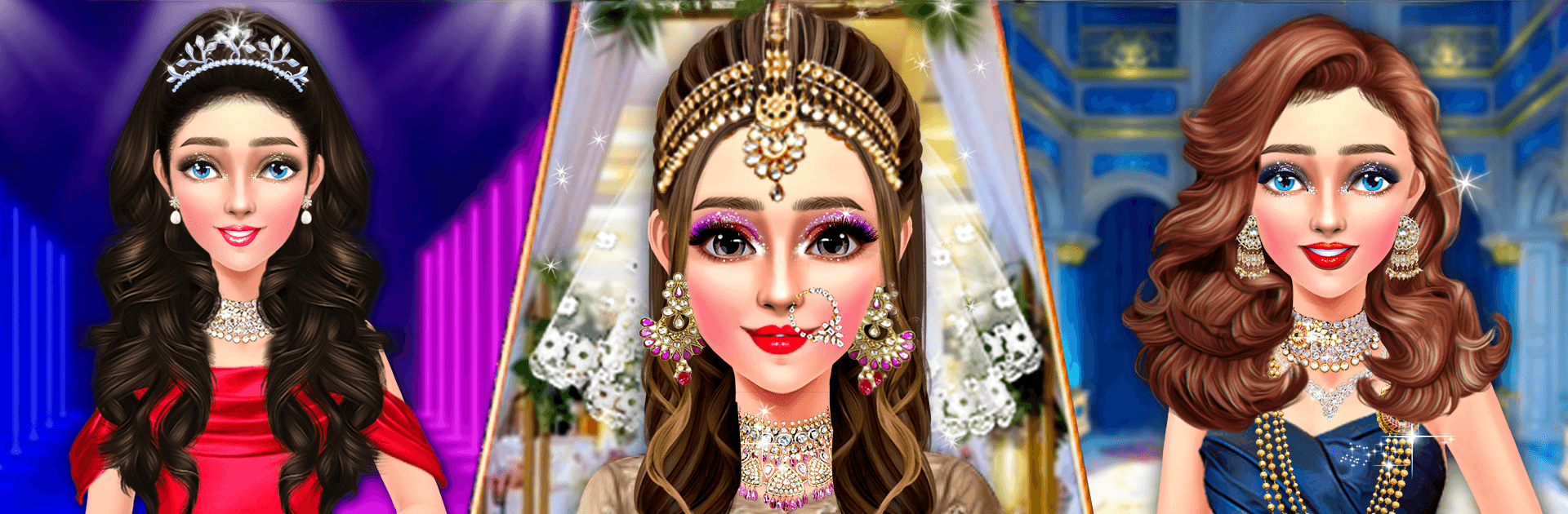
Indian Bridal Dressup & Makeup

Indian Bridal Dressup & Makeup

Role Playing

| Kids Fun Media

Play on PC with BlueStacks or from our cloud

  • Overview
  • Game Features
  • How to Play

Page Modified On: April 21, 2026

Play Indian Bridal Dressup & Makeup on PC or Mac

Explore a whole new adventure with Indian Bridal Dressup & Makeup, a Role Playing game created by Kids Fun Media. Experience great gameplay with BlueStacks, the most popular gaming platform to play Android games on your PC or Mac.

About the Game

Indian Bridal Dressup & Makeup puts you in the stylist’s chair for a full-on Indian wedding glow-up. Build the perfect look step by step—fresh makeup, a showpiece outfit, and just the right jewelry—to make the bride shine at every ceremony. It’s a relaxed, creative Role Playing makeover from Kids Fun Media where tradition meets your personal style.

Game Features

  • Bridal Beauty Bar: Prime, blend, and glam with foundations, liners, mascara, lashes, blush, and lipstick. Add the final touches so her features pop without losing that natural radiance.
  • Sarees, Lehengas, and More: Try elegant sarees, classic lehenga choli, and ghagra-inspired looks. Mix drapes, borders, and patterns to find a combo that feels just right.
  • Jewelry & Accessories: Stack bracelets, pick statement earrings, and layer necklaces to complete the bridal vibe—subtle shimmer or all-out sparkle, your call.
  • Ceremonies to Style: Create looks for the big day, the reception, the engagement, and even casual pre-wedding moments. One bride, many moods.
  • Hair Salon Touches: Choose hairstyles that match the outfit—sleek and simple or fuller and festive—so everything comes together beautifully.
  • Colors That Tell a Story: Feeling classic red-and-gold? Or in the mood for softer pastels and silvers? Explore palettes that fit different traditions and trends.
  • Goals & Mini-Challenges: Follow makeover prompts, meet styling objectives, and unlock fresh ideas with each level.
  • Runway Reveal: Show off your finished ensemble in a stylish, showcase-style scene and admire the details from head to toe.
  • Play Your Way: Enjoy on mobile, or try it on PC with BlueStacks if you prefer comfy mouse-and-keyboard styling.

Make your gaming sessions memorable with precise controls that give you an edge in close combats and visuals that pop up, bringing every character to life.


Game Features

Enhancements

  • Macros
  • Rerolling
  • Eco Mode
  • Multi Instance Sync
  • Enhancements
Macros

Macros

Focus more on the fun part of the game, skip the tedious aspects. Master Indian Bridal Dressup & Makeup with Macros. Record yourself completing the monotonous tasks you wish to automate and replay them later with just one keypress.
Rerolling

Rerolling

Speed up the rerolling process in Indian Bridal Dressup & Makeup. Perform multiple summons and keep looking for the best Heroes. Use Multi-Instance sync to replicate the rerolling mechanism in all instances.
Eco Mode

Eco Mode

Farm in-game resources with ease in Indian Bridal Dressup & Makeup. Enable the Eco Mode when running the game in multiple instances. And lower your PC's resource consumption.
Multi Instance Sync

Multi Instance Sync

With the Multi-instance Sync, you can do even more in Indian Bridal Dressup & Makeup. Sync the action of the main instance and repeat them in real time for all other instances. Sync and sit back, let the game progress unfold.
Read More

How to Download and Play Indian Bridal Dressup & Makeup on PC or Mac

  • Download and install BlueStacks on your PC or Mac

  • Complete Google sign-in to access the Play Store, or do it later

  • Look for Indian Bridal Dressup & Makeup in the search bar at the top right corner

  • Click to install Indian Bridal Dressup & Makeup from the search results

  • Complete Google sign-in (if you skipped step 2) to install Indian Bridal Dressup & Makeup

  • Click the Indian Bridal Dressup & Makeup icon on the home screen to start playing

video
Watch Video

Minimum System Requirements

With BlueStacks 5, you can get started on a PC that fulfills the following requirements.

  • Operating System

    Microsoft Windows 7 or above, macOS 11 (Big Sur) or above

  • Processor

    Intel, AMD or Apple Silicon Processor

  • RAM

    at least 4GB

  • HDD

    10GB Free Disk Space

Note:

* You must be an Administrator on your PC. Up to date graphics drivers from Microsoft or the chipset vendor.

Indian Bridal Dressup & Makeup - FAQs

  • How to play Indian Bridal Dressup & Makeup on Windows PC & Mac?

    Play Indian Bridal Dressup & Makeup on your PC or Mac by following these simple steps.

    • Click on 'Play Indian Bridal Dressup & Makeup on PC’ to download BlueStacks
    • Install it and log-in to Google Play Store
    • Launch and play the game.
  • Why is BlueStacks the fastest and safest platform to play games on PC?

    BlueStacks respects your privacy and is always safe and secure to use. It does not carry any malware, spyware, or any sort of additional software that could harm your PC.

    It is engineered to optimize speed and performance for a seamless gaming experience.

  • What are Indian Bridal Dressup & Makeup PC requirements?

    Minimum requirement to run Indian Bridal Dressup & Makeup on your PC

    • OS: Microsoft Windows 7 or above MacOS 11 (Big Sur) or above
    • Processor: Intel, AMD or Apple Silicon Processor
    • RAM: Your PC must have at least 4GB of RAM. (Note that having 4GB or more disk space is not a substitute for RAM)
    • HDD: 10GB Free Disk Space.
    • You must be an Administrator on your PC.