
Exclusive Gaming Content. And More.
Get the latest updates on the BlueStacks Blog.
See MorePlay on PC with BlueStacks or from our cloud
Page Modified On: January 02, 2026
Step into the World of Iron Saga: ZERO, a thrilling Role Playing game from the house of Gameduchy. Play this Android game on BlueStacks App Player and experience immersive gaming on PC or Mac.
Iron Saga: ZERO plays like a love letter to classic super robot shows, but with a modern mobile pace. Battles snap in fast, effects pop, and the whole thing leans arcade over simulation, so fights are quick and punchy. There is a one tap sweep option that clears routine stages without the slog, and the interface feels cleaned up so hopping between menus and fights is not a chore. New players get showered with launch goodies too, including a big chunk of summons and even a high tier SSS mech, so a fresh account actually has something strong to field right away.
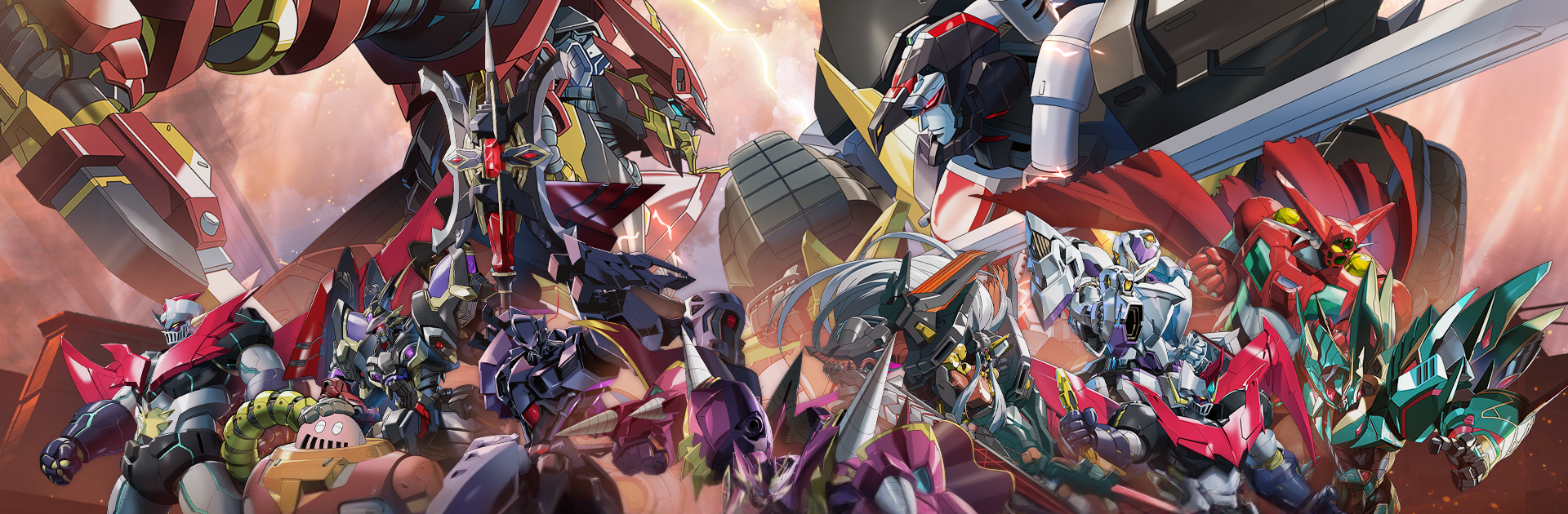
The crossover mechs are the big draw. Seeing names like Mazinger Z, Shin Getter Robo, Hades Project Zeorymer, GunBuster, and Dancouga show up gives the roster that old-school anime energy, with flashy supers and distinct silhouettes that are fun to watch even when auto is doing the work. It feels good to mix favorites into a squad, then tune gear and skills until the team melts a stage in seconds, or just sweep it for mats and move on. On PC with BlueStacks, the bigger screen really sells the sprites and explosions, and simple key binds make taps feel more precise. It is the sort of game where collecting and upgrading mechs is the loop, and the smoother, faster battles make that loop easy to stick with during short breaks or longer sessions.
Start your journey now. Download the game on BlueStacks, invite your friends, and march on a new adventure.
Focus more on the fun part of the game, skip the tedious aspects. Master Iron Saga: ZERO with Macros. Record yourself completing the monotonous tasks you wish to automate and replay them later with just one keypress.
Speed up the rerolling process in Iron Saga: ZERO. Perform multiple summons and keep looking for the best Heroes. Use Multi-Instance sync to replicate the rerolling mechanism in all instances.
Farm in-game resources with ease in Iron Saga: ZERO. Enable the Eco Mode when running the game in multiple instances. And lower your PC's resource consumption.
With the Multi-instance Sync, you can do even more in Iron Saga: ZERO. Sync the action of the main instance and repeat them in real time for all other instances. Sync and sit back, let the game progress unfold.
Download and install BlueStacks on your PC or Mac
Complete Google sign-in to access the Play Store, or do it later
Look for Iron Saga: ZERO in the search bar at the top right corner
Click to install Iron Saga: ZERO from the search results
Complete Google sign-in (if you skipped step 2) to install Iron Saga: ZERO
Click the Iron Saga: ZERO icon on the home screen to start playing
With BlueStacks 5, you can get started on a PC that fulfills the following requirements.
Microsoft Windows 7 or above, macOS 11 (Big Sur) or above
Intel, AMD or Apple Silicon Processor
at least 4GB
10GB Free Disk Space
* You must be an Administrator on your PC. Up to date graphics drivers from Microsoft or the chipset vendor.

Leave your email and we will notify
you when the game launches
Play Iron Saga: ZERO on your PC or Mac by following these simple steps.
BlueStacks respects your privacy and is always safe and secure to use. It does not carry any malware, spyware, or any sort of additional software that could harm your PC.
It is engineered to optimize speed and performance for a seamless gaming experience.
Minimum requirement to run Iron Saga: ZERO on your PC

Since you are on your phone, we are going to send you to the Google Play page.
In some cases BlueStacks uses affiliate links when linking to Google Play
BlueStacks 4 is not available on Windows XP. You must have Windows 7 or higher. Windows 10 is recommended.