Lion Simulator Animal Games 3d

Lion Simulator Animal Games 3d

Role Playing

| Gamba Studio

Play on PC with BlueStacks or from our cloud

  • Overview
  • Game Features
  • How to Play

Page Modified On: September 18, 2026

Play Lion Simulator Animal Games 3d on PC or Mac

Bring your A-game to Lion Simulator Animal Games 3d, the Role Playing game sensation from Gamba Studio. Give your gameplay the much-needed boost with precise game controls, high FPS graphics, and top-tier features on your PC or Mac with BlueStacks.

About the Game

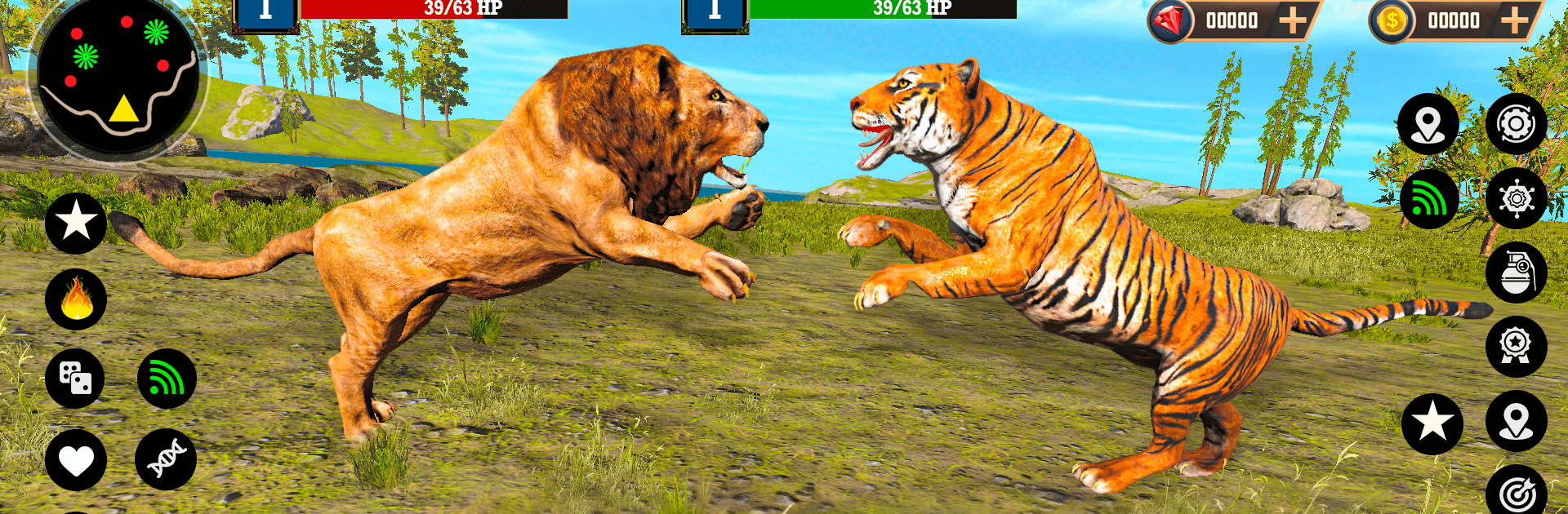
Lion Simulator Animal Games 3d puts you in the paws of the savannah’s most iconic predator. This Role Playing adventure blends open-world roaming with focused challenges as you hunt, defend your territory, and keep your pride safe across sweeping grasslands and rugged mountains. Expect tense stalks, hard-hitting clashes, and those quiet moments where a single roar says it all.

Game Features

  • Lead the Pride: Build and protect your family as you patrol, hunt, and keep rivals in check—because a strong pride stands together.
  • Vast Savannah and Mountain Zones: Roam sun-baked plains, winding forests, and rocky slopes, each packed with prey to track and dangers to avoid.
  • Hunt or Be Hunted: Stalk deer and buffalo, test your strength against heavier beasts like elephants, and fight off aggressive wildlife when they challenge you.
  • Roar, Pounce, Rule: Use a thunderous roar to intimidate foes, time your pounce for maximum impact, and claim territory the old-fashioned way.
  • Missions and Unlocks: Clear bite-sized objectives to push deeper into the wilderness and unlock different lions, each bringing a fresh edge to your runs.
  • Smooth Controls and Realistic Audio: Feel every sprint and strike with responsive handling, vivid visuals, and immersive sound effects that sell the wild.
  • Tense Wildlife Battles: Face off against predators and stubborn prey in scrappy encounters where positioning, stamina, and timing decide who walks away.
  • Optional PC Play with BlueStacks: Prefer a bigger screen and tighter control? Fire it up on PC with BlueStacks and prowl with confidence.

Get ready for a buttery smooth, high-performance gaming action only on BlueStacks.

Game Features

Enhancements

  • Macros
  • Rerolling
  • Eco Mode
  • Multi Instance Sync
  • Enhancements
Macros

Macros

Focus more on the fun part of the game, skip the tedious aspects. Master Lion Simulator Animal Games 3d with Macros. Record yourself completing the monotonous tasks you wish to automate and replay them later with just one keypress.
Rerolling

Rerolling

Speed up the rerolling process in Lion Simulator Animal Games 3d. Perform multiple summons and keep looking for the best Heroes. Use Multi-Instance sync to replicate the rerolling mechanism in all instances.
Eco Mode

Eco Mode

Farm in-game resources with ease in Lion Simulator Animal Games 3d. Enable the Eco Mode when running the game in multiple instances. And lower your PC's resource consumption.
Multi Instance Sync

Multi Instance Sync

With the Multi-instance Sync, you can do even more in Lion Simulator Animal Games 3d. Sync the action of the main instance and repeat them in real time for all other instances. Sync and sit back, let the game progress unfold.
Read More

How to Download and Play Lion Simulator Animal Games 3d on PC or Mac

  • Download and install BlueStacks on your PC or Mac

  • Complete Google sign-in to access the Play Store, or do it later

  • Look for Lion Simulator Animal Games 3d in the search bar at the top right corner

  • Click to install Lion Simulator Animal Games 3d from the search results

  • Complete Google sign-in (if you skipped step 2) to install Lion Simulator Animal Games 3d

  • Click the Lion Simulator Animal Games 3d icon on the home screen to start playing

video
Watch Video

Minimum System Requirements

With BlueStacks 5, you can get started on a PC that fulfills the following requirements.

  • Operating System

    Microsoft Windows 7 or above, macOS 11 (Big Sur) or above

  • Processor

    Intel, AMD or Apple Silicon Processor

  • RAM

    at least 4GB

  • HDD

    10GB Free Disk Space

Note:

* You must be an Administrator on your PC. Up to date graphics drivers from Microsoft or the chipset vendor.

Lion Simulator Animal Games 3d - FAQs

  • How to play Lion Simulator Animal Games 3d on Windows PC & Mac?

    Play Lion Simulator Animal Games 3d on your PC or Mac by following these simple steps.

    • Click on 'Play Lion Simulator Animal Games 3d on PC’ to download BlueStacks
    • Install it and log-in to Google Play Store
    • Launch and play the game.
  • Why is BlueStacks the fastest and safest platform to play games on PC?

    BlueStacks respects your privacy and is always safe and secure to use. It does not carry any malware, spyware, or any sort of additional software that could harm your PC.

    It is engineered to optimize speed and performance for a seamless gaming experience.

  • What are Lion Simulator Animal Games 3d PC requirements?

    Minimum requirement to run Lion Simulator Animal Games 3d on your PC

    • OS: Microsoft Windows 7 or above MacOS 11 (Big Sur) or above
    • Processor: Intel, AMD or Apple Silicon Processor
    • RAM: Your PC must have at least 4GB of RAM. (Note that having 4GB or more disk space is not a substitute for RAM)
    • HDD: 10GB Free Disk Space.
    • You must be an Administrator on your PC.