Magicsea Online MMORPG

Magicsea Online MMORPG

Role Playing

| Magicsea Team

Play on PC with BlueStacks or from our cloud

  • Overview
  • Game Features
  • How to Play

Page Modified On: July 14, 2026

Play Magicsea Online MMORPG on PC or Mac

Magicsea Online MMORPG by Magicsea Team has plenty to keep you busy. BlueStacks lets you play it on PC or Mac with more screen space, better control, and fewer mobile limits.

About the Game

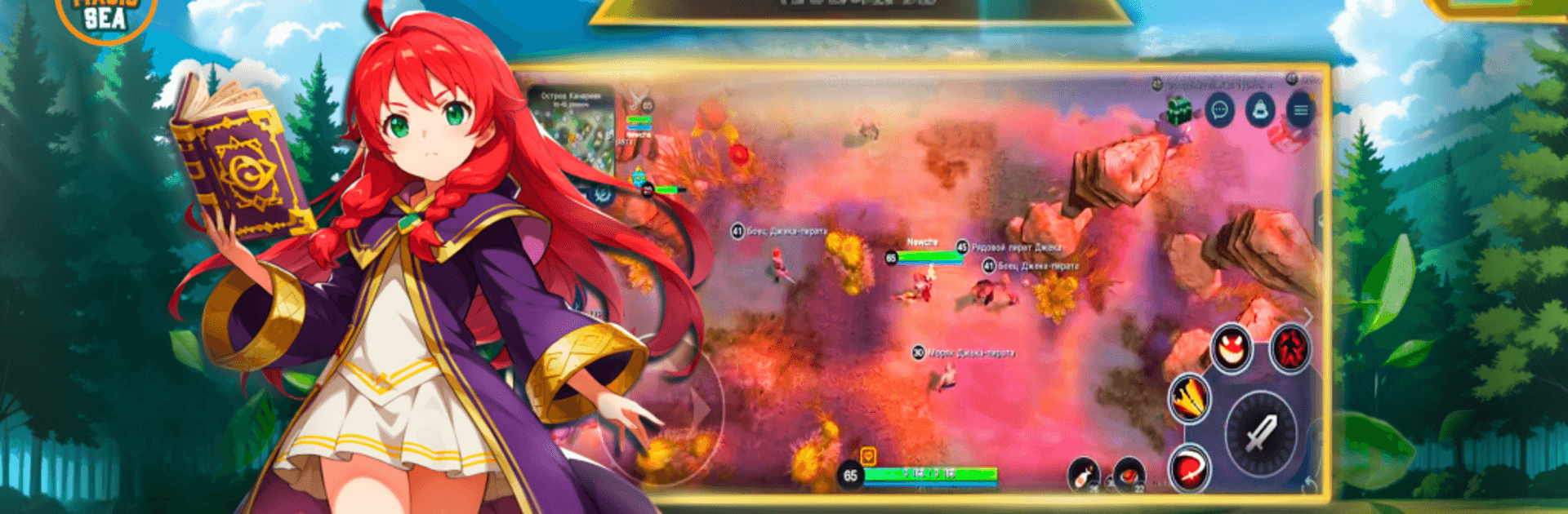
Magicsea Online MMORPG is a Role Playing world built around choice, skill, and a healthy dose of swashbuckling chaos. Hop across enchanted islands, pick a path that fits your style, and actually play your character—manual combat means your reflexes and timing really matter. Whether you’re chasing rare loot, running trade routes, or throwing down in contested zones, there’s always something worth doing (and winning).

Game Features

  • Build Your Hero: Pick from distinct classes, tailor your skills, and fine-tune gear to create a playstyle that feels uniquely yours.
  • Skill-First Combat: Fights aren’t on autopilot. Dodge, aim, and outplay enemies with hands-on controls that reward practice.
  • Rich PvE Adventures: Tackle story missions, crawl through dangerous dungeons, and square up against bosses that demand smart teamwork.
  • Risky PvP and Chaos Mode: Test your nerve in open PvP areas or jump into an anything-goes mode where survival comes first.
  • Quests With Voices and Choices: Hundreds of voiced quests and branching paths keep the narrative fresh and reactive to your decisions.
  • Player-Driven Economy: Use the auction house, flip goods, or craft to profit. Progress comes from playing—not from paying.
  • Guilds, Raids, and Co-op: Form a crew, coordinate strategies, and take on challenges built for groups, with in-game chat to keep plans tight.
  • Battle Pass Extras: Optional pass adds cosmetics and goals to chase, letting you show off style while you play.
  • Always Growing: Expect frequent updates that add new areas, enemies, systems, and quality-of-life tweaks.
  • Play Your Way: Prefer keyboard and mouse? You can jump in on PC with BlueStacks while keeping your mobile progress.

Get ready for a buttery smooth, high-performance gaming action only on BlueStacks.

Game Features

Enhancements

  • Macros
  • Rerolling
  • Eco Mode
  • Multi Instance Sync
  • Enhancements
Macros

Macros

Focus more on the fun part of the game, skip the tedious aspects. Master Magicsea Online MMORPG with Macros. Record yourself completing the monotonous tasks you wish to automate and replay them later with just one keypress.
Rerolling

Rerolling

Speed up the rerolling process in Magicsea Online MMORPG. Perform multiple summons and keep looking for the best Heroes. Use Multi-Instance sync to replicate the rerolling mechanism in all instances.
Eco Mode

Eco Mode

Farm in-game resources with ease in Magicsea Online MMORPG. Enable the Eco Mode when running the game in multiple instances. And lower your PC's resource consumption.
Multi Instance Sync

Multi Instance Sync

With the Multi-instance Sync, you can do even more in Magicsea Online MMORPG. Sync the action of the main instance and repeat them in real time for all other instances. Sync and sit back, let the game progress unfold.
Read More

How to Download and Play Magicsea Online MMORPG on PC or Mac

  • Download and install BlueStacks on your PC or Mac

  • Complete Google sign-in to access the Play Store, or do it later

  • Look for Magicsea Online MMORPG in the search bar at the top right corner

  • Click to install Magicsea Online MMORPG from the search results

  • Complete Google sign-in (if you skipped step 2) to install Magicsea Online MMORPG

  • Click the Magicsea Online MMORPG icon on the home screen to start playing

video
Watch Video

Minimum System Requirements

With BlueStacks 5, you can get started on a PC that fulfills the following requirements.

  • Operating System

    Microsoft Windows 7 or above, macOS 11 (Big Sur) or above

  • Processor

    Intel, AMD or Apple Silicon Processor

  • RAM

    at least 4GB

  • HDD

    10GB Free Disk Space

Note:

* You must be an Administrator on your PC. Up to date graphics drivers from Microsoft or the chipset vendor.

Magicsea Online MMORPG - FAQs

  • How to play Magicsea Online MMORPG on Windows PC & Mac?

    Play Magicsea Online MMORPG on your PC or Mac by following these simple steps.

    • Click on 'Play Magicsea Online MMORPG on PC’ to download BlueStacks
    • Install it and log-in to Google Play Store
    • Launch and play the game.
  • Why is BlueStacks the fastest and safest platform to play games on PC?

    BlueStacks respects your privacy and is always safe and secure to use. It does not carry any malware, spyware, or any sort of additional software that could harm your PC.

    It is engineered to optimize speed and performance for a seamless gaming experience.

  • What are Magicsea Online MMORPG PC requirements?

    Minimum requirement to run Magicsea Online MMORPG on your PC

    • OS: Microsoft Windows 7 or above MacOS 11 (Big Sur) or above
    • Processor: Intel, AMD or Apple Silicon Processor
    • RAM: Your PC must have at least 4GB of RAM. (Note that having 4GB or more disk space is not a substitute for RAM)
    • HDD: 10GB Free Disk Space.
    • You must be an Administrator on your PC.