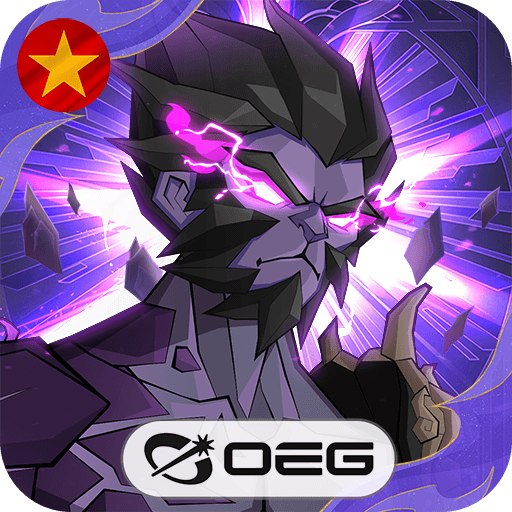
Mew2 Strikes Back
Mew2 Strikes Back

Mew2 Strikes Back

Role Playing

| Gloseth Multimedia

Play on PC with BlueStacks or from our cloud

  • Overview
  • Game Features
  • How to Play

Page Modified On: December 26, 2025

Play Mew2 Strikes Back on PC or Mac

From the innovators and creators at Gloseth Multimedia, Mew2 Strikes Back is another fun addition to the World of Role Playing games. Go beyond your mobile screen and play it bigger and better on your PC or Mac. An immersive experience awaits you.

About the Game

Mew2 Strikes Back is a Role Playing adventure from Gloseth Multimedia where you roam a wide world, collect oddball creatures, and turn them into a powerhouse squad. It’s exploration-first—no hand-holding, no rails—just you setting the pace, finding secrets, and figuring out smart tactics for turn-based battles. Want a comfy setup? Playing on BlueStacks helps keep team management and combat snappy on a bigger screen.

Game Features

  • Open-World Freedom
    Explore in any direction without scripted paths. Wander into forests, coastlines, caves, and more, stumbling onto surprises and side stories as you go.

  • Weather, Time, and Chance
    Day/night cycles and changing weather shift what shows up in the wild. Expect rare spawns, odd events, and the occasional treasure spot when you least expect it.

  • Catch, Grow, and Evolve
    Every creature comes with its own traits, stats, and skill options. Branching evolutions change both looks and playstyle, with special forms unlocked by rare materials.

  • Tactical Turn-Based Combat
    Build a squad of six, mix attributes and skills, and outthink tough bosses. Test your strategy in arenas and face players from around the world.

  • Your Companions, Your Way
    Train through battles, exploration, and a bit of nurturing. No two companions roll the same, so your main partner really can feel one-of-a-kind.

  • Smart Team Building
    Swap members, tweak skill sets, and create synergies that fit how you like to play—glass cannons, sturdy walls, status spreads, or a little of everything.

  • Events and Rewards
    Log in for steady bonuses, jump into limited-time dungeons, and chase rotating challenge zones that keep the loop fresh.

  • A World That Grows
    New creatures and regions arrive regularly, bringing fresh tactics to try and new routes to map out.

Start your journey now. Download the game on BlueStacks, invite your friends, and march on a new adventure.


Game Features

Enhancements

  • Macros
  • Rerolling
  • Eco Mode
  • Multi Instance Sync
  • Enhancements
Macros

Macros

Focus more on the fun part of the game, skip the tedious aspects. Master Mew2 Strikes Back with Macros. Record yourself completing the monotonous tasks you wish to automate and replay them later with just one keypress.
Rerolling

Rerolling

Speed up the rerolling process in Mew2 Strikes Back. Perform multiple summons and keep looking for the best Heroes. Use Multi-Instance sync to replicate the rerolling mechanism in all instances.
Eco Mode

Eco Mode

Farm in-game resources with ease in Mew2 Strikes Back. Enable the Eco Mode when running the game in multiple instances. And lower your PC's resource consumption.
Multi Instance Sync

Multi Instance Sync

With the Multi-instance Sync, you can do even more in Mew2 Strikes Back. Sync the action of the main instance and repeat them in real time for all other instances. Sync and sit back, let the game progress unfold.
Read More

How to Download and Play Mew2 Strikes Back on PC or Mac

  • Download and install BlueStacks on your PC or Mac

  • Complete Google sign-in to access the Play Store, or do it later

  • Look for Mew2 Strikes Back in the search bar at the top right corner

  • Click to install Mew2 Strikes Back from the search results

  • Complete Google sign-in (if you skipped step 2) to install Mew2 Strikes Back

  • Click the Mew2 Strikes Back icon on the home screen to start playing

video
Watch Video

Minimum System Requirements

With BlueStacks 5, you can get started on a PC that fulfills the following requirements.

  • Operating System

    Microsoft Windows 7 or above, macOS 11 (Big Sur) or above

  • Processor

    Intel, AMD or Apple Silicon Processor

  • RAM

    at least 4GB

  • HDD

    10GB Free Disk Space

Note:

* You must be an Administrator on your PC. Up to date graphics drivers from Microsoft or the chipset vendor.

Mew2 Strikes Back - FAQs

  • How to play Mew2 Strikes Back on Windows PC & Mac?

    Play Mew2 Strikes Back on your PC or Mac by following these simple steps.

    • Click on 'Play Mew2 Strikes Back on PC’ to download BlueStacks
    • Install it and log-in to Google Play Store
    • Launch and play the game.
  • Why is BlueStacks the fastest and safest platform to play games on PC?

    BlueStacks respects your privacy and is always safe and secure to use. It does not carry any malware, spyware, or any sort of additional software that could harm your PC.

    It is engineered to optimize speed and performance for a seamless gaming experience.

  • What are Mew2 Strikes Back PC requirements?

    Minimum requirement to run Mew2 Strikes Back on your PC

    • OS: Microsoft Windows 7 or above MacOS 11 (Big Sur) or above
    • Processor: Intel, AMD or Apple Silicon Processor
    • RAM: Your PC must have at least 4GB of RAM. (Note that having 4GB or more disk space is not a substitute for RAM)
    • HDD: 10GB Free Disk Space.
    • You must be an Administrator on your PC.