MU Online RPG: Sword Awakening

MU Online RPG: Sword Awakening

Role Playing

| Rufian Gaming LLC

Play on PC with BlueStacks or from our cloud

  • Overview
  • Game Features
  • How to Play

Page Modified On: June 29, 2026

Play MU Online RPG: Sword Awakening on PC or Mac

Explore a whole new adventure with MU Online RPG: Sword Awakening, a Role Playing game created by Rufian Gaming LLC. Experience great gameplay with BlueStacks, the most popular gaming platform to play Android games on your PC or Mac.

About the Game

MU Online RPG: Sword Awakening throws you into a dark fantasy battleground where huge player-versus-player clashes are the main event. It’s a fast-moving Role Playing experience built around guild strategy, cross-server competition, and class-swapping combat that keeps every fight fresh. Prefer a bigger screen? It plays smoothly on BlueStacks.

Game Features

  • Massive PvP Showdowns: Jump into chaotic 100-player conflicts where coordination and timing matter as much as gear. Expect shifting fronts, last-second pushes, and highlights worthy of the guild chat.

  • Cross-Server Guild Wars: Team up with your crew and challenge rival groups beyond your own server. Capture key objectives, push the frontline, and make your name known across the continent.

  • Class Freedom on the Fly: Switch between Swordsman, Mage, and Archer whenever the fight calls for it. Mix skills to craft a build that fits your rhythm—burst damage today, ranged control tomorrow.

  • Fast Progress, Real Rewards: Advance quickly and keep the loot flowing, even when you’re not logged in. Generous drops and steady growth mean you can focus on smarter builds, not endless grinding.

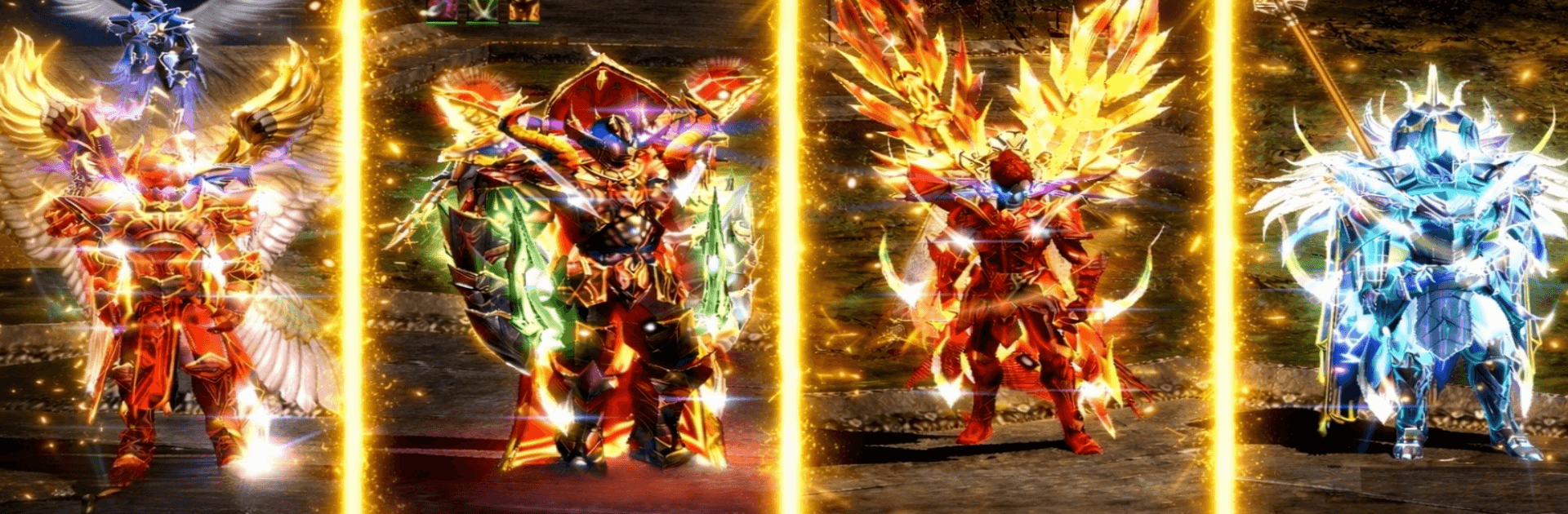
  • Gear, Mounts, and Style: Collect powerful equipment and show some flair with titles, mounts, avatars, and avatar frames. Whether you prefer sleek or intimidating, there’s plenty to customize.

  • A World Carved by Darkness: Explore rifts, ruined strongholds, and haunted landscapes as you reclaim lost territory. Every zone hints at a larger war—and another fight waiting just beyond the gate.

Start playing MU Online RPG: Sword Awakening on BlueStacks and get a smoother, more comfortable PC or Mac setup.


Game Features

Enhancements

  • Macros
  • Rerolling
  • Eco Mode
  • Multi Instance Sync
  • Enhancements
Macros

Macros

Focus more on the fun part of the game, skip the tedious aspects. Master MU Online RPG: Sword Awakening with Macros. Record yourself completing the monotonous tasks you wish to automate and replay them later with just one keypress.
Rerolling

Rerolling

Speed up the rerolling process in MU Online RPG: Sword Awakening. Perform multiple summons and keep looking for the best Heroes. Use Multi-Instance sync to replicate the rerolling mechanism in all instances.
Eco Mode

Eco Mode

Farm in-game resources with ease in MU Online RPG: Sword Awakening. Enable the Eco Mode when running the game in multiple instances. And lower your PC's resource consumption.
Multi Instance Sync

Multi Instance Sync

With the Multi-instance Sync, you can do even more in MU Online RPG: Sword Awakening. Sync the action of the main instance and repeat them in real time for all other instances. Sync and sit back, let the game progress unfold.
Read More

How to Download and Play MU Online RPG: Sword Awakening on PC or Mac

  • Download and install BlueStacks on your PC or Mac

  • Complete Google sign-in to access the Play Store, or do it later

  • Look for MU Online RPG: Sword Awakening in the search bar at the top right corner

  • Click to install MU Online RPG: Sword Awakening from the search results

  • Complete Google sign-in (if you skipped step 2) to install MU Online RPG: Sword Awakening

  • Click the MU Online RPG: Sword Awakening icon on the home screen to start playing

video
Watch Video

Minimum System Requirements

With BlueStacks 5, you can get started on a PC that fulfills the following requirements.

  • Operating System

    Microsoft Windows 7 or above, macOS 11 (Big Sur) or above

  • Processor

    Intel, AMD or Apple Silicon Processor

  • RAM

    at least 4GB

  • HDD

    10GB Free Disk Space

Note:

* You must be an Administrator on your PC. Up to date graphics drivers from Microsoft or the chipset vendor.

MU Online RPG: Sword Awakening - FAQs

  • How to play MU Online RPG: Sword Awakening on Windows PC & Mac?

    Play MU Online RPG: Sword Awakening on your PC or Mac by following these simple steps.

    • Click on 'Play MU Online RPG: Sword Awakening on PC’ to download BlueStacks
    • Install it and log-in to Google Play Store
    • Launch and play the game.
  • Why is BlueStacks the fastest and safest platform to play games on PC?

    BlueStacks respects your privacy and is always safe and secure to use. It does not carry any malware, spyware, or any sort of additional software that could harm your PC.

    It is engineered to optimize speed and performance for a seamless gaming experience.

  • What are MU Online RPG: Sword Awakening PC requirements?

    Minimum requirement to run MU Online RPG: Sword Awakening on your PC

    • OS: Microsoft Windows 7 or above MacOS 11 (Big Sur) or above
    • Processor: Intel, AMD or Apple Silicon Processor
    • RAM: Your PC must have at least 4GB of RAM. (Note that having 4GB or more disk space is not a substitute for RAM)
    • HDD: 10GB Free Disk Space.
    • You must be an Administrator on your PC.