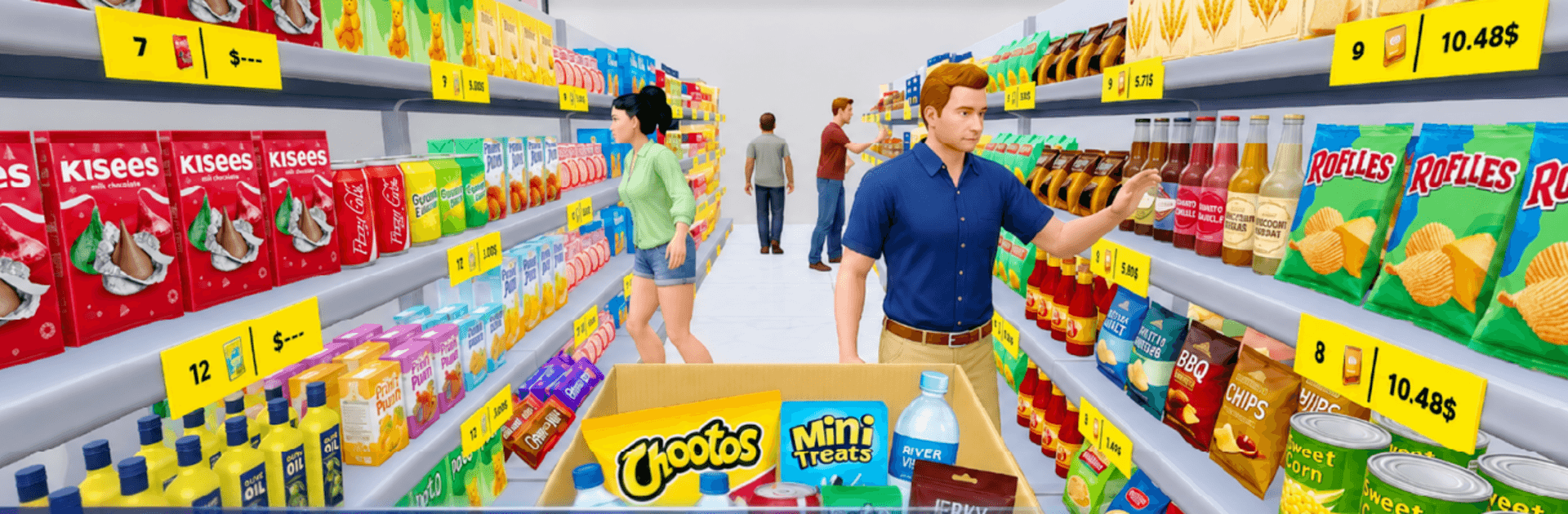
My Supermarket: Store Manager

My Supermarket: Store Manager

Role Playing

| XGame Global

Play on PC with BlueStacks or from our cloud

  • Overview
  • Game Features
  • How to Play

Page Modified On: August 10, 2026

Play My Supermarket: Store Manager on PC or Mac

Step into the World of My Supermarket: Store Manager, a thrilling Role Playing game from the house of XGame Global. Play this Android game on BlueStacks App Player and experience immersive gaming on PC or Mac.

About the Game

Ever wondered what it’s really like to run a grocery store from nothing? My Supermarket: Store Manager is a chill-but-addicting Role Playing sim where you stock shelves, ring up guests, and turn a tiny shop into the place everyone wants to visit. It mixes the oddly satisfying vibe of organizing with the crunch of everyday business decisions, all in a bright 3D supermarket.

Game Features

  • Hands-on Storekeeping: Order goods, track what’s selling, and keep the aisles tidy so shoppers always find their favorites.
  • Cashier Moments: Work the register in quick, snappy mini-scenarios—count change, process payments, and keep the line moving.
  • Satisfying Restock: Unbox items and refill displays with neat, ASMR-like precision. Clean rows, full fridges, calm brain.
  • Smart Pricing, Real Payoff: Adjust prices, watch demand, and balance profit with happy customers to keep money flowing.
  • Grow from Small to Huge: Reinvest in more shelves and fridges, open new sections, and watch your floor space transform.
  • Style Your Space: Pick layouts, themes, and decor to match your vibe—make it cozy, sleek, or a little extra.
  • Unlock More to Sell: Expand your catalog with fresh products and premium goods as your shop gains momentum.
  • Play Anywhere: No Wi-Fi needed for your next shift. It also feels great on a bigger screen with BlueStacks if you prefer PC play.

Get ready for a buttery smooth, high-performance gaming action only on BlueStacks.

Game Features

Enhancements

  • Macros
  • Rerolling
  • Eco Mode
  • Multi Instance Sync
  • Enhancements
Macros

Macros

Focus more on the fun part of the game, skip the tedious aspects. Master My Supermarket: Store Manager with Macros. Record yourself completing the monotonous tasks you wish to automate and replay them later with just one keypress.
Rerolling

Rerolling

Speed up the rerolling process in My Supermarket: Store Manager. Perform multiple summons and keep looking for the best Heroes. Use Multi-Instance sync to replicate the rerolling mechanism in all instances.
Eco Mode

Eco Mode

Farm in-game resources with ease in My Supermarket: Store Manager. Enable the Eco Mode when running the game in multiple instances. And lower your PC's resource consumption.
Multi Instance Sync

Multi Instance Sync

With the Multi-instance Sync, you can do even more in My Supermarket: Store Manager. Sync the action of the main instance and repeat them in real time for all other instances. Sync and sit back, let the game progress unfold.
Read More

How to Download and Play My Supermarket: Store Manager on PC or Mac

  • Download and install BlueStacks on your PC or Mac

  • Complete Google sign-in to access the Play Store, or do it later

  • Look for My Supermarket: Store Manager in the search bar at the top right corner

  • Click to install My Supermarket: Store Manager from the search results

  • Complete Google sign-in (if you skipped step 2) to install My Supermarket: Store Manager

  • Click the My Supermarket: Store Manager icon on the home screen to start playing

video
Watch Video

Minimum System Requirements

With BlueStacks 5, you can get started on a PC that fulfills the following requirements.

  • Operating System

    Microsoft Windows 7 or above, macOS 11 (Big Sur) or above

  • Processor

    Intel, AMD or Apple Silicon Processor

  • RAM

    at least 4GB

  • HDD

    10GB Free Disk Space

Note:

* You must be an Administrator on your PC. Up to date graphics drivers from Microsoft or the chipset vendor.

My Supermarket: Store Manager - FAQs

  • How to play My Supermarket: Store Manager on Windows PC & Mac?

    Play My Supermarket: Store Manager on your PC or Mac by following these simple steps.

    • Click on 'Play My Supermarket: Store Manager on PC’ to download BlueStacks
    • Install it and log-in to Google Play Store
    • Launch and play the game.
  • Why is BlueStacks the fastest and safest platform to play games on PC?

    BlueStacks respects your privacy and is always safe and secure to use. It does not carry any malware, spyware, or any sort of additional software that could harm your PC.

    It is engineered to optimize speed and performance for a seamless gaming experience.

  • What are My Supermarket: Store Manager PC requirements?

    Minimum requirement to run My Supermarket: Store Manager on your PC

    • OS: Microsoft Windows 7 or above MacOS 11 (Big Sur) or above
    • Processor: Intel, AMD or Apple Silicon Processor
    • RAM: Your PC must have at least 4GB of RAM. (Note that having 4GB or more disk space is not a substitute for RAM)
    • HDD: 10GB Free Disk Space.
    • You must be an Administrator on your PC.