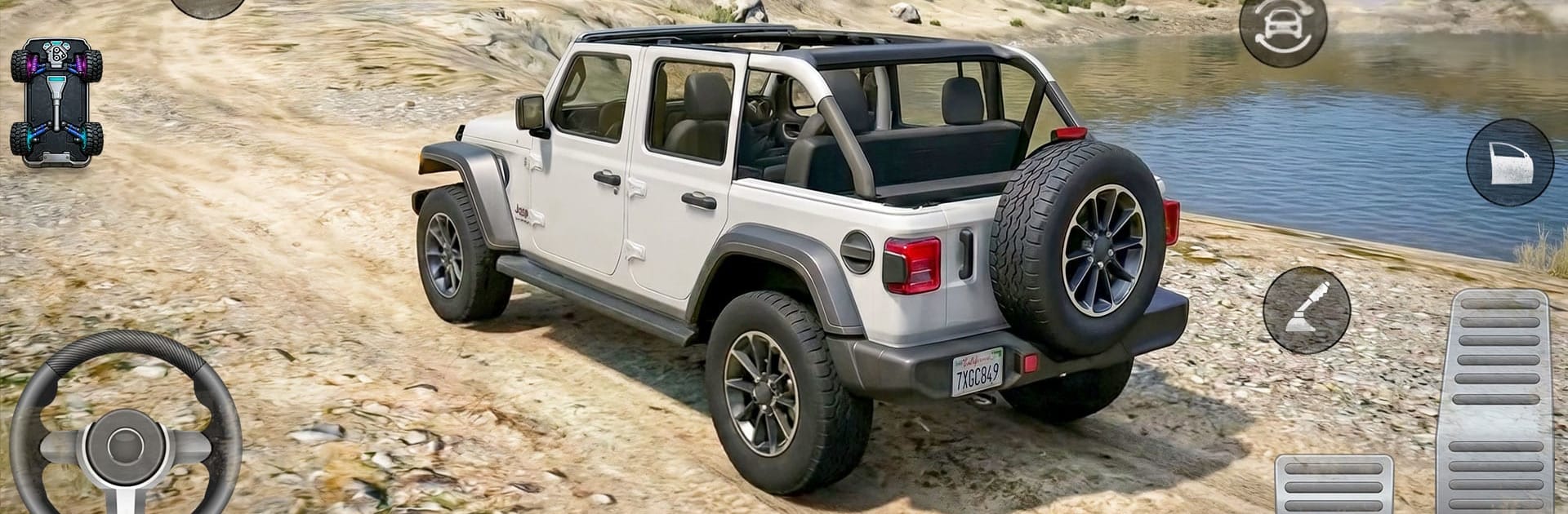
Offroad Jeep Driving Sim Games

Offroad Jeep Driving Sim Games

Role Playing

| FUNBIRD STUDIO

Play on PC with BlueStacks or from our cloud

  • Overview
  • Game Features
  • How to Play

Page Modified On: July 14, 2026

Play Offroad Jeep Driving Sim Games on PC or Mac

Play Offroad Jeep Driving Sim Games by FUNBIRD STUDIO on PC or Mac with BlueStacks. Use a bigger screen, mouse and keyboard controls, and smoother performance while you play.

About the Game

Offroad Jeep Driving Sim Games drops you into rugged trails, steep climbs, and muddy messes where every inch of ground fights back. It’s all about reading the terrain, keeping momentum, and muscling a 4×4 through places regular roads don’t dare go. Want a casual cruise or a gnarly challenge? You’ll find both here, along with that satisfying crunch of gravel and splash of river crossings.

Game Features

  • Big, wild maps – Tackle mountains, forests, sand dunes, riverbeds, and narrow cliff roads that make you slow down and think.
  • True 4×4 feel – Suspension flex, wheel slip, and weight transfer actually matter, so smart throttle and careful lines beat reckless speed.
  • Missions with purpose – Haul cargo up sketchy paths, recover stranded vehicles, and jump into timed runs or offroad races when you want to push it.
  • A garage of tough rides – Swap between multiple 4x4s and SUVs, each with its own character and bite on rough terrain.
  • Weather that works against you – Rain turns dirt into soup, fog and night limit visibility, and dry rock crawls demand precision.
  • Satisfying control and views – Smooth steering and camera options help you place tires exactly where they need to be on tricky obstacles.
  • Sounds that sell the moment – Gritty engine notes, splashing water, and crunching gravel make every climb feel earned.
  • Challenges that keep coming – New routes, fresh obstacles, and meaningful rewards keep the next trail run tempting.
  • Explore at your pace – Pick a route, test a tricky line again, or roam to find hidden paths and better approaches.
  • Optional PC play – Prefer a desk setup? It runs nicely on BlueStacks if you want bigger-screen control without changing the vibe.

BlueStacks gives you more room to focus on the game and less time adjusting around mobile limitations.


Game Features

Enhancements

  • Macros
  • Rerolling
  • Eco Mode
  • Multi Instance Sync
  • Enhancements
Macros

Macros

Focus more on the fun part of the game, skip the tedious aspects. Master Offroad Jeep Driving Sim Games with Macros. Record yourself completing the monotonous tasks you wish to automate and replay them later with just one keypress.
Rerolling

Rerolling

Speed up the rerolling process in Offroad Jeep Driving Sim Games. Perform multiple summons and keep looking for the best Heroes. Use Multi-Instance sync to replicate the rerolling mechanism in all instances.
Eco Mode

Eco Mode

Farm in-game resources with ease in Offroad Jeep Driving Sim Games. Enable the Eco Mode when running the game in multiple instances. And lower your PC's resource consumption.
Multi Instance Sync

Multi Instance Sync

With the Multi-instance Sync, you can do even more in Offroad Jeep Driving Sim Games. Sync the action of the main instance and repeat them in real time for all other instances. Sync and sit back, let the game progress unfold.
Read More

How to Download and Play Offroad Jeep Driving Sim Games on PC or Mac

  • Download and install BlueStacks on your PC or Mac

  • Complete Google sign-in to access the Play Store, or do it later

  • Look for Offroad Jeep Driving Sim Games in the search bar at the top right corner

  • Click to install Offroad Jeep Driving Sim Games from the search results

  • Complete Google sign-in (if you skipped step 2) to install Offroad Jeep Driving Sim Games

  • Click the Offroad Jeep Driving Sim Games icon on the home screen to start playing

video
Watch Video

Minimum System Requirements

With BlueStacks 5, you can get started on a PC that fulfills the following requirements.

  • Operating System

    Microsoft Windows 7 or above, macOS 11 (Big Sur) or above

  • Processor

    Intel, AMD or Apple Silicon Processor

  • RAM

    at least 4GB

  • HDD

    10GB Free Disk Space

Note:

* You must be an Administrator on your PC. Up to date graphics drivers from Microsoft or the chipset vendor.

Offroad Jeep Driving Sim Games - FAQs

  • How to play Offroad Jeep Driving Sim Games on Windows PC & Mac?

    Play Offroad Jeep Driving Sim Games on your PC or Mac by following these simple steps.

    • Click on 'Play Offroad Jeep Driving Sim Games on PC’ to download BlueStacks
    • Install it and log-in to Google Play Store
    • Launch and play the game.
  • Why is BlueStacks the fastest and safest platform to play games on PC?

    BlueStacks respects your privacy and is always safe and secure to use. It does not carry any malware, spyware, or any sort of additional software that could harm your PC.

    It is engineered to optimize speed and performance for a seamless gaming experience.

  • What are Offroad Jeep Driving Sim Games PC requirements?

    Minimum requirement to run Offroad Jeep Driving Sim Games on your PC

    • OS: Microsoft Windows 7 or above MacOS 11 (Big Sur) or above
    • Processor: Intel, AMD or Apple Silicon Processor
    • RAM: Your PC must have at least 4GB of RAM. (Note that having 4GB or more disk space is not a substitute for RAM)
    • HDD: 10GB Free Disk Space.
    • You must be an Administrator on your PC.