Tam Quốc Giấy VNG
Tam Quốc Giấy VNG

Tam Quốc Giấy VNG

Role Playing

| VNGGames Co., Ltd

Play on PC with BlueStacks or from our cloud

  • Overview
  • Game Features
  • How to Play

Page Modified On: December 15, 2025

Play Tam Quốc Giấy VNG on PC or Mac

From the innovators and creators at VNGGames Co., Ltd, Tam Quốc Giấy VNG is another fun addition to the World of Role Playing games. Go beyond your mobile screen and play it bigger and better on your PC or Mac. An immersive experience awaits you.

About the Game

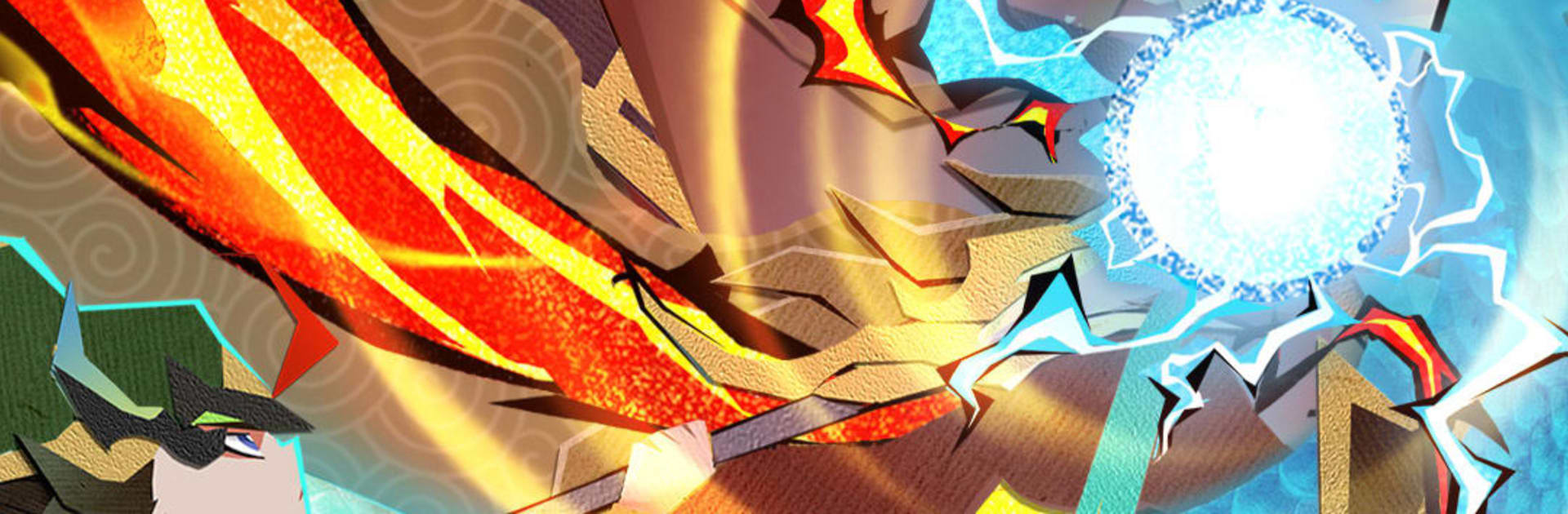
Tam Quốc Giấy VNG is a Role-playing take on the Three Kingdoms that looks like it’s been folded by hand and set on a living battlefield. You’re the commander, pulling together a squad of legendary figures and sending them into clever, fast-moving fights where good planning really pays off. It’s easy to pick up for a minute, and surprisingly deep when you want to tinker with builds and formations.

Game Features

  • Paper-crafted Three Kingdoms: Famous names like Guan Yu, Zhang Fei, Zhuge Liang, Cao Cao, and Lu Bu pop to life in a charming origami-inspired style that feels both classic and brand-new.
  • Recruit and build your roster: Enjoy frequent summons and generous pulls to expand your lineup, then develop each hero the way you like.
  • Strategy that sticks: It’s not just an idle setup. Positioning, counters, and skill synergies can flip a fight, especially in tougher encounters.
  • One-handed vertical play: Quick taps handle everything—from training troops to storming cities—perfect for on-the-go sessions.
  • Deep progression paths: Raise star ranks, enhance gear, unlock divine weapons, study tactical manuals, and customize battle formations to shape a team that’s truly yours.
  • PvE variety: Climb towers, push through stages, tackle boss hunts, and more. There’s always another challenge waiting.
  • Competitive PvP: Jump into multiple formats, including cross-server clashes, and aim for guild glory with coordinated strategies.
  • Smooth on PC with BlueStacks: Prefer keyboard and mouse? The game runs comfortably there too, without getting in your way.

Start your journey now. Download the game on BlueStacks, invite your friends, and march on a new adventure.


Game Features

Enhancements

  • Macros
  • Rerolling
  • Eco Mode
  • Multi Instance Sync
  • Enhancements
Macros

Macros

Focus more on the fun part of the game, skip the tedious aspects. Master Tam Quốc Giấy VNG with Macros. Record yourself completing the monotonous tasks you wish to automate and replay them later with just one keypress.
Rerolling

Rerolling

Speed up the rerolling process in Tam Quốc Giấy VNG. Perform multiple summons and keep looking for the best Heroes. Use Multi-Instance sync to replicate the rerolling mechanism in all instances.
Eco Mode

Eco Mode

Farm in-game resources with ease in Tam Quốc Giấy VNG. Enable the Eco Mode when running the game in multiple instances. And lower your PC's resource consumption.
Multi Instance Sync

Multi Instance Sync

With the Multi-instance Sync, you can do even more in Tam Quốc Giấy VNG. Sync the action of the main instance and repeat them in real time for all other instances. Sync and sit back, let the game progress unfold.
Read More

How to Download and Play Tam Quốc Giấy VNG on PC or Mac

  • Download and install BlueStacks on your PC or Mac

  • Complete Google sign-in to access the Play Store, or do it later

  • Look for Tam Quốc Giấy VNG in the search bar at the top right corner

  • Click to install Tam Quốc Giấy VNG from the search results

  • Complete Google sign-in (if you skipped step 2) to install Tam Quốc Giấy VNG

  • Click the Tam Quốc Giấy VNG icon on the home screen to start playing

video
Watch Video

Minimum System Requirements

With BlueStacks 5, you can get started on a PC that fulfills the following requirements.

  • Operating System

    Microsoft Windows 7 or above, macOS 11 (Big Sur) or above

  • Processor

    Intel, AMD or Apple Silicon Processor

  • RAM

    at least 4GB

  • HDD

    10GB Free Disk Space

Note:

* You must be an Administrator on your PC. Up to date graphics drivers from Microsoft or the chipset vendor.

Tam Quốc Giấy VNG - FAQs

  • How to play Tam Quốc Giấy VNG on Windows PC & Mac?

    Play Tam Quốc Giấy VNG on your PC or Mac by following these simple steps.

    • Click on 'Play Tam Quốc Giấy VNG on PC’ to download BlueStacks
    • Install it and log-in to Google Play Store
    • Launch and play the game.
  • Why is BlueStacks the fastest and safest platform to play games on PC?

    BlueStacks respects your privacy and is always safe and secure to use. It does not carry any malware, spyware, or any sort of additional software that could harm your PC.

    It is engineered to optimize speed and performance for a seamless gaming experience.

  • What are Tam Quốc Giấy VNG PC requirements?

    Minimum requirement to run Tam Quốc Giấy VNG on your PC

    • OS: Microsoft Windows 7 or above MacOS 11 (Big Sur) or above
    • Processor: Intel, AMD or Apple Silicon Processor
    • RAM: Your PC must have at least 4GB of RAM. (Note that having 4GB or more disk space is not a substitute for RAM)
    • HDD: 10GB Free Disk Space.
    • You must be an Administrator on your PC.