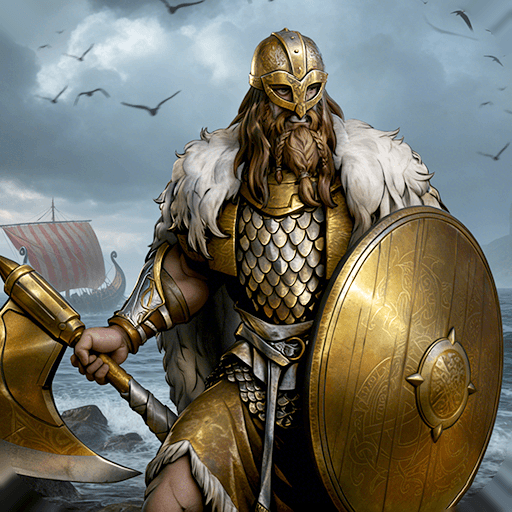
Partia 2
Partia 2

Partia 2

Role Playing

| Imago Software

Play on PC with BlueStacks or from our cloud

  • Overview
  • Game Features
  • How to Play

Page Modified On: August 29, 2025

Play Partia 2 on PC or Mac

From the innovators and creators at Imago Software, Partia 2 is another fun addition to the World of Role Playing games. Go beyond your mobile screen and play it bigger and better on your PC or Mac. An immersive experience awaits you.

About the Game

Partia 2 is a tactical SRPG that feels right at home for anyone who loved the 16-bit and early PlayStation era. Set in a high fantasy world where steel and sorcery are both dangerous, it leans into tense battles and a story that isn’t afraid to tangle with loyalty, ambition, friendship, and betrayal. It’s the follow-up to The Broken Lineage, built by Imago Software with a focus on smart strategy and clean, no-nonsense design. Genre: Role Playing.

Prefer a bigger screen and keyboard? You can play it through BlueStacks, too.

Game Features

  • Classic SRPG Challenge
  • Take on 22 carefully built stages that reward planning, positioning, and gutsy plays. It’s tough but fair—perfect for players who miss old-school tactics done right.

  • Two Ways to Take Turns

  • Pick the traditional turn order or try the “Common turn” option, where every faction alternates moves like a chess match. You can toggle it between battles, so experiment and see what clicks.

  • Sharper Enemy AI

  • Enemies won’t just march forward and fold. They’ll push advantages, protect key units, and punish sloppy advances, making every decision matter.

  • Agile Cavalry Tactics

  • Mounted units can strike and keep moving if they’ve got steps left, opening up hit-and-run plays, feints, and cleaner retreats.

  • Character-Forward Presentation

  • While the battles keep things straightforward, the game features larger, more expressive character portraits that give the cast some heart without slowing down the action.

  • A True Sequel for Fans

  • Built as the next chapter after Partia 1, it respects what veterans liked while turning up the difficulty and adding fresh ideas to keep strategies evolving.

Make your gaming sessions memorable with precise controls that give you an edge in close combats and visuals that pop up, bringing every character to life.


Game Features

Enhancements

  • Macros
  • Rerolling
  • Eco Mode
  • Multi Instance Sync
  • Enhancements
Macros

Macros

Focus more on the fun part of the game, skip the tedious aspects. Master Partia 2 with Macros. Record yourself completing the monotonous tasks you wish to automate and replay them later with just one keypress.
Rerolling

Rerolling

Speed up the rerolling process in Partia 2. Perform multiple summons and keep looking for the best Heroes. Use Multi-Instance sync to replicate the rerolling mechanism in all instances.
Eco Mode

Eco Mode

Farm in-game resources with ease in Partia 2. Enable the Eco Mode when running the game in multiple instances. And lower your PC's resource consumption.
Multi Instance Sync

Multi Instance Sync

With the Multi-instance Sync, you can do even more in Partia 2. Sync the action of the main instance and repeat them in real time for all other instances. Sync and sit back, let the game progress unfold.
Read More

How to Download and Play Partia 2 on PC or Mac

  • Download and install BlueStacks on your PC or Mac

  • Complete Google sign-in to access the Play Store, or do it later

  • Look for Partia 2 in the search bar at the top right corner

  • Click to install Partia 2 from the search results

  • Complete Google sign-in (if you skipped step 2) to install Partia 2

  • Click the Partia 2 icon on the home screen to start playing

video
Watch Video

Minimum System Requirements

With BlueStacks 5, you can get started on a PC that fulfills the following requirements.

  • Operating System

    Microsoft Windows 7 or above, macOS 11 (Big Sur) or above

  • Processor

    Intel, AMD or Apple Silicon Processor

  • RAM

    at least 4GB

  • HDD

    10GB Free Disk Space

Note:

* You must be an Administrator on your PC. Up to date graphics drivers from Microsoft or the chipset vendor.

Partia 2 - FAQs

  • How to play Partia 2 on Windows PC & Mac?

    Play Partia 2 on your PC or Mac by following these simple steps.

    • Click on 'Play Partia 2 on PC’ to download BlueStacks
    • Install it and log-in to Google Play Store
    • Launch and play the game.
  • Why is BlueStacks the fastest and safest platform to play games on PC?

    BlueStacks respects your privacy and is always safe and secure to use. It does not carry any malware, spyware, or any sort of additional software that could harm your PC.

    It is engineered to optimize speed and performance for a seamless gaming experience.

  • What are Partia 2 PC requirements?

    Minimum requirement to run Partia 2 on your PC

    • OS: Microsoft Windows 7 or above MacOS 11 (Big Sur) or above
    • Processor: Intel, AMD or Apple Silicon Processor
    • RAM: Your PC must have at least 4GB of RAM. (Note that having 4GB or more disk space is not a substitute for RAM)
    • HDD: 10GB Free Disk Space.
    • You must be an Administrator on your PC.