Тень Дао
Тень Дао

Тень Дао

Role Playing

| EspritGames

Play on PC with BlueStacks or from our cloud

  • Overview
  • Game Features
  • How to Play

Page Modified On: August 24, 2026

Play Тень Дао on PC or Mac

Play Тень Дао by EspritGames on PC or Mac with BlueStacks. Use a bigger screen, mouse and keyboard controls, and smoother performance while you play.

About the Game

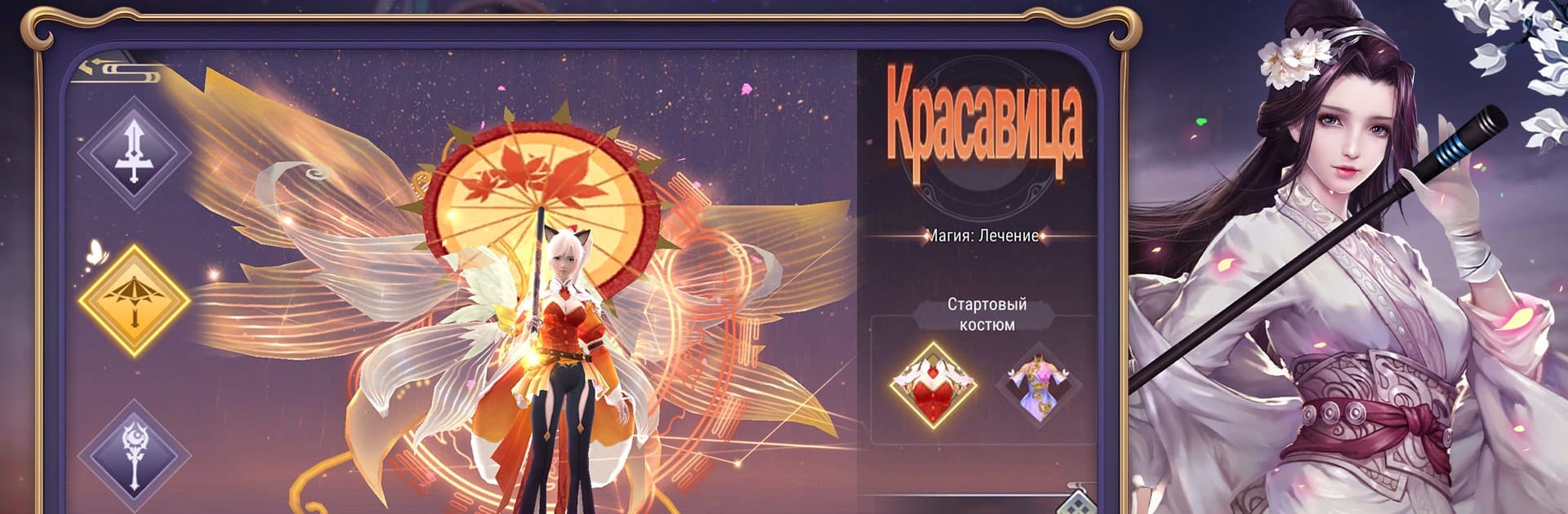
Тень Дао is a Role Playing adventure where ancient spirits, rival sects, and hidden rituals all tug at your destiny. You’ll shape your path with arcane arts, befriend luminous fairies, and test fragile alliances in wars that span entire realms—because sometimes the biggest threat is the ally at your side. Prefer a smoother setup? It also plays nicely on BlueStacks.

Game Features

  • Spirit Companions: Recruit immortal fairies with distinct personalities and abilities, then deepen your bond to unlock powerful team synergies.
  • Elemental Sorcery: Command lost spellcraft, bend fire, frost, and thunder, and forge mythic weapons built to carve through the gloom.
  • Path of Enlightenment: Advance through meditation, trial battles, and esoteric rites to push past mortal limits and refine your inner power.
  • Alliance Warfronts: Join massive, cross-server clashes where strategy, timing, and coordination decide who claims imperial honors.
  • Relic Hunts: Delve into ancient ruins and branching dungeons to uncover rare artifacts and the stories they’ve guarded for centuries.
  • Bonds and Betrayals: Form pacts with mortals or spirits, share quests and buffs, and stay alert—trust is powerful, but risky.
  • Living Chronicle: Wander shifting lands where your choices steer the route, turning each step into a new tale worth retelling.
  • Play Your Way: Go solo for full control or pair up with a kindred spirit for co-op routes that unlock different challenges and rewards.

Start your journey now. Download the game on BlueStacks, invite your friends, and march on a new adventure.


Game Features

Enhancements

  • Macros
  • Rerolling
  • Eco Mode
  • Multi Instance Sync
  • Enhancements
Macros

Macros

Focus more on the fun part of the game, skip the tedious aspects. Master Тень Дао with Macros. Record yourself completing the monotonous tasks you wish to automate and replay them later with just one keypress.
Rerolling

Rerolling

Speed up the rerolling process in Тень Дао. Perform multiple summons and keep looking for the best Heroes. Use Multi-Instance sync to replicate the rerolling mechanism in all instances.
Eco Mode

Eco Mode

Farm in-game resources with ease in Тень Дао. Enable the Eco Mode when running the game in multiple instances. And lower your PC's resource consumption.
Multi Instance Sync

Multi Instance Sync

With the Multi-instance Sync, you can do even more in Тень Дао. Sync the action of the main instance and repeat them in real time for all other instances. Sync and sit back, let the game progress unfold.
Read More

How to Download and Play Тень Дао on PC or Mac

  • Download and install BlueStacks on your PC or Mac

  • Complete Google sign-in to access the Play Store, or do it later

  • Look for Тень Дао in the search bar at the top right corner

  • Click to install Тень Дао from the search results

  • Complete Google sign-in (if you skipped step 2) to install Тень Дао

  • Click the Тень Дао icon on the home screen to start playing

video
Watch Video

Minimum System Requirements

With BlueStacks 5, you can get started on a PC that fulfills the following requirements.

  • Operating System

    Microsoft Windows 7 or above, macOS 11 (Big Sur) or above

  • Processor

    Intel, AMD or Apple Silicon Processor

  • RAM

    at least 4GB

  • HDD

    10GB Free Disk Space

Note:

* You must be an Administrator on your PC. Up to date graphics drivers from Microsoft or the chipset vendor.

Тень Дао - FAQs

  • How to play Тень Дао on Windows PC & Mac?

    Play Тень Дао on your PC or Mac by following these simple steps.

    • Click on 'Play Тень Дао on PC’ to download BlueStacks
    • Install it and log-in to Google Play Store
    • Launch and play the game.
  • Why is BlueStacks the fastest and safest platform to play games on PC?

    BlueStacks respects your privacy and is always safe and secure to use. It does not carry any malware, spyware, or any sort of additional software that could harm your PC.

    It is engineered to optimize speed and performance for a seamless gaming experience.

  • What are Тень Дао PC requirements?

    Minimum requirement to run Тень Дао on your PC

    • OS: Microsoft Windows 7 or above MacOS 11 (Big Sur) or above
    • Processor: Intel, AMD or Apple Silicon Processor
    • RAM: Your PC must have at least 4GB of RAM. (Note that having 4GB or more disk space is not a substitute for RAM)
    • HDD: 10GB Free Disk Space.
    • You must be an Administrator on your PC.