
Starborn Heroes
Starborn Heroes

Starborn Heroes

Role Playing

| Max NL

Play on PC with BlueStacks or from our cloud

  • Overview
  • Game Features
  • How to Play

Page Modified On: September 11, 2026

Play Starborn Heroes on PC or Mac

Bring your A-game to Starborn Heroes, the Role Playing game sensation from Max NL. Give your gameplay the much-needed boost with precise game controls, high FPS graphics, and top-tier features on your PC or Mac with BlueStacks.

About the Game

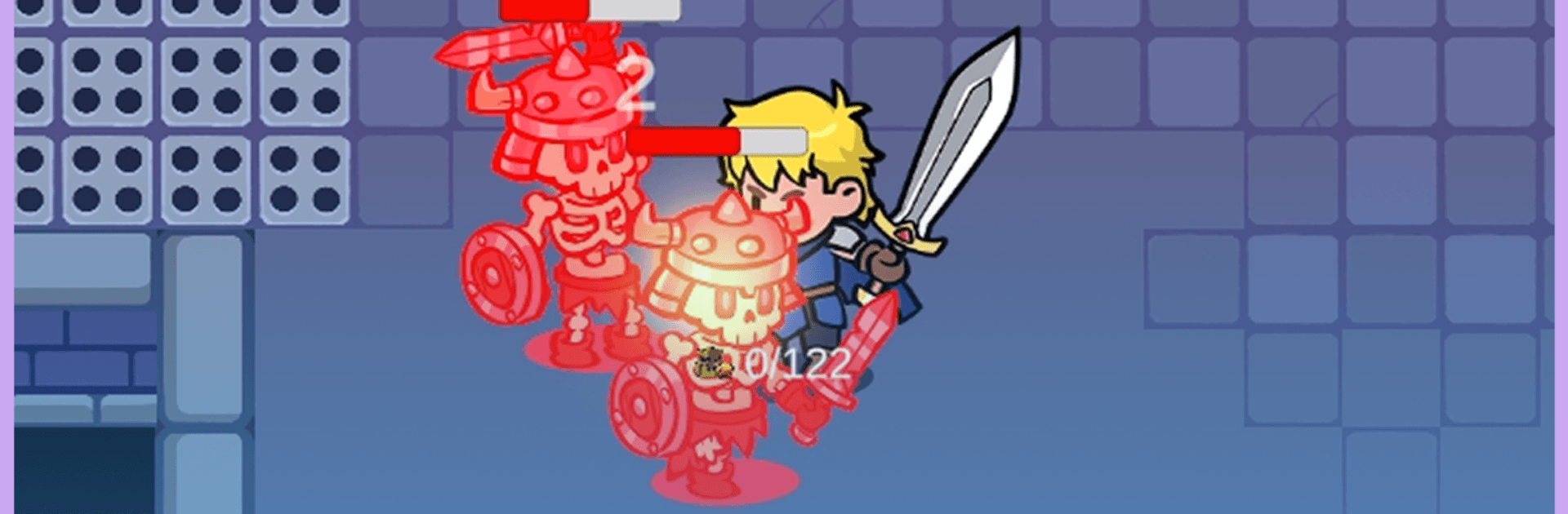
Starborn Heroes is a Role Playing adventure where you start small and grow into a powerhouse through grit, gear, and smart choices. Combat feels quick and responsive—your weapons snap to nearby threats while you dash, weave, and fire off skills at just the right second. Expect steady progression, a home base that actually matters, and boss encounters that test planning as much as reflexes.

Game Features

  • Chaptered Journeys: Explore varied regions across multiple chapters, pick up quests, and uncover side paths filled with surprises and tough fights.
  • Responsive Combat: Dodge shots, kite mobs, and time abilities for big payoffs while auto-aiming weapons let you focus on movement and survival.
  • A Ridiculous Arsenal: Swing swords and hammers, slice with katanas, poke with spears, or go ranged with pistols, shotguns, staves, and boomerangs.
  • Crafting That Counts: Forge new gear, merge duplicates, and chase higher tiers until your favorite weapon shines at Legendary status.
  • Skill Synergy: Mix active and passive abilities to create builds that suit your instincts—burst damage, sustain, crowd control, you name it.
  • Base Building: Turn a scrappy camp into a reliable stronghold; upgrade the forge and unlock helpful stations that boost long-term growth.
  • Clever Enemies: Face packs of monsters, sneaky archers, pesky mimics, and necromancers, then square up against multi-phase bosses that keep changing the rules.
  • Timed Dungeons: Enter short, high-stakes runs with special modifiers—some juice the rewards, others add brutal twists like tougher mobs or extra bosses.
  • Prep and Payoff: Match loadouts to dungeon conditions, earn coins from successful clears, and invest them in upgrades that matter.
  • Style With Benefits: Unlock hero skins that look sharp and come with handy bonuses for your build.
  • Optional Big-Screen Play: Prefer a larger display and crisp controls? Fire it up on BlueStacks when you’re in the mood for a longer session.

Start playing Starborn Heroes on BlueStacks and get a smoother, more comfortable PC or Mac setup.


Game Features

Enhancements

  • Macros
  • Rerolling
  • Eco Mode
  • Multi Instance Sync
  • Enhancements
Macros

Macros

Focus more on the fun part of the game, skip the tedious aspects. Master Starborn Heroes with Macros. Record yourself completing the monotonous tasks you wish to automate and replay them later with just one keypress.
Rerolling

Rerolling

Speed up the rerolling process in Starborn Heroes. Perform multiple summons and keep looking for the best Heroes. Use Multi-Instance sync to replicate the rerolling mechanism in all instances.
Eco Mode

Eco Mode

Farm in-game resources with ease in Starborn Heroes. Enable the Eco Mode when running the game in multiple instances. And lower your PC's resource consumption.
Multi Instance Sync

Multi Instance Sync

With the Multi-instance Sync, you can do even more in Starborn Heroes. Sync the action of the main instance and repeat them in real time for all other instances. Sync and sit back, let the game progress unfold.
Read More

How to Download and Play Starborn Heroes on PC or Mac

  • Download and install BlueStacks on your PC or Mac

  • Complete Google sign-in to access the Play Store, or do it later

  • Look for Starborn Heroes in the search bar at the top right corner

  • Click to install Starborn Heroes from the search results

  • Complete Google sign-in (if you skipped step 2) to install Starborn Heroes

  • Click the Starborn Heroes icon on the home screen to start playing

video
Watch Video

Minimum System Requirements

With BlueStacks 5, you can get started on a PC that fulfills the following requirements.

  • Operating System

    Microsoft Windows 7 or above, macOS 11 (Big Sur) or above

  • Processor

    Intel, AMD or Apple Silicon Processor

  • RAM

    at least 4GB

  • HDD

    10GB Free Disk Space

Note:

* You must be an Administrator on your PC. Up to date graphics drivers from Microsoft or the chipset vendor.

Starborn Heroes - FAQs

  • How to play Starborn Heroes on Windows PC & Mac?

    Play Starborn Heroes on your PC or Mac by following these simple steps.

    • Click on 'Play Starborn Heroes on PC’ to download BlueStacks
    • Install it and log-in to Google Play Store
    • Launch and play the game.
  • Why is BlueStacks the fastest and safest platform to play games on PC?

    BlueStacks respects your privacy and is always safe and secure to use. It does not carry any malware, spyware, or any sort of additional software that could harm your PC.

    It is engineered to optimize speed and performance for a seamless gaming experience.

  • What are Starborn Heroes PC requirements?

    Minimum requirement to run Starborn Heroes on your PC

    • OS: Microsoft Windows 7 or above MacOS 11 (Big Sur) or above
    • Processor: Intel, AMD or Apple Silicon Processor
    • RAM: Your PC must have at least 4GB of RAM. (Note that having 4GB or more disk space is not a substitute for RAM)
    • HDD: 10GB Free Disk Space.
    • You must be an Administrator on your PC.







