The Quest - Macha's Curse

The Quest - Macha's Curse

Role Playing

| Redshift Games

Play on PC with BlueStacks or from our cloud

  • Overview
  • Game Features
  • How to Play

Page Modified On: December 26, 2025

Play The Quest - Macha's Curse on PC or Mac

From the innovators and creators at Redshift Games, The Quest – Macha’s Curse is another fun addition to the World of Role Playing games. Go beyond your mobile screen and play it bigger and better on your PC or Mac. An immersive experience awaits you.

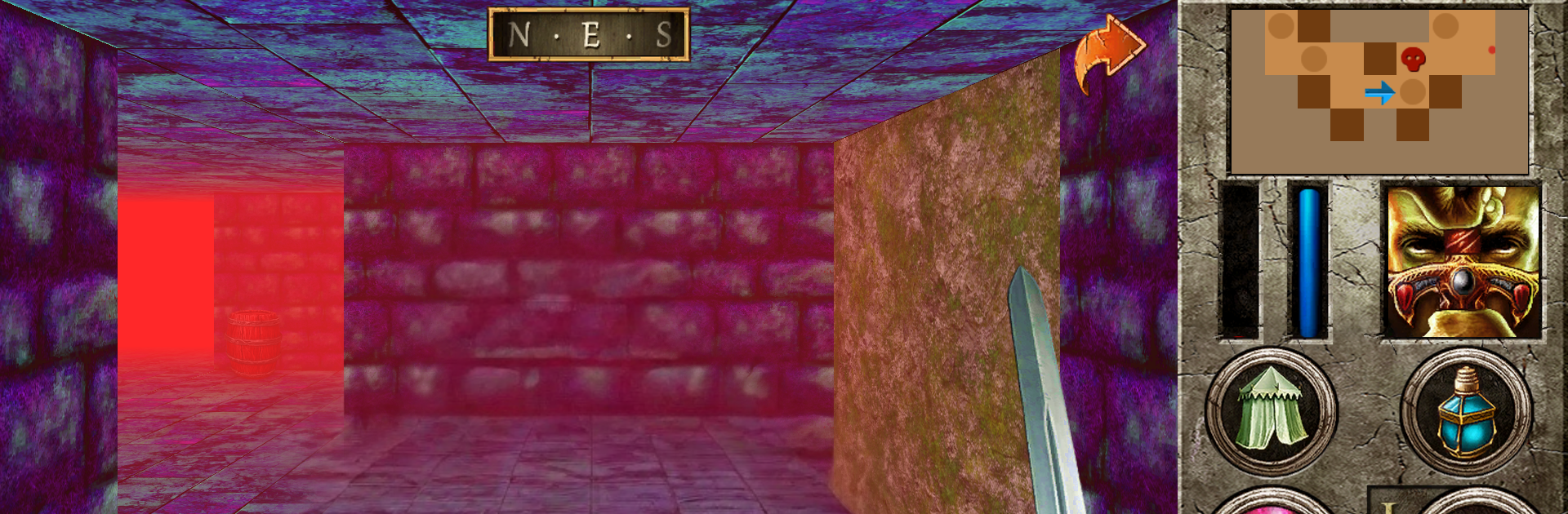
Macha’s Curse is one of those old school first‑person RPGs where movement snaps along a grid and every step feels like a choice. It is an expansion to The Quest, but it also works as a standalone if someone wants to jump straight into the Celtic stuff. The setup is cool and a little grim: the wizard Cathbad pulls the hero to Ulidia, Queen Maeve’s army is pushing in for the Brown Bull of Cooley, Cuchulainn and the Red Branch Knights are holding the line, and the goddess Macha has thrown a nasty curse on the kingdom because of a slight from their king. The art is hand drawn and moody, the writing leans into myths and old wars, and conversations matter because NPCs actually throw clues, rumors, and directions that can be missed if someone is not paying attention.

Gameplay is deliberate. Turn based fights make buffs, resistances, and positioning matter, and new areas are not shy about punishing careless builds. The expansion recommends being around level 40 before tackling it, which says a lot about the challenge. If it is connected to the base game, the path in is simple enough: sail from Mithria harbor with captain Hanty and choose Macha’s Curse as the destination. On PC through BlueStacks it runs clean, the text is easier to read on a monitor, and clicking through inventories or mapping keys for movement just makes the slow, plan your next step style play nicer. Fans of methodical dungeon crawling, Celtic myth flavor, and lots of quests and side errands will feel right at home.

Get ready for a buttery smooth, high-performance gaming action only on BlueStacks.

Game Features

Enhancements

  • Macros
  • Rerolling
  • Eco Mode
  • Multi Instance Sync
  • Enhancements
Macros

Macros

Focus more on the fun part of the game, skip the tedious aspects. Master The Quest - Macha's Curse with Macros. Record yourself completing the monotonous tasks you wish to automate and replay them later with just one keypress.
Rerolling

Rerolling

Speed up the rerolling process in The Quest - Macha's Curse. Perform multiple summons and keep looking for the best Heroes. Use Multi-Instance sync to replicate the rerolling mechanism in all instances.
Eco Mode

Eco Mode

Farm in-game resources with ease in The Quest - Macha's Curse. Enable the Eco Mode when running the game in multiple instances. And lower your PC's resource consumption.
Multi Instance Sync

Multi Instance Sync

With the Multi-instance Sync, you can do even more in The Quest - Macha's Curse. Sync the action of the main instance and repeat them in real time for all other instances. Sync and sit back, let the game progress unfold.
Read More

How to Download and Play The Quest - Macha's Curse on PC or Mac

  • Download and install BlueStacks on your PC or Mac

  • Complete Google sign-in to access the Play Store, or do it later

  • Look for The Quest - Macha's Curse in the search bar at the top right corner

  • Click to install The Quest - Macha's Curse from the search results

  • Complete Google sign-in (if you skipped step 2) to install The Quest - Macha's Curse

  • Click the The Quest - Macha's Curse icon on the home screen to start playing

video
Watch Video

Minimum System Requirements

With BlueStacks 5, you can get started on a PC that fulfills the following requirements.

  • Operating System

    Microsoft Windows 7 or above, macOS 11 (Big Sur) or above

  • Processor

    Intel, AMD or Apple Silicon Processor

  • RAM

    at least 4GB

  • HDD

    10GB Free Disk Space

Note:

* You must be an Administrator on your PC. Up to date graphics drivers from Microsoft or the chipset vendor.

The Quest - Macha's Curse - FAQs

  • How to play The Quest - Macha's Curse on Windows PC & Mac?

    Play The Quest - Macha's Curse on your PC or Mac by following these simple steps.

    • Click on 'Play The Quest - Macha's Curse on PC’ to download BlueStacks
    • Install it and log-in to Google Play Store
    • Launch and play the game.
  • Why is BlueStacks the fastest and safest platform to play games on PC?

    BlueStacks respects your privacy and is always safe and secure to use. It does not carry any malware, spyware, or any sort of additional software that could harm your PC.

    It is engineered to optimize speed and performance for a seamless gaming experience.

  • What are The Quest - Macha's Curse PC requirements?

    Minimum requirement to run The Quest - Macha's Curse on your PC

    • OS: Microsoft Windows 7 or above MacOS 11 (Big Sur) or above
    • Processor: Intel, AMD or Apple Silicon Processor
    • RAM: Your PC must have at least 4GB of RAM. (Note that having 4GB or more disk space is not a substitute for RAM)
    • HDD: 10GB Free Disk Space.
    • You must be an Administrator on your PC.