
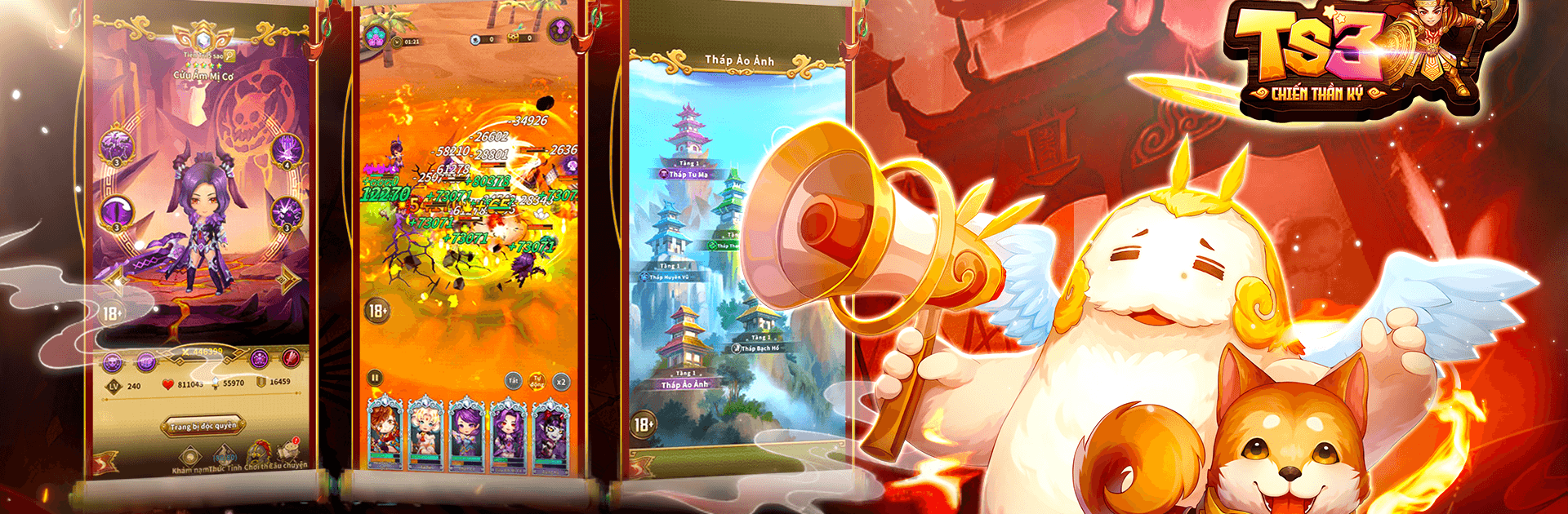
TS3 - Chiến Thần Ký
TS3 - Chiến Thần Ký

TS3 - Chiến Thần Ký

Role Playing

| KKSOFT SOFTWARE COMPANY LIMITED

Play on PC with BlueStacks or from our cloud

  • Overview
  • Game Features
  • How to Play

Page Modified On: August 31, 2026

Play TS3 - Chiến Thần Ký on PC or Mac

TS3 – Chiến Thần Ký by KKSOFT SOFTWARE COMPANY LIMITED has plenty to keep you busy. BlueStacks lets you play it on PC or Mac with more screen space, better control, and fewer mobile limits.

About the Game

TS3 – Chiến Thần Ký is a flexible Role Playing experience set in the chaos of the Three Kingdoms, where building the right squad matters more than mashing buttons. You’ll recruit legendary generals, tinker with your formation, and let a slick idle system keep progress rolling even when you’re off doing something else. Prefer a bigger display and smooth clicks? It runs nicely on BlueStacks without getting in your way.

Game Features

  • Legendary generals, distinct roles: Draft hundreds of familiar Three Kingdoms heroes, each tuned for Attack, Defense, Support, or Control, and give them room to shine with signature skills.
  • Build smart formations: Position tanks up front, chain stuns and slows, shield your damage dealers, and counter enemy lineups with clever swaps.
  • Focused growth for key units: Pick a main carry, invest wisely, and watch efficiency spike as you channel resources where they matter most.
  • Deep upgrades without the grind: Enhance skills, promote heroes with shards, and trigger powerful team links and set effects for noticeable combat boosts.
  • Idle rewards that actually help: Auto-battles keep the loot flowing while you’re away, so quick check-ins and small tweaks lead to steady gains.
  • Resource systems that make sense: Daily modes and challenges feed you materials, while a sensible management layer keeps your roster progressing over time.
  • Strategy without busywork: Simple controls free you to think about matchups and synergy—friendly for newcomers, satisfying for long-time Three Kingdoms fans.

Ready to top the leaderboard? We bet you do. Let precise controls and sharp visuals optimized on BlueStacks lead you to victory.


Game Features

Enhancements

  • Macros
  • Rerolling
  • Eco Mode
  • Multi Instance Sync
  • Enhancements
Macros

Macros

Focus more on the fun part of the game, skip the tedious aspects. Master TS3 - Chiến Thần Ký with Macros. Record yourself completing the monotonous tasks you wish to automate and replay them later with just one keypress.
Rerolling

Rerolling

Speed up the rerolling process in TS3 - Chiến Thần Ký. Perform multiple summons and keep looking for the best Heroes. Use Multi-Instance sync to replicate the rerolling mechanism in all instances.
Eco Mode

Eco Mode

Farm in-game resources with ease in TS3 - Chiến Thần Ký. Enable the Eco Mode when running the game in multiple instances. And lower your PC's resource consumption.
Multi Instance Sync

Multi Instance Sync

With the Multi-instance Sync, you can do even more in TS3 - Chiến Thần Ký. Sync the action of the main instance and repeat them in real time for all other instances. Sync and sit back, let the game progress unfold.
Read More

How to Download and Play TS3 - Chiến Thần Ký on PC or Mac

  • Download and install BlueStacks on your PC or Mac

  • Complete Google sign-in to access the Play Store, or do it later

  • Look for TS3 - Chiến Thần Ký in the search bar at the top right corner

  • Click to install TS3 - Chiến Thần Ký from the search results

  • Complete Google sign-in (if you skipped step 2) to install TS3 - Chiến Thần Ký

  • Click the TS3 - Chiến Thần Ký icon on the home screen to start playing

video
Watch Video

Minimum System Requirements

With BlueStacks 5, you can get started on a PC that fulfills the following requirements.

  • Operating System

    Microsoft Windows 7 or above, macOS 11 (Big Sur) or above

  • Processor

    Intel, AMD or Apple Silicon Processor

  • RAM

    at least 4GB

  • HDD

    10GB Free Disk Space

Note:

* You must be an Administrator on your PC. Up to date graphics drivers from Microsoft or the chipset vendor.

TS3 - Chiến Thần Ký - FAQs

  • How to play TS3 - Chiến Thần Ký on Windows PC & Mac?

    Play TS3 - Chiến Thần Ký on your PC or Mac by following these simple steps.

    • Click on 'Play TS3 - Chiến Thần Ký on PC’ to download BlueStacks
    • Install it and log-in to Google Play Store
    • Launch and play the game.
  • Why is BlueStacks the fastest and safest platform to play games on PC?

    BlueStacks respects your privacy and is always safe and secure to use. It does not carry any malware, spyware, or any sort of additional software that could harm your PC.

    It is engineered to optimize speed and performance for a seamless gaming experience.

  • What are TS3 - Chiến Thần Ký PC requirements?

    Minimum requirement to run TS3 - Chiến Thần Ký on your PC

    • OS: Microsoft Windows 7 or above MacOS 11 (Big Sur) or above
    • Processor: Intel, AMD or Apple Silicon Processor
    • RAM: Your PC must have at least 4GB of RAM. (Note that having 4GB or more disk space is not a substitute for RAM)
    • HDD: 10GB Free Disk Space.
    • You must be an Administrator on your PC.







