Tsukuyomi: Pixel Clash

Tsukuyomi: Pixel Clash

Role Playing

| SAP-Barata Developer Team

Play on PC with BlueStacks or from our cloud

  • Overview
  • Game Features
  • How to Play

Page Modified On: June 25, 2026

Play Tsukuyomi: Pixel Clash on PC or Mac

Step into the World of Tsukuyomi: Pixel Clash, a thrilling Role Playing game from the house of SAP-Barata Developer Team. Play this Android game on BlueStacks App Player and experience immersive gaming on PC or Mac.

About the Game

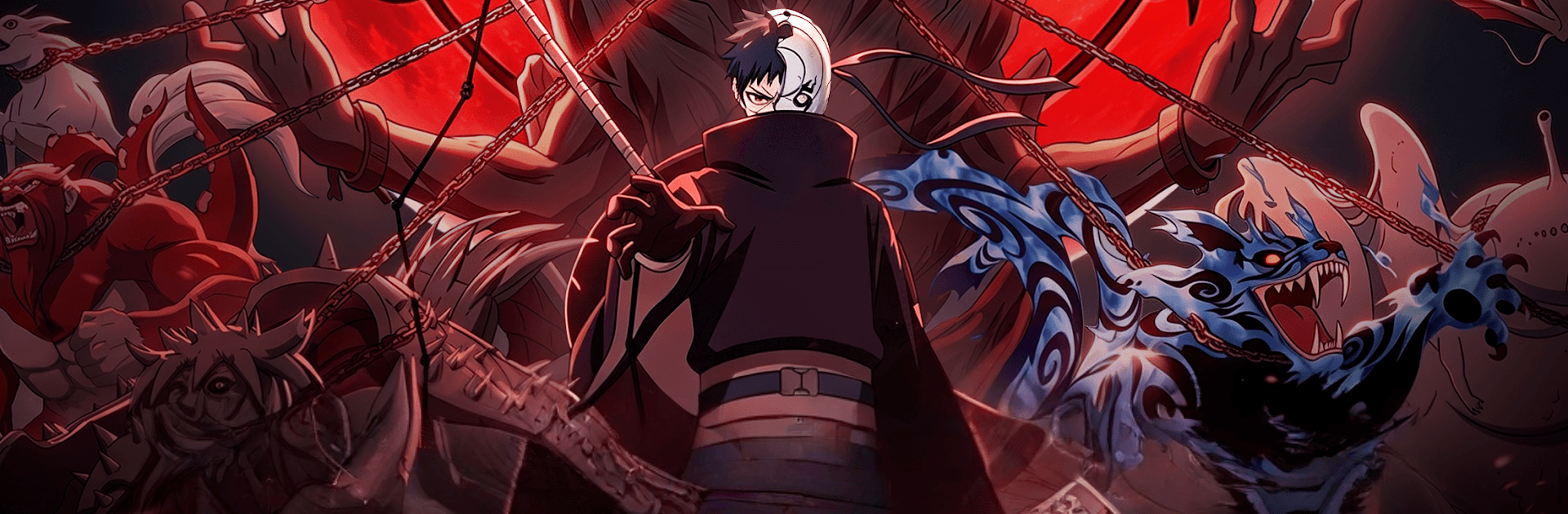
Tsukuyomi: Pixel Clash is a fast, gritty pixel-art Role Playing game where every move on a tiny grid can flip the entire fight. You’ll rally a band of renegade ninjas, stack wild abilities, and outthink enemies who hit just as hard as you do. Like quick bursts of action with room for strategy? That’s the sweet spot here, and it even feels great on PC with BlueStacks.

Game Features

  • Retro style, modern punch
    Beautiful 16-bit visuals meet crunchy impact. Ultimates pop off the screen with flashy effects that feel right at home with classic anime-inspired brawls.

  • Tactical grid showdowns
    Battles play out on compact boards where positioning, turn order, and timing matter. Control zones, bait counters, and chain skills to turn a tight scrape into a clean win.

  • Element paths and shadow tricks
    Shape your build through flexible skill trees. Blend fire, lightning, and stealthy arts for custom combos that match your playstyle—burst, control, or relentless pressure.

  • Mystic eye arts
    Unlock rare eye-based techniques that read enemy intent, snap illusions, and twist the battlefield. It’s not just damage; it’s foresight and disruption.

  • Build your rogue squad
    Collect and train distinct fighters, then link their strengths. Synergy unlocks powerful co-op finishers that reward smart team chemistry.

  • Global PvP and clan rivalries
    Test your setups against real players, climb competitive ladders, and coordinate in clan territory battles for bragging rights and steady momentum.

  • Smooth on PC with BlueStacks
    Prefer mouse-and-keyboard precision? The tactical grid and rapid inputs feel crisp when you run the game through BlueStacks.

Start playing Tsukuyomi: Pixel Clash on BlueStacks and get a smoother, more comfortable PC or Mac setup.


Game Features

Enhancements

  • Macros
  • Rerolling
  • Eco Mode
  • Multi Instance Sync
  • Enhancements
Macros

Macros

Focus more on the fun part of the game, skip the tedious aspects. Master Tsukuyomi: Pixel Clash with Macros. Record yourself completing the monotonous tasks you wish to automate and replay them later with just one keypress.
Rerolling

Rerolling

Speed up the rerolling process in Tsukuyomi: Pixel Clash. Perform multiple summons and keep looking for the best Heroes. Use Multi-Instance sync to replicate the rerolling mechanism in all instances.
Eco Mode

Eco Mode

Farm in-game resources with ease in Tsukuyomi: Pixel Clash. Enable the Eco Mode when running the game in multiple instances. And lower your PC's resource consumption.
Multi Instance Sync

Multi Instance Sync

With the Multi-instance Sync, you can do even more in Tsukuyomi: Pixel Clash. Sync the action of the main instance and repeat them in real time for all other instances. Sync and sit back, let the game progress unfold.
Read More

How to Download and Play Tsukuyomi: Pixel Clash on PC or Mac

  • Download and install BlueStacks on your PC or Mac

  • Complete Google sign-in to access the Play Store, or do it later

  • Look for Tsukuyomi: Pixel Clash in the search bar at the top right corner

  • Click to install Tsukuyomi: Pixel Clash from the search results

  • Complete Google sign-in (if you skipped step 2) to install Tsukuyomi: Pixel Clash

  • Click the Tsukuyomi: Pixel Clash icon on the home screen to start playing

video
Watch Video

Minimum System Requirements

With BlueStacks 5, you can get started on a PC that fulfills the following requirements.

  • Operating System

    Microsoft Windows 7 or above, macOS 11 (Big Sur) or above

  • Processor

    Intel, AMD or Apple Silicon Processor

  • RAM

    at least 4GB

  • HDD

    10GB Free Disk Space

Note:

* You must be an Administrator on your PC. Up to date graphics drivers from Microsoft or the chipset vendor.

Tsukuyomi: Pixel Clash - FAQs

  • How to play Tsukuyomi: Pixel Clash on Windows PC & Mac?

    Play Tsukuyomi: Pixel Clash on your PC or Mac by following these simple steps.

    • Click on 'Play Tsukuyomi: Pixel Clash on PC’ to download BlueStacks
    • Install it and log-in to Google Play Store
    • Launch and play the game.
  • Why is BlueStacks the fastest and safest platform to play games on PC?

    BlueStacks respects your privacy and is always safe and secure to use. It does not carry any malware, spyware, or any sort of additional software that could harm your PC.

    It is engineered to optimize speed and performance for a seamless gaming experience.

  • What are Tsukuyomi: Pixel Clash PC requirements?

    Minimum requirement to run Tsukuyomi: Pixel Clash on your PC

    • OS: Microsoft Windows 7 or above MacOS 11 (Big Sur) or above
    • Processor: Intel, AMD or Apple Silicon Processor
    • RAM: Your PC must have at least 4GB of RAM. (Note that having 4GB or more disk space is not a substitute for RAM)
    • HDD: 10GB Free Disk Space.
    • You must be an Administrator on your PC.