Twin Worlds: City & Magic

Twin Worlds: City & Magic

Role Playing

| TUTLIFEWORLD

Play on PC with BlueStacks or from our cloud

  • Overview
  • Game Features
  • How to Play

Page Modified On: September 11, 2026

Play Twin Worlds: City & Magic on PC or Mac

Explore a whole new adventure with Twin Worlds: City & Magic, a Role Playing game created by TUTLIFEWORLD. Experience great gameplay with BlueStacks, the most popular gaming platform to play Android games on your PC or Mac.

About the Game

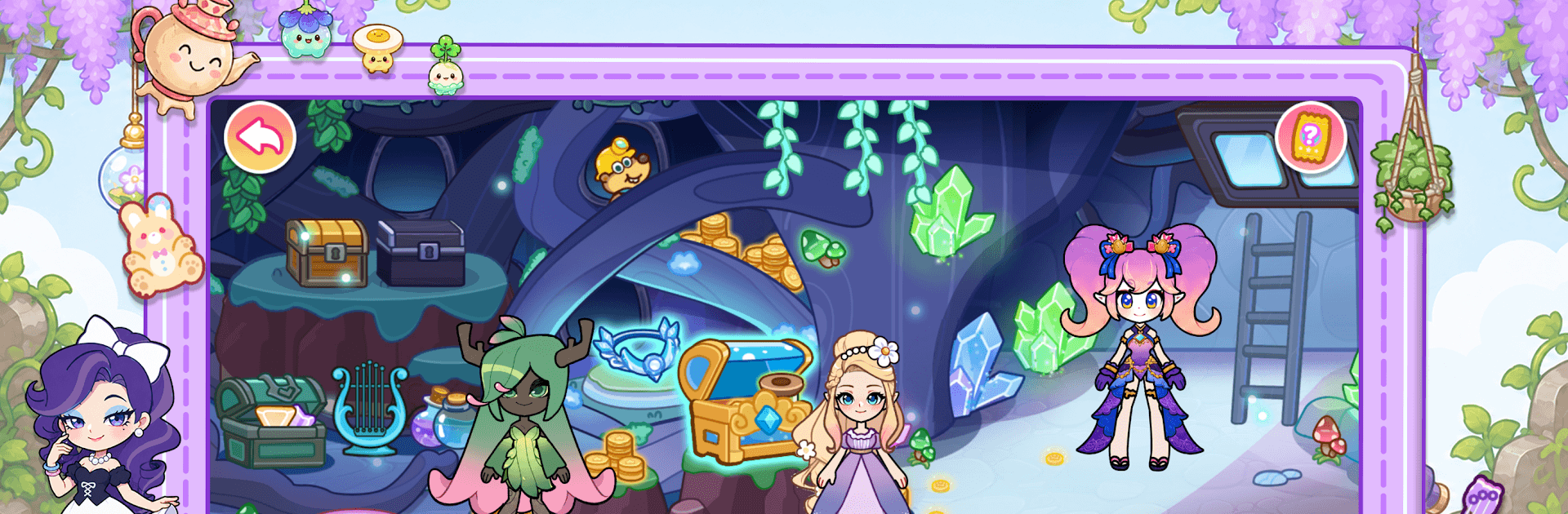
Twin Worlds: City & Magic blends cozy city life with enchanting fantasy spots in a playful Role Playing experience. Build your own little stories as you jump from modern hangouts to fairytale corners—cook, craft, explore secret rooms, and let your characters be whoever the moment needs. Prefer a larger view? It also feels great on BlueStacks.

Game Features

  • Two worlds, one story: Swap between bustling city scenes and whimsical fantasy realms to stitch together everyday moments and dreamy adventures.
  • Alice Castle – Garden to dungeon: Wander a storybook garden with a snug stable and tucked-away dungeon where vines, arches, and hidden nooks invite curiosity.
  • Alice Castle – Banquet in motion: Step through a warm kitchen, a lively reception hall, and a regal throne area that feels mid-celebration.
  • Alice Castle – Private tower retreat: Unwind with a graceful bedroom, a relaxing bath, and a romantic lookout perfect for quiet, starry moments.
  • Dwarf Mountain – Craft and discover: Tinker with tools, study glowing minerals, and rest in sturdy quarters that link mining, invention, and daily life.
  • Dwarf Mountain – Food, fishing, and finds: Snack on treats, cast a line, picnic by the quarry, and poke around treasure corners on a cheerful outdoor tier.
  • Dwarf Mountain – Forest play space: Glide down slides, swing under owls, mix gentle potions, and curl up in a cozy bedroom wrapped in woodland calm.
  • Volcanic Island – Heat and mystery: Cross lava falls and cliff paths, soak in enchanted springs, and trace a tale of a sleeping princess and a cursed prince.
  • Bunny Home – Country comforts: Garden, cook, tidy up, and relax across a warm kitchen, cellar, laundry, and welcoming living room.
  • Manor Home – Elegant everyday: From garage and courtyard to rooftop lounge, every room adds a different rhythm—social, stylish, and personal.
  • Hospital – Care with clarity: Move through waiting areas, reception, elevators, and treatment rooms laid out for smooth, calm play-acting and checkups.
  • Mall – Style upstairs, flavor downstairs: Try on looks and new hairstyles on the fashion floor, then follow the aromas to the underground food street for a crowd-pleasing bite.

Start playing Twin Worlds: City & Magic on BlueStacks and get a smoother, more comfortable PC or Mac setup.


Game Features

Enhancements

  • Macros
  • Rerolling
  • Eco Mode
  • Multi Instance Sync
  • Enhancements
Macros

Macros

Focus more on the fun part of the game, skip the tedious aspects. Master Twin Worlds: City & Magic with Macros. Record yourself completing the monotonous tasks you wish to automate and replay them later with just one keypress.
Rerolling

Rerolling

Speed up the rerolling process in Twin Worlds: City & Magic. Perform multiple summons and keep looking for the best Heroes. Use Multi-Instance sync to replicate the rerolling mechanism in all instances.
Eco Mode

Eco Mode

Farm in-game resources with ease in Twin Worlds: City & Magic. Enable the Eco Mode when running the game in multiple instances. And lower your PC's resource consumption.
Multi Instance Sync

Multi Instance Sync

With the Multi-instance Sync, you can do even more in Twin Worlds: City & Magic. Sync the action of the main instance and repeat them in real time for all other instances. Sync and sit back, let the game progress unfold.
Read More

How to Download and Play Twin Worlds: City & Magic on PC or Mac

  • Download and install BlueStacks on your PC or Mac

  • Complete Google sign-in to access the Play Store, or do it later

  • Look for Twin Worlds: City & Magic in the search bar at the top right corner

  • Click to install Twin Worlds: City & Magic from the search results

  • Complete Google sign-in (if you skipped step 2) to install Twin Worlds: City & Magic

  • Click the Twin Worlds: City & Magic icon on the home screen to start playing

video
Watch Video

Minimum System Requirements

With BlueStacks 5, you can get started on a PC that fulfills the following requirements.

  • Operating System

    Microsoft Windows 7 or above, macOS 11 (Big Sur) or above

  • Processor

    Intel, AMD or Apple Silicon Processor

  • RAM

    at least 4GB

  • HDD

    10GB Free Disk Space

Note:

* You must be an Administrator on your PC. Up to date graphics drivers from Microsoft or the chipset vendor.

Twin Worlds: City & Magic - FAQs

  • How to play Twin Worlds: City & Magic on Windows PC & Mac?

    Play Twin Worlds: City & Magic on your PC or Mac by following these simple steps.

    • Click on 'Play Twin Worlds: City & Magic on PC’ to download BlueStacks
    • Install it and log-in to Google Play Store
    • Launch and play the game.
  • Why is BlueStacks the fastest and safest platform to play games on PC?

    BlueStacks respects your privacy and is always safe and secure to use. It does not carry any malware, spyware, or any sort of additional software that could harm your PC.

    It is engineered to optimize speed and performance for a seamless gaming experience.

  • What are Twin Worlds: City & Magic PC requirements?

    Minimum requirement to run Twin Worlds: City & Magic on your PC

    • OS: Microsoft Windows 7 or above MacOS 11 (Big Sur) or above
    • Processor: Intel, AMD or Apple Silicon Processor
    • RAM: Your PC must have at least 4GB of RAM. (Note that having 4GB or more disk space is not a substitute for RAM)
    • HDD: 10GB Free Disk Space.
    • You must be an Administrator on your PC.