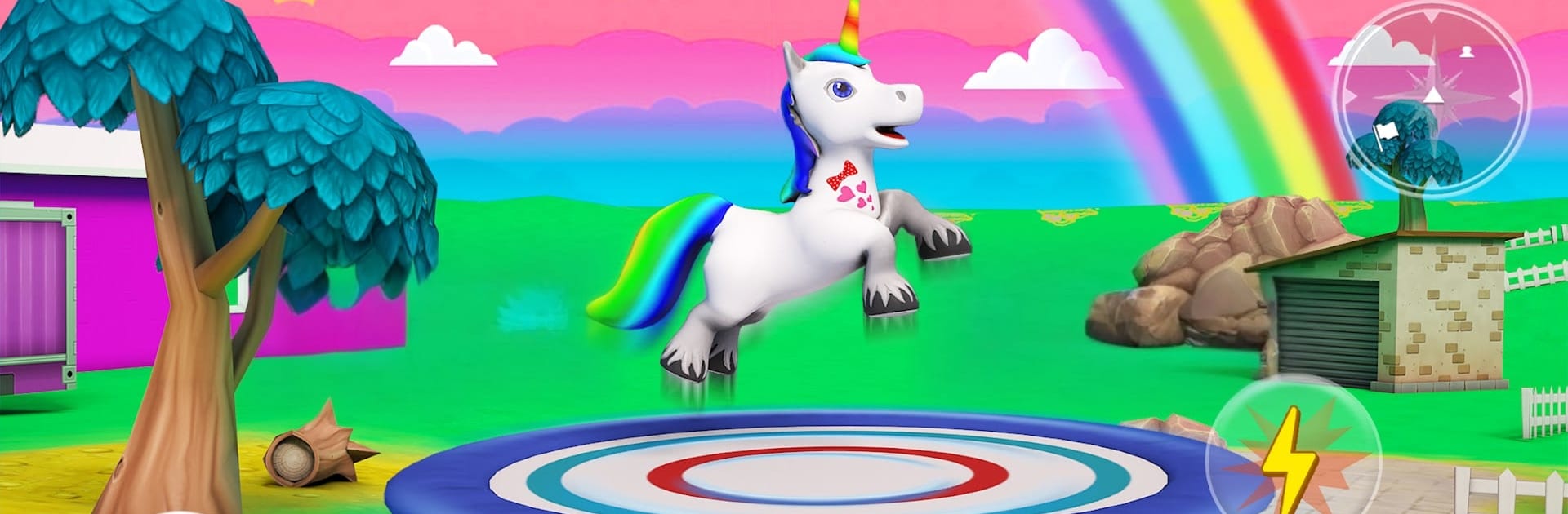
Unicorn Games: Pony Wonderland

Unicorn Games: Pony Wonderland

Role Playing

| 1der Sports

Play on PC with BlueStacks or from our cloud

  • Overview
  • Game Features
  • How to Play

Page Modified On: October 13, 2025

Play Unicorn Games: Pony Wonderland on PC or Mac

Join millions to experience Unicorn Games: Pony Wonderland, an exciting Role Playing game from 1der Sports. With BlueStacks App Player, you are always a step ahead of your opponent, ready to outplay them with faster gameplay and better control with the mouse and keyboard on your PC or Mac.

About the Game

Meet Finley, a rainbow unicorn with royal roots and a streak of trouble. In Unicorn Games: Pony Wonderland, you care for a virtual pet, explore cozy worlds, and bounce between quick quests that feel like little stories. It’s a Role Playing mix from 1der Sports that blends pet care, light adventure, and mini-games without being fussy about how long you play. Prefer a bigger screen and comfy controls? It also plays nicely on BlueStacks.

Game Features

  • Heartfelt Story
    Help Finley adjust from princess life to farm chores, make new friends, and take on a sneaky villain who stole her magic.

  • Four Playgrounds, Four Vibes
    Roam Pony Land, chill in the snowy Wonderland, splash around the Water Park, and unwind in Dreamland—each with its own activities and look.

  • Pet Care That Sticks
    Feed, groom, and look after your unicorn while tackling everyday tasks and small rescues around the farm.

  • Snappy, Simple Controls
    Move with a thumbstick, tap to jump, and charge the horn for a satisfying burst when it’s time to shoo away trouble.

  • Customize Your Herd
    Unlock more than 12 unicorns and mix hair, coat, tail, and accessories to match your mood.

  • Mini-Games Everywhere
    Skate on ice, build a fire for shivering sheep, feed fish, play red light/green light, race, and hunt for goodies.

  • Daily Challenges and Rewards
    Pop in for fresh goals and prizes that keep the routine feeling new.

  • Handy Minimap
    Spot friends and objectives fast so you spend more time playing and less time wandering.

  • Smooth, Offline Play
    Works great without a connection and doesn’t nickel-and-dime your energy, so sessions can be as long or short as you want.

  • Bright, Cozy Look
    Colorful environments and clean animations make each arena feel welcoming and playful.

Make your gaming sessions memorable with precise controls that give you an edge in close combats and visuals that pop up, bringing every character to life.


Game Features

Enhancements

  • Macros
  • Rerolling
  • Eco Mode
  • Multi Instance Sync
  • Enhancements
Macros

Macros

Focus more on the fun part of the game, skip the tedious aspects. Master Unicorn Games: Pony Wonderland with Macros. Record yourself completing the monotonous tasks you wish to automate and replay them later with just one keypress.
Rerolling

Rerolling

Speed up the rerolling process in Unicorn Games: Pony Wonderland. Perform multiple summons and keep looking for the best Heroes. Use Multi-Instance sync to replicate the rerolling mechanism in all instances.
Eco Mode

Eco Mode

Farm in-game resources with ease in Unicorn Games: Pony Wonderland. Enable the Eco Mode when running the game in multiple instances. And lower your PC's resource consumption.
Multi Instance Sync

Multi Instance Sync

With the Multi-instance Sync, you can do even more in Unicorn Games: Pony Wonderland. Sync the action of the main instance and repeat them in real time for all other instances. Sync and sit back, let the game progress unfold.
Read More

How to Download and Play Unicorn Games: Pony Wonderland on PC or Mac

  • Download and install BlueStacks on your PC or Mac

  • Complete Google sign-in to access the Play Store, or do it later

  • Look for Unicorn Games: Pony Wonderland in the search bar at the top right corner

  • Click to install Unicorn Games: Pony Wonderland from the search results

  • Complete Google sign-in (if you skipped step 2) to install Unicorn Games: Pony Wonderland

  • Click the Unicorn Games: Pony Wonderland icon on the home screen to start playing

video
Watch Video

Minimum System Requirements

With BlueStacks 5, you can get started on a PC that fulfills the following requirements.

  • Operating System

    Microsoft Windows 7 or above, macOS 11 (Big Sur) or above

  • Processor

    Intel, AMD or Apple Silicon Processor

  • RAM

    at least 4GB

  • HDD

    10GB Free Disk Space

Note:

* You must be an Administrator on your PC. Up to date graphics drivers from Microsoft or the chipset vendor.

Unicorn Games: Pony Wonderland - FAQs

  • How to play Unicorn Games: Pony Wonderland on Windows PC & Mac?

    Play Unicorn Games: Pony Wonderland on your PC or Mac by following these simple steps.

    • Click on 'Play Unicorn Games: Pony Wonderland on PC’ to download BlueStacks
    • Install it and log-in to Google Play Store
    • Launch and play the game.
  • Why is BlueStacks the fastest and safest platform to play games on PC?

    BlueStacks respects your privacy and is always safe and secure to use. It does not carry any malware, spyware, or any sort of additional software that could harm your PC.

    It is engineered to optimize speed and performance for a seamless gaming experience.

  • What are Unicorn Games: Pony Wonderland PC requirements?

    Minimum requirement to run Unicorn Games: Pony Wonderland on your PC

    • OS: Microsoft Windows 7 or above MacOS 11 (Big Sur) or above
    • Processor: Intel, AMD or Apple Silicon Processor
    • RAM: Your PC must have at least 4GB of RAM. (Note that having 4GB or more disk space is not a substitute for RAM)
    • HDD: 10GB Free Disk Space.
    • You must be an Administrator on your PC.