YG NextGen: MMORPG
YG NextGen: MMORPG

YG NextGen: MMORPG

Role Playing

| MATCH WELLNESS FOUNDATION, INC.

Play on PC with BlueStacks or from our cloud

  • Overview
  • Game Features
  • How to Play

Page Modified On: August 03, 2026

Play YG NextGen: MMORPG on PC or Mac

Explore a whole new adventure with YG NextGen: MMORPG, a Role Playing game created by MATCH WELLNESS FOUNDATION, INC.. Experience great gameplay with BlueStacks, the most popular gaming platform to play Android games on your PC or Mac.

About the Game

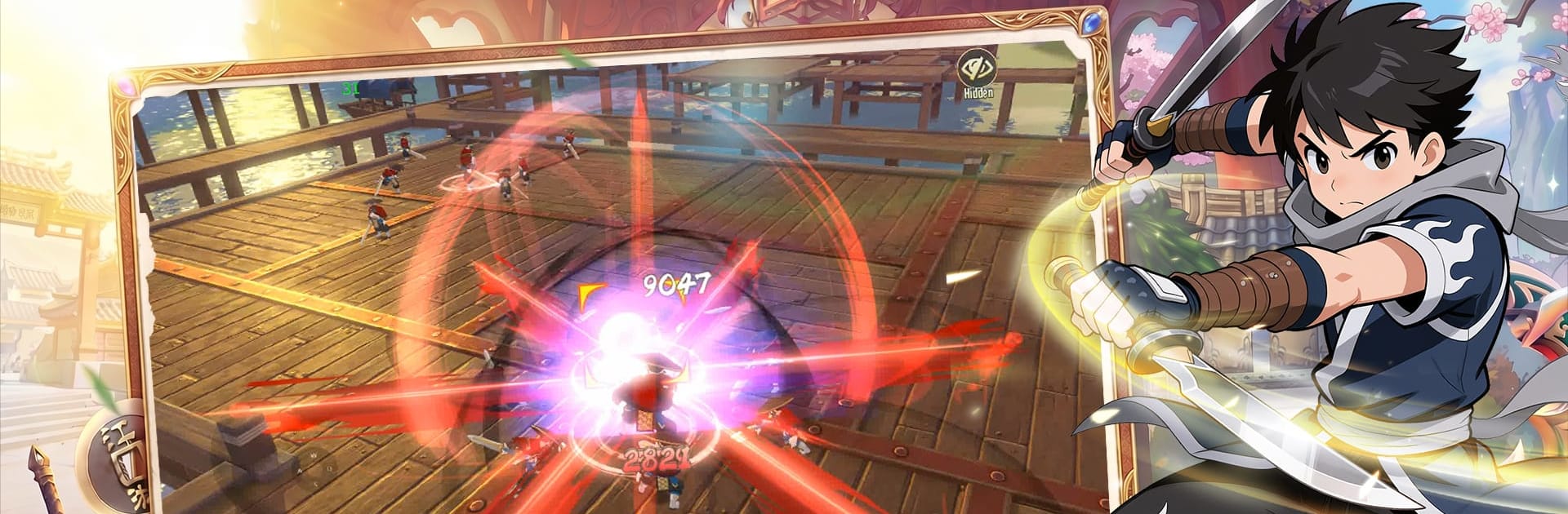
YG NextGen: MMORPG is a martial arts Role Playing world where your decisions actually steer the story. You’ll roam a vast, living land, pick a fighting style that feels right, and clash with players chasing the same legends you are. Prefer playing on a bigger screen? It runs smoothly on PC with BlueStacks.

Game Features

  • Living Martial World: Trek through snow-capped strongholds, misty valleys, and bustling towns—each region packed with sights, secrets, and trouble if you go looking.
  • Five Distinct Schools: Choose from five combat disciplines, each with its own rhythm, weapons, and flashy finishers. Build a loadout that matches how you like to scrap.
  • Story With Consequences: Start as an unknown and earn your name. Side with rivals, chase hidden lore, and face choices that actually change where the plot goes.
  • Massive Real-Time Battles: Jump into large-scale fights where timing, teamwork, and smart target calling decide who walks away with bragging rights.
  • Gear That Matters: Hunt bosses, unearth rare materials, and refine your equipment to reach top-tier enhancements. Every upgrade feels like a real bump in power.
  • Player-Run Market: Buy, sell, and trade across servers in an open marketplace designed to keep prices sensible and every drop worth something.
  • Companions With Teeth: Track down powerful creatures that do more than look cool—they shield, disable, or nuke at the right moment with active skills you control.
  • Build Your Sect: Form a group, rally friends, and turn quick party-ups into long-term alliances that make the toughest content feel doable.
  • Cinematic Voice Work: Key moments are fully voiced, pulling you into the drama when loyalties shift or a duel turns personal.

Get ready for a buttery smooth, high-performance gaming action only on BlueStacks.

Game Features

Enhancements

  • Macros
  • Rerolling
  • Eco Mode
  • Multi Instance Sync
  • Enhancements
Macros

Macros

Focus more on the fun part of the game, skip the tedious aspects. Master YG NextGen: MMORPG with Macros. Record yourself completing the monotonous tasks you wish to automate and replay them later with just one keypress.
Rerolling

Rerolling

Speed up the rerolling process in YG NextGen: MMORPG. Perform multiple summons and keep looking for the best Heroes. Use Multi-Instance sync to replicate the rerolling mechanism in all instances.
Eco Mode

Eco Mode

Farm in-game resources with ease in YG NextGen: MMORPG. Enable the Eco Mode when running the game in multiple instances. And lower your PC's resource consumption.
Multi Instance Sync

Multi Instance Sync

With the Multi-instance Sync, you can do even more in YG NextGen: MMORPG. Sync the action of the main instance and repeat them in real time for all other instances. Sync and sit back, let the game progress unfold.
Read More

How to Download and Play YG NextGen: MMORPG on PC or Mac

  • Download and install BlueStacks on your PC or Mac

  • Complete Google sign-in to access the Play Store, or do it later

  • Look for YG NextGen: MMORPG in the search bar at the top right corner

  • Click to install YG NextGen: MMORPG from the search results

  • Complete Google sign-in (if you skipped step 2) to install YG NextGen: MMORPG

  • Click the YG NextGen: MMORPG icon on the home screen to start playing

video
Watch Video

Minimum System Requirements

With BlueStacks 5, you can get started on a PC that fulfills the following requirements.

  • Operating System

    Microsoft Windows 7 or above, macOS 11 (Big Sur) or above

  • Processor

    Intel, AMD or Apple Silicon Processor

  • RAM

    at least 4GB

  • HDD

    10GB Free Disk Space

Note:

* You must be an Administrator on your PC. Up to date graphics drivers from Microsoft or the chipset vendor.

YG NextGen: MMORPG - FAQs

  • How to play YG NextGen: MMORPG on Windows PC & Mac?

    Play YG NextGen: MMORPG on your PC or Mac by following these simple steps.

    • Click on 'Play YG NextGen: MMORPG on PC’ to download BlueStacks
    • Install it and log-in to Google Play Store
    • Launch and play the game.
  • Why is BlueStacks the fastest and safest platform to play games on PC?

    BlueStacks respects your privacy and is always safe and secure to use. It does not carry any malware, spyware, or any sort of additional software that could harm your PC.

    It is engineered to optimize speed and performance for a seamless gaming experience.

  • What are YG NextGen: MMORPG PC requirements?

    Minimum requirement to run YG NextGen: MMORPG on your PC

    • OS: Microsoft Windows 7 or above MacOS 11 (Big Sur) or above
    • Processor: Intel, AMD or Apple Silicon Processor
    • RAM: Your PC must have at least 4GB of RAM. (Note that having 4GB or more disk space is not a substitute for RAM)
    • HDD: 10GB Free Disk Space.
    • You must be an Administrator on your PC.