99CRAFT : Nights In The Jungle

99CRAFT : Nights In The Jungle

Simulation

| Skyrox Games

Play on PC with BlueStacks or from our cloud

  • Overview
  • Game Features
  • How to Play

Page Modified On: December 26, 2025

Play 99CRAFT : Nights In The Jungle on PC or Mac

Step into the World of 99CRAFT : Nights In The Jungle, a thrilling Simulation game from the house of Skyrox Games. Play this Android game on BlueStacks App Player and experience immersive gaming on PC or Mac.

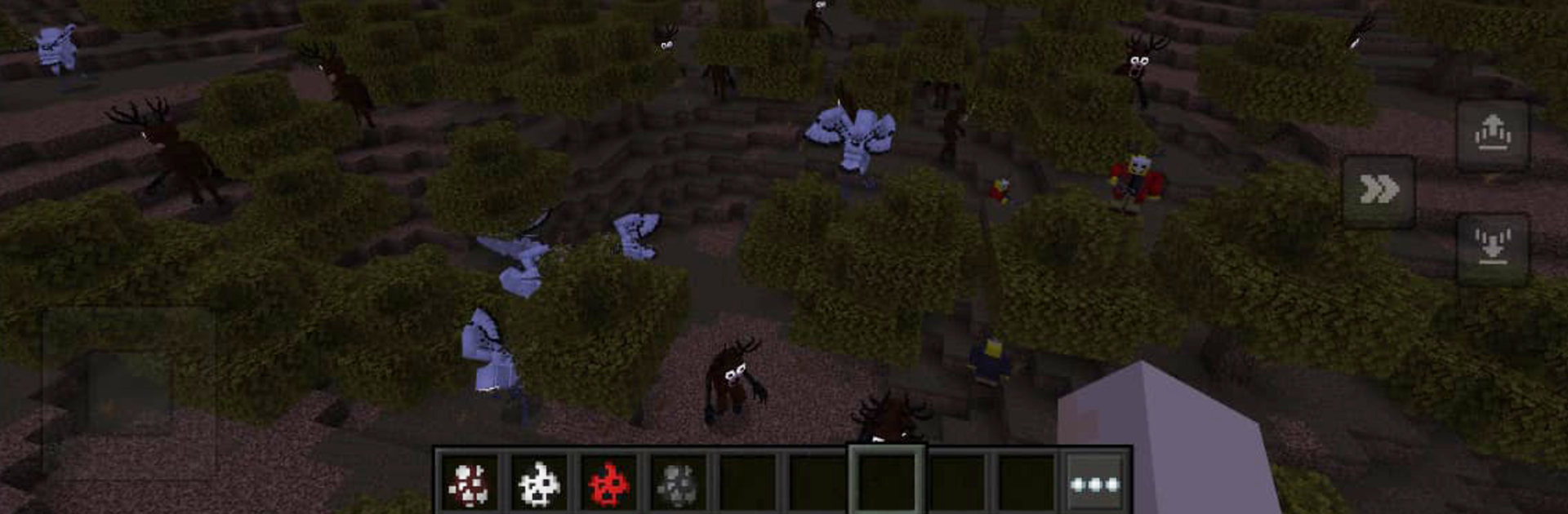
99CRAFT: Nights In The Jungle plays like a spooky survival-crafting sandbox set in thick fog, where the jungle never feels safe once the sun goes down. The hook is simple but tense. The player gathers wood and stone, throws together a shelter, crafts a few weapons, and then tries to make it through night after night while a strange deer spirit and other creatures roam nearby. Sound and sight lines do a lot here. Owls call from somewhere in the dark, leaves move when something is close, and every torch feels like a small island of safety. It leans into the 99 nights idea, so progression comes from surviving, exploring deeper, and piecing together what the deer and the owl are about rather than following quest markers.

Moment to moment, it is about choices. Stay near the camp and upgrade walls, or push farther to find better materials. Traps, torches, and simple tools come first, then crafting branches open up with sturdier shelters and stronger gear. Customizing the character is light but nice, and fights can turn messy fast if the player is careless. The deer shows up like a roaming threat, not a scripted jump scare, which keeps nights tense. On PC through BlueStacks, mouse aiming and hotkeys make building and swapping tools faster, and the higher frame rate helps when a pack rushes the base. Updates add new mobs, blocks, and skins, so the loop keeps getting small tweaks without losing the creepy, slow-burn feel.

Make your gaming sessions memorable with precise controls that give you an edge in close combats and visuals that pop up, bringing every character to life.


Game Features

Enhancements

  • Macros
  • Multi Instance
  • Multi Instance Sync
  • Script
  • Enhancements
Macros

Macros

Automate the predictable in 99CRAFT : Nights In The Jungle and transform your gameplay with Macros. Get access to inventive Macros in the BlueStacks Macro Community
Multi Instance

Multi Instance

Play 99CRAFT : Nights In The Jungle on one window. And chat with your friend on the other. Press CTRL + Shift + 8 to open the Multi-Instance Manager. And start creating fresh instances or clone an existing one.
Multi Instance Sync

Multi Instance Sync

Play 99CRAFT : Nights In The Jungle with the power of Multi-Instance Sync. Replicate what you are doing on the main instance on all other instances. Level up faster, play more.
Script

Script

Script your way to gaming glory in 99CRAFT : Nights In The Jungle with BlueStacks Script. Write and run a set of commands to automate repeated tasks. Trigger the command by assigning it to any key.
Read More

How to Download and Play 99CRAFT : Nights In The Jungle on PC or Mac

  • Download and install BlueStacks on your PC or Mac

  • Complete Google sign-in to access the Play Store, or do it later

  • Look for 99CRAFT : Nights In The Jungle in the search bar at the top right corner

  • Click to install 99CRAFT : Nights In The Jungle from the search results

  • Complete Google sign-in (if you skipped step 2) to install 99CRAFT : Nights In The Jungle

  • Click the 99CRAFT : Nights In The Jungle icon on the home screen to start playing

video
Watch Video

Minimum System Requirements

With BlueStacks 5, you can get started on a PC that fulfills the following requirements.

  • Operating System

    Microsoft Windows 7 or above, macOS 11 (Big Sur) or above

  • Processor

    Intel, AMD or Apple Silicon Processor

  • RAM

    at least 4GB

  • HDD

    10GB Free Disk Space

Note:

* You must be an Administrator on your PC. Up to date graphics drivers from Microsoft or the chipset vendor.

99CRAFT : Nights In The Jungle - FAQs

  • How to play 99CRAFT : Nights In The Jungle on Windows PC & Mac?

    Play 99CRAFT : Nights In The Jungle on your PC or Mac by following these simple steps.

    • Click on 'Play 99CRAFT : Nights In The Jungle on PC’ to download BlueStacks
    • Install it and log-in to Google Play Store
    • Launch and play the game.
  • Why is BlueStacks the fastest and safest platform to play games on PC?

    BlueStacks respects your privacy and is always safe and secure to use. It does not carry any malware, spyware, or any sort of additional software that could harm your PC.

    It is engineered to optimize speed and performance for a seamless gaming experience.

  • What are 99CRAFT : Nights In The Jungle PC requirements?

    Minimum requirement to run 99CRAFT : Nights In The Jungle on your PC

    • OS: Microsoft Windows 7 or above MacOS 11 (Big Sur) or above
    • Processor: Intel, AMD or Apple Silicon Processor
    • RAM: Your PC must have at least 4GB of RAM. (Note that having 4GB or more disk space is not a substitute for RAM)
    • HDD: 10GB Free Disk Space.
    • You must be an Administrator on your PC.