PIECECRAFT : Pirate Crafting

PIECECRAFT : Pirate Crafting

Simulation

| Skyrox Games

Play on PC with BlueStacks or from our cloud

  • Overview
  • Game Features
  • How to Play

Page Modified On: September 12, 2025

Play PIECECRAFT : Pirate Crafting on PC or Mac

Step into the World of PIECECRAFT : Pirate Crafting, a thrilling Simulation game from the house of Skyrox Games. Play this Android game on BlueStacks App Player and experience immersive gaming on PC or Mac.

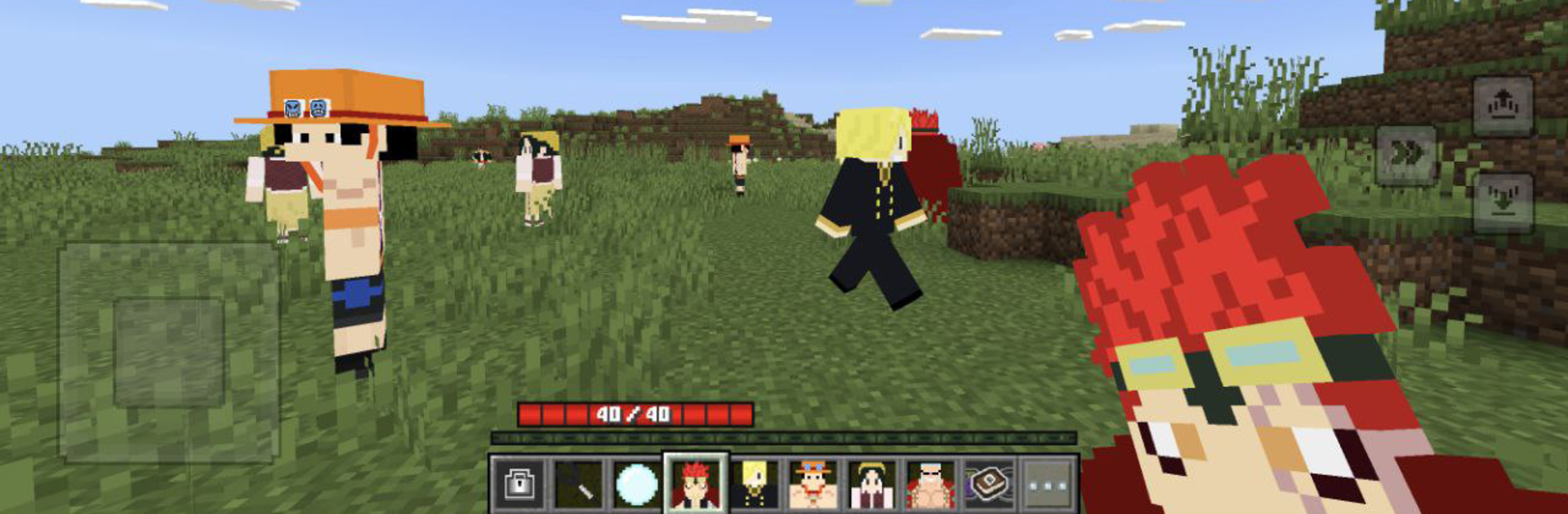
PIECECRAFT: Pirate Crafting feels like a pirate themed sandbox where building and survival sit right next to quick skirmishes on strange islands. It drops players into a big open map of coves and beaches, then lets them chop, mine, and stash resources to put together forts, tunnels, and little hideouts that slowly turn into full pirate bases. Progress comes from exploring new islands, running into rival crews, and grabbing treasure that unlocks better tools and flashy abilities. The abilities are anime flavored, so fights are not only swords and pistols, there are bigger power moves that make clearing out enemies faster and a bit showy.

The building side is the star. Lots of blocks, plenty of parts to experiment with, and enough freedom that a player can shape a whole coastline the way they want. Mods and add ons lean into the pirate theme, so the world keeps filling up with new parts and odd bits to try. On PC with BlueStacks, the mouse helps a lot when placing blocks and the keyboard makes quick fights feel less clumsy, so the pacing is smoother. It does not feel grindy unless someone tries to rush everything, and updates keep sprinkling in new blocks and features, which nudges players to revisit old bases and tweak them again. If a player likes open exploration, light combat, and the satisfaction of a fortress that actually looks earned, this scratches that itch without a lot of hassle.

Ready to top the leaderboard? We bet you do. Let precise controls and sharp visuals optimized on BlueStacks lead you to victory.


Game Features

Enhancements

  • Macros
  • Multi Instance
  • Multi Instance Sync
  • Script
  • Enhancements
Macros

Macros

Automate the predictable in PIECECRAFT : Pirate Crafting and transform your gameplay with Macros. Get access to inventive Macros in the BlueStacks Macro Community
Multi Instance

Multi Instance

Play PIECECRAFT : Pirate Crafting on one window. And chat with your friend on the other. Press CTRL + Shift + 8 to open the Multi-Instance Manager. And start creating fresh instances or clone an existing one.
Multi Instance Sync

Multi Instance Sync

Play PIECECRAFT : Pirate Crafting with the power of Multi-Instance Sync. Replicate what you are doing on the main instance on all other instances. Level up faster, play more.
Script

Script

Script your way to gaming glory in PIECECRAFT : Pirate Crafting with BlueStacks Script. Write and run a set of commands to automate repeated tasks. Trigger the command by assigning it to any key.
Read More

How to Download and Play PIECECRAFT : Pirate Crafting on PC or Mac

  • Download and install BlueStacks on your PC or Mac

  • Complete Google sign-in to access the Play Store, or do it later

  • Look for PIECECRAFT : Pirate Crafting in the search bar at the top right corner

  • Click to install PIECECRAFT : Pirate Crafting from the search results

  • Complete Google sign-in (if you skipped step 2) to install PIECECRAFT : Pirate Crafting

  • Click the PIECECRAFT : Pirate Crafting icon on the home screen to start playing

video
Watch Video

Minimum System Requirements

With BlueStacks 5, you can get started on a PC that fulfills the following requirements.

  • Operating System

    Microsoft Windows 7 or above, macOS 11 (Big Sur) or above

  • Processor

    Intel, AMD or Apple Silicon Processor

  • RAM

    at least 4GB

  • HDD

    10GB Free Disk Space

Note:

* You must be an Administrator on your PC. Up to date graphics drivers from Microsoft or the chipset vendor.

PIECECRAFT : Pirate Crafting - FAQs

  • How to play PIECECRAFT : Pirate Crafting on Windows PC & Mac?

    Play PIECECRAFT : Pirate Crafting on your PC or Mac by following these simple steps.

    • Click on 'Play PIECECRAFT : Pirate Crafting on PC’ to download BlueStacks
    • Install it and log-in to Google Play Store
    • Launch and play the game.
  • Why is BlueStacks the fastest and safest platform to play games on PC?

    BlueStacks respects your privacy and is always safe and secure to use. It does not carry any malware, spyware, or any sort of additional software that could harm your PC.

    It is engineered to optimize speed and performance for a seamless gaming experience.

  • What are PIECECRAFT : Pirate Crafting PC requirements?

    Minimum requirement to run PIECECRAFT : Pirate Crafting on your PC

    • OS: Microsoft Windows 7 or above MacOS 11 (Big Sur) or above
    • Processor: Intel, AMD or Apple Silicon Processor
    • RAM: Your PC must have at least 4GB of RAM. (Note that having 4GB or more disk space is not a substitute for RAM)
    • HDD: 10GB Free Disk Space.
    • You must be an Administrator on your PC.