A4 Aquaprint workshop challenge

A4 Aquaprint workshop challenge

Simulation

| RedTower

Play on PC with BlueStacks or from our cloud

  • Overview
  • Game Features
  • How to Play

Page Modified On: August 25, 2025

Play A4 Aquaprint workshop challenge on PC or Mac

Step into the World of A4 Aquaprint workshop challenge, a thrilling Simulation game from the house of RedTower. Play this Android game on BlueStacks App Player and experience immersive gaming on PC or Mac.

About the Game

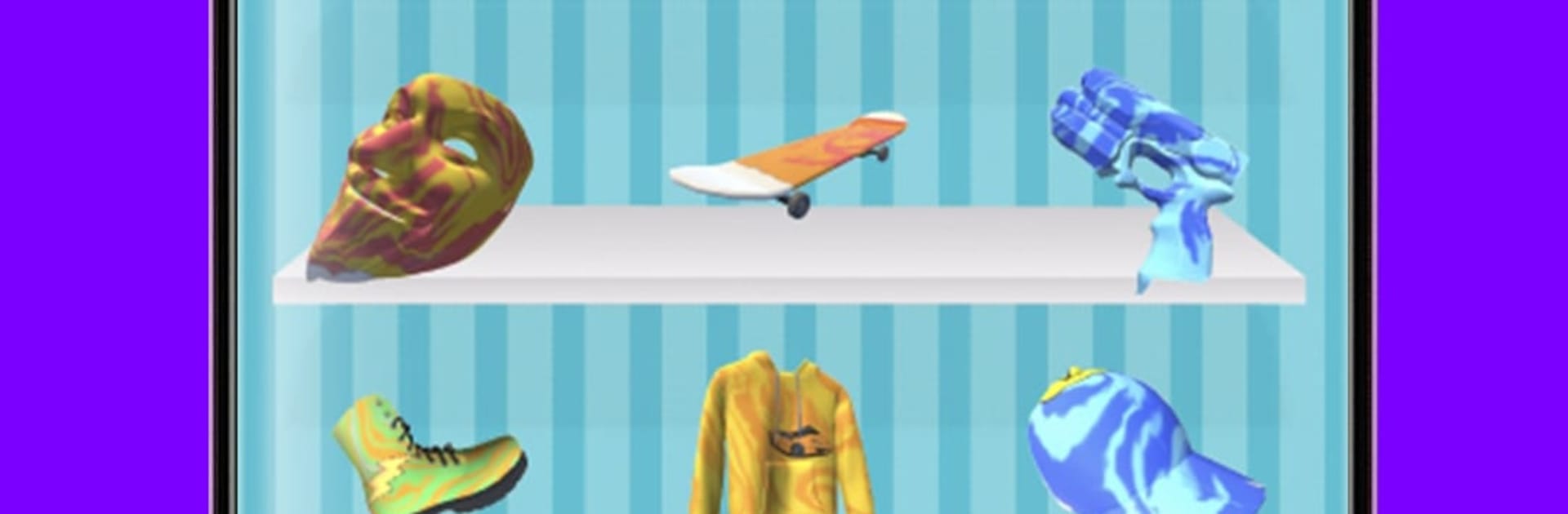
A4 Aquaprint workshop challenge lets you get wild with color and creativity—no prior art skills required. Ever wondered what your gamepad or sneakers would look like with a wild, swirly design? Here’s your chance to find out. With this crafty simulation from RedTower, it’s all about picking your favorite paints, giving things a dip, and seeing what crazy patterns turn up.

Game Features

  • Mix and Match Colors
    Got a favorite color combo? Blend different paints to see what kind of eye-popping patterns appear. The options are basically endless, and it’s way more fun than your average coloring.

  • Style a Ton of Stuff
    You’re not limited to boring surfaces. Try adding your designs to game controllers, phones, wireless earbuds, sneakers, drones, hoodies—you name it. If it fits in the tank, it’s fair game.

  • Express Your Imagination
    Maybe you’re having a slow day, or you just want to relax. This workshop is made for you to goof around, experiment, and show off some creative flair without any pressure.

  • Challenge Friends
    Think your customized hoverboard looks cooler than your friend’s artsy sneakers? Set up fun painting battles! See who’s got the bolder style or just share a laugh over your most ridiculous designs.

  • Play Your Way
    Whether you’re poking around on your phone or feeling like a bigger screen would show off the details better, A4 Aquaprint workshop challenge works smoothly through BlueStacks for that extra room to create.

  • Easy to Pick Up
    No fiddly controls or complicated instructions here. Just tap, mix, dip, and reveal. It’s genuinely satisfying to see what you come up with next.

Get ready for a buttery smooth, high-performance gaming action only on BlueStacks.

Game Features

Enhancements

  • Macros
  • Multi Instance
  • Multi Instance Sync
  • Script
  • Enhancements
Macros

Macros

Automate the predictable in A4 Aquaprint workshop challenge and transform your gameplay with Macros. Get access to inventive Macros in the BlueStacks Macro Community
Multi Instance

Multi Instance

Play A4 Aquaprint workshop challenge on one window. And chat with your friend on the other. Press CTRL + Shift + 8 to open the Multi-Instance Manager. And start creating fresh instances or clone an existing one.
Multi Instance Sync

Multi Instance Sync

Play A4 Aquaprint workshop challenge with the power of Multi-Instance Sync. Replicate what you are doing on the main instance on all other instances. Level up faster, play more.
Script

Script

Script your way to gaming glory in A4 Aquaprint workshop challenge with BlueStacks Script. Write and run a set of commands to automate repeated tasks. Trigger the command by assigning it to any key.
Read More

How to Download and Play A4 Aquaprint workshop challenge on PC or Mac

  • Download and install BlueStacks on your PC or Mac

  • Complete Google sign-in to access the Play Store, or do it later

  • Look for A4 Aquaprint workshop challenge in the search bar at the top right corner

  • Click to install A4 Aquaprint workshop challenge from the search results

  • Complete Google sign-in (if you skipped step 2) to install A4 Aquaprint workshop challenge

  • Click the A4 Aquaprint workshop challenge icon on the home screen to start playing

video
Watch Video

Minimum System Requirements

With BlueStacks 5, you can get started on a PC that fulfills the following requirements.

  • Operating System

    Microsoft Windows 7 or above, macOS 11 (Big Sur) or above

  • Processor

    Intel, AMD or Apple Silicon Processor

  • RAM

    at least 4GB

  • HDD

    10GB Free Disk Space

Note:

* You must be an Administrator on your PC. Up to date graphics drivers from Microsoft or the chipset vendor.

A4 Aquaprint workshop challenge - FAQs

  • How to play A4 Aquaprint workshop challenge on Windows PC & Mac?

    Play A4 Aquaprint workshop challenge on your PC or Mac by following these simple steps.

    • Click on 'Play A4 Aquaprint workshop challenge on PC’ to download BlueStacks
    • Install it and log-in to Google Play Store
    • Launch and play the game.
  • Why is BlueStacks the fastest and safest platform to play games on PC?

    BlueStacks respects your privacy and is always safe and secure to use. It does not carry any malware, spyware, or any sort of additional software that could harm your PC.

    It is engineered to optimize speed and performance for a seamless gaming experience.

  • What are A4 Aquaprint workshop challenge PC requirements?

    Minimum requirement to run A4 Aquaprint workshop challenge on your PC

    • OS: Microsoft Windows 7 or above MacOS 11 (Big Sur) or above
    • Processor: Intel, AMD or Apple Silicon Processor
    • RAM: Your PC must have at least 4GB of RAM. (Note that having 4GB or more disk space is not a substitute for RAM)
    • HDD: 10GB Free Disk Space.
    • You must be an Administrator on your PC.