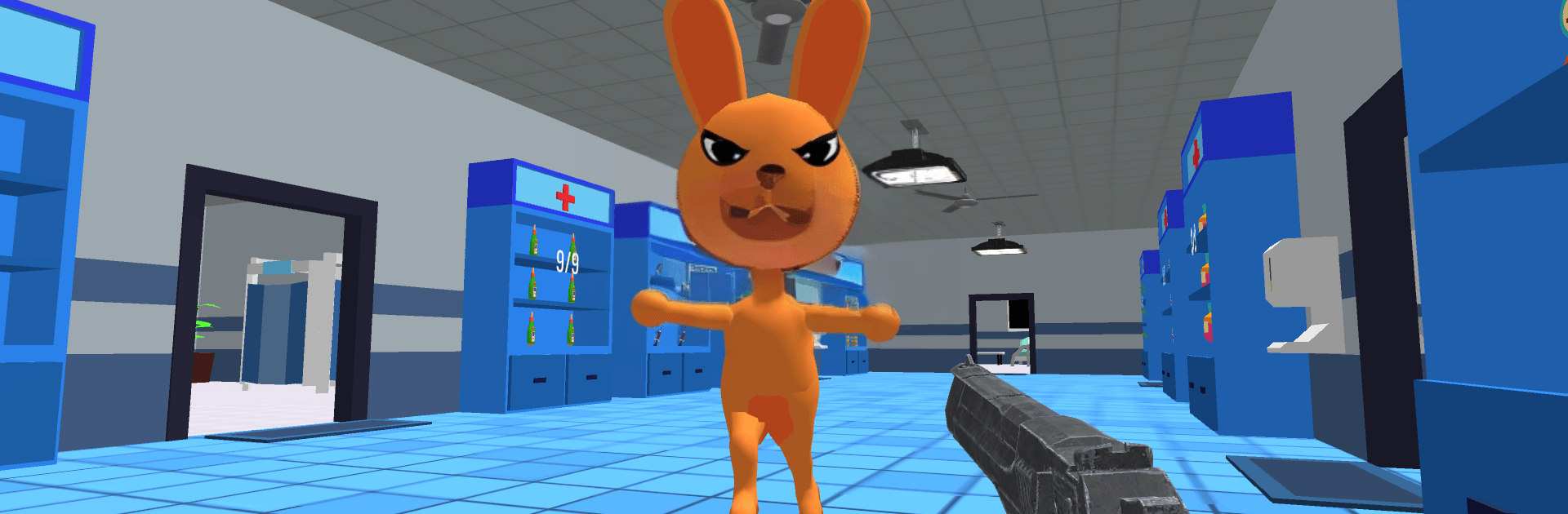
Animal Hosptital Anomaly

Animal Hosptital Anomaly

Simulation

| SibGames

Play on PC with BlueStacks or from our cloud

  • Overview
  • Game Features
  • How to Play

Page Modified On: September 18, 2026

Play Animal Hosptital Anomaly on PC or Mac

Animal Hosptital Anomaly by SibGames has plenty to keep you busy. BlueStacks lets you play it on PC or Mac with more screen space, better control, and fewer mobile limits.

About the Game

Animal Hosptital Anomaly is a Simulation that blends hands-on vet care with eerie, anomaly-hunting moments. You’re the on-call doctor in a bustling clinic, patching up adorable patients while watching for odd glitches in reality—and the occasional monster trying to sneak into a ward. It also plays smoothly on BlueStacks if you prefer a bigger screen without fuss.

Game Features

  • Real vet work: Examine pets, make fast diagnoses, and administer treatments that actually feel like you’re helping—from routine checkups to tricky cases.
  • Anomaly spotting: Scan each room for strange changes, flickers, and “that wasn’t there a second ago” moments before they spiral into bigger problems.
  • Monster patrol: Keep dangerous intruders out of the wards, jugging defense with patient care so no one gets hurt on your shift.
  • Growing clinic: Unlock new rooms, equipment, and stations as your reputation rises, letting you treat more animals at once.
  • Room-to-room variety: Move through exam rooms, surgery spaces, recovery areas, and storage corners—each packed with tiny details and sneaky surprises.
  • Attention under pressure: Time keeps moving; you’ll balance memory, observation, and quick decisions without losing track of your patients.
  • Cute patients, real stakes: Dogs, cats, and exotic critters arrive with different symptoms and personalities, asking you to tailor every treatment.
  • Simple, responsive controls: Pick up and play right away, then master deeper routines as cases and anomalies grow more complex.
  • Escalating challenges: Early shifts warm you up, but later scenes layer multiple anomalies, faster threats, and tighter windows to react.
  • Clue-driven play: Learn patterns, spot telltale signs, and piece together what’s “off” to keep the hospital calm and your patients safe.

BlueStacks gives you more room to focus on the game and less time adjusting around mobile limitations.


Game Features

Enhancements

  • Macros
  • Multi Instance
  • Multi Instance Sync
  • Script
  • Enhancements
Macros

Macros

Automate the predictable in Animal Hosptital Anomaly and transform your gameplay with Macros. Get access to inventive Macros in the BlueStacks Macro Community
Multi Instance

Multi Instance

Play Animal Hosptital Anomaly on one window. And chat with your friend on the other. Press CTRL + Shift + 8 to open the Multi-Instance Manager. And start creating fresh instances or clone an existing one.
Multi Instance Sync

Multi Instance Sync

Play Animal Hosptital Anomaly with the power of Multi-Instance Sync. Replicate what you are doing on the main instance on all other instances. Level up faster, play more.
Script

Script

Script your way to gaming glory in Animal Hosptital Anomaly with BlueStacks Script. Write and run a set of commands to automate repeated tasks. Trigger the command by assigning it to any key.
Read More

How to Download and Play Animal Hosptital Anomaly on PC or Mac

  • Download and install BlueStacks on your PC or Mac

  • Complete Google sign-in to access the Play Store, or do it later

  • Look for Animal Hosptital Anomaly in the search bar at the top right corner

  • Click to install Animal Hosptital Anomaly from the search results

  • Complete Google sign-in (if you skipped step 2) to install Animal Hosptital Anomaly

  • Click the Animal Hosptital Anomaly icon on the home screen to start playing

video
Watch Video

Minimum System Requirements

With BlueStacks 5, you can get started on a PC that fulfills the following requirements.

  • Operating System

    Microsoft Windows 7 or above, macOS 11 (Big Sur) or above

  • Processor

    Intel, AMD or Apple Silicon Processor

  • RAM

    at least 4GB

  • HDD

    10GB Free Disk Space

Note:

* You must be an Administrator on your PC. Up to date graphics drivers from Microsoft or the chipset vendor.

Animal Hosptital Anomaly - FAQs

  • How to play Animal Hosptital Anomaly on Windows PC & Mac?

    Play Animal Hosptital Anomaly on your PC or Mac by following these simple steps.

    • Click on 'Play Animal Hosptital Anomaly on PC’ to download BlueStacks
    • Install it and log-in to Google Play Store
    • Launch and play the game.
  • Why is BlueStacks the fastest and safest platform to play games on PC?

    BlueStacks respects your privacy and is always safe and secure to use. It does not carry any malware, spyware, or any sort of additional software that could harm your PC.

    It is engineered to optimize speed and performance for a seamless gaming experience.

  • What are Animal Hosptital Anomaly PC requirements?

    Minimum requirement to run Animal Hosptital Anomaly on your PC

    • OS: Microsoft Windows 7 or above MacOS 11 (Big Sur) or above
    • Processor: Intel, AMD or Apple Silicon Processor
    • RAM: Your PC must have at least 4GB of RAM. (Note that having 4GB or more disk space is not a substitute for RAM)
    • HDD: 10GB Free Disk Space.
    • You must be an Administrator on your PC.