Apex Dominus Rex
Apex Dominus Rex

Apex Dominus Rex

Simulation

| Jurassic Dinos

Play on PC with BlueStacks or from our cloud

  • Overview
  • Game Features
  • How to Play

Page Modified On: September 25, 2026

Play Apex Dominus Rex on PC or Mac

Play Apex Dominus Rex by Jurassic Dinos on PC or Mac with BlueStacks. Use a bigger screen, mouse and keyboard controls, and smoother performance while you play.

About the Game

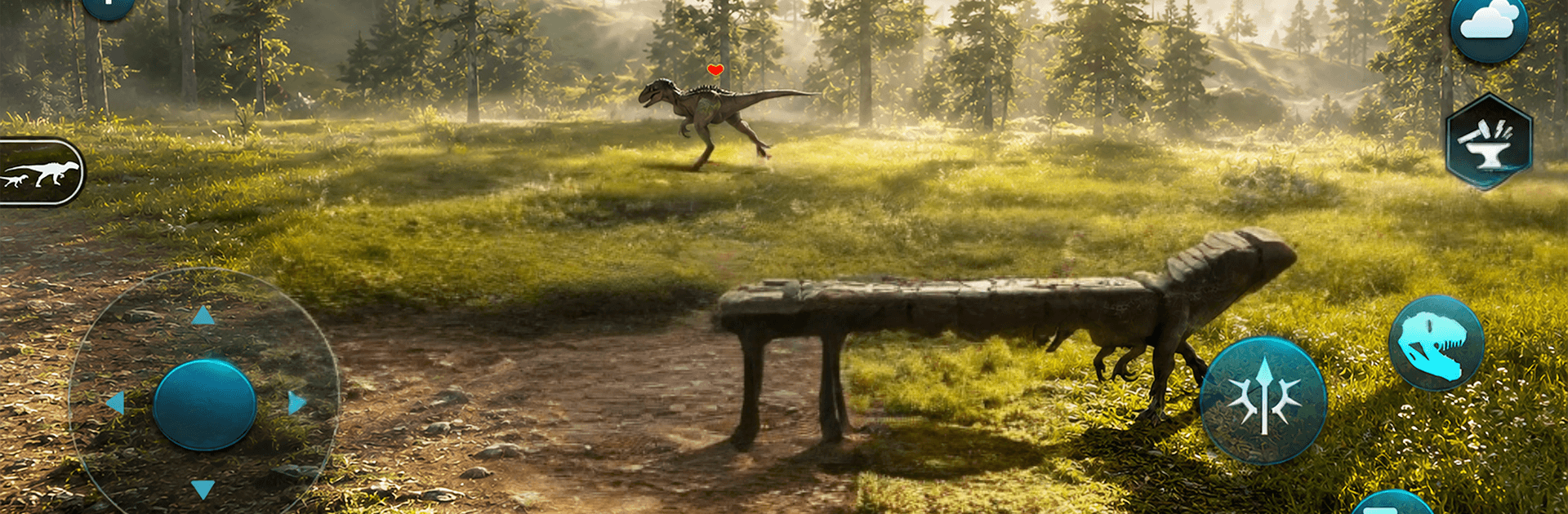
Apex Dominus Rex drops you into the massive footsteps of a hungry T. rex on a wild, prehistoric island. It’s a Simulation that blends open-world survival, fierce creature combat, and steady progression into one teeth-rattling experience. Stalk prey, keep your vitals in check, and adapt as the world shifts from bright noon to stormy midnight—and if you like playing on a bigger screen, it runs smoothly on PC with BlueStacks.

Game Features

  • Be the T. rex: Take control of a towering predator and manage hunger, thirst, energy, and health while you hunt, rest, and reclaim your territory.
  • Living world, real timing: Watch a true day–night cycle with believable sun and moon paths as seasons roll in and weather changes—from clear skies to fog, rain, lightning, and snow.
  • Survival with choices: Track, ambush, or chase; pick your battles, heal up between fights, and stay sharp as resources shift across the island.
  • Combat and evolution: Earn experience through battles to unlock powerful skills, toughen your build, and grow from scrappy survivor to unstoppable apex.
  • Huge dinosaur roster: Face everything from quick Velociraptors to hulking Brachiosauruses—plus Triceratops, Ankylosaurus, Spinosaurus, and more—each demanding a different approach.
  • Custom looks: Equip distinctive skins to give your T. rex a personality that matches your playstyle, savage or sleek.
  • Quests or free roam: Tackle objectives for steady rewards, or ignore the list and carve your own path across jungles, cliffs, and riverbeds.
  • Sights and sounds: Rich 3D environments, dynamic lighting and shadows, crisp textures, and thunderous roars sell the era with style.
  • Always raising the stakes: Tougher encounters emerge as you grow stronger, turning every victory into momentum for the next hunt.

Get ready for a buttery smooth, high-performance gaming action only on BlueStacks.

Game Features

Enhancements

  • Macros
  • Multi Instance
  • Multi Instance Sync
  • Script
  • Enhancements
Macros

Macros

Automate the predictable in Apex Dominus Rex and transform your gameplay with Macros. Get access to inventive Macros in the BlueStacks Macro Community
Multi Instance

Multi Instance

Play Apex Dominus Rex on one window. And chat with your friend on the other. Press CTRL + Shift + 8 to open the Multi-Instance Manager. And start creating fresh instances or clone an existing one.
Multi Instance Sync

Multi Instance Sync

Play Apex Dominus Rex with the power of Multi-Instance Sync. Replicate what you are doing on the main instance on all other instances. Level up faster, play more.
Script

Script

Script your way to gaming glory in Apex Dominus Rex with BlueStacks Script. Write and run a set of commands to automate repeated tasks. Trigger the command by assigning it to any key.
Read More

How to Download and Play Apex Dominus Rex on PC or Mac

  • Download and install BlueStacks on your PC or Mac

  • Complete Google sign-in to access the Play Store, or do it later

  • Look for Apex Dominus Rex in the search bar at the top right corner

  • Click to install Apex Dominus Rex from the search results

  • Complete Google sign-in (if you skipped step 2) to install Apex Dominus Rex

  • Click the Apex Dominus Rex icon on the home screen to start playing

video
Watch Video

Minimum System Requirements

With BlueStacks 5, you can get started on a PC that fulfills the following requirements.

  • Operating System

    Microsoft Windows 7 or above, macOS 11 (Big Sur) or above

  • Processor

    Intel, AMD or Apple Silicon Processor

  • RAM

    at least 4GB

  • HDD

    10GB Free Disk Space

Note:

* You must be an Administrator on your PC. Up to date graphics drivers from Microsoft or the chipset vendor.

Apex Dominus Rex - FAQs

  • How to play Apex Dominus Rex on Windows PC & Mac?

    Play Apex Dominus Rex on your PC or Mac by following these simple steps.

    • Click on 'Play Apex Dominus Rex on PC’ to download BlueStacks
    • Install it and log-in to Google Play Store
    • Launch and play the game.
  • Why is BlueStacks the fastest and safest platform to play games on PC?

    BlueStacks respects your privacy and is always safe and secure to use. It does not carry any malware, spyware, or any sort of additional software that could harm your PC.

    It is engineered to optimize speed and performance for a seamless gaming experience.

  • What are Apex Dominus Rex PC requirements?

    Minimum requirement to run Apex Dominus Rex on your PC

    • OS: Microsoft Windows 7 or above MacOS 11 (Big Sur) or above
    • Processor: Intel, AMD or Apple Silicon Processor
    • RAM: Your PC must have at least 4GB of RAM. (Note that having 4GB or more disk space is not a substitute for RAM)
    • HDD: 10GB Free Disk Space.
    • You must be an Administrator on your PC.