ASMR Crush
ASMR Crush

ASMR Crush

Simulation

| tastypill

Play on PC with BlueStacks or from our cloud

  • Overview
  • Game Features
  • How to Play

Page Modified On: August 20, 2026

Play ASMR Crush on PC or Mac

ASMR Crush brings the Simulation genre to life, and throws up exciting challenges for gamers. Developed by tastypill, this Android game is best experienced on BlueStacks, the World’s #1 app player for PC and Mac users.

About the Game

ASMR Crush is a Simulation built around one oddly satisfying idea: smash stuff and feel your stress melt away. You tap to crush, crack, and crumble all kinds of objects while crisp, relaxing sounds pop in your ears—simple to play, surprisingly soothing, and a little addicting. Prefer a bigger screen and steady clicking? It runs smoothly on BlueStacks, too.

Game Features

  • Satisfying Smash Effects: Every tap chips, shatters, and squishes with punchy feedback and crunchy audio that’s made to calm your brain.
  • Tap-and-Go Gameplay: No fuss, no learning curve—just tap, watch the layers peel away, and keep the chain going as long as you want.
  • Boss Fights: Face chunky, overbuilt targets that put up a fight and ask for a bit more focus, power, and persistence to break.
  • Endless Progress: There’s always another object to destroy and another meter to push; chase bigger numbers and keep the momentum rolling.
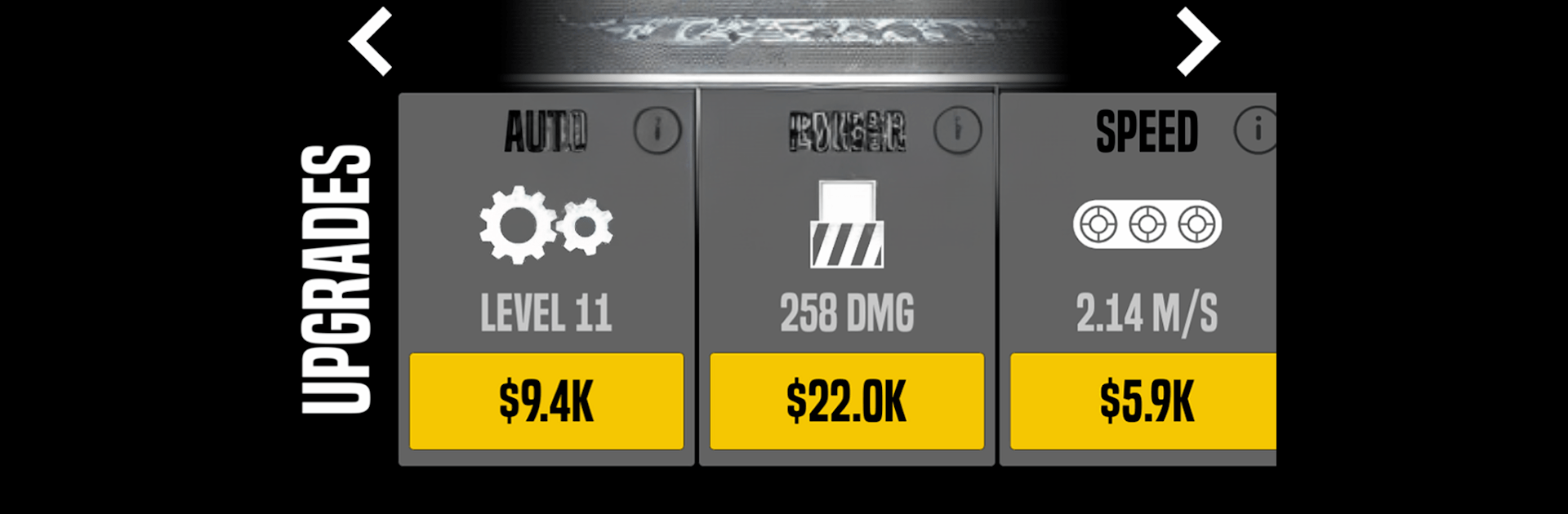
  • Upgrades That Matter: Pump up your crushing power, increase speed, and tune your setup so tough targets fall faster and smoother.
  • Stress Relief Built In: The ASMR-style soundscape—crackles, snaps, and gentle rumbles—helps you zone out and reset between busy moments.
  • Play for Free: Jump in without paying a cent; enjoy the core loop and add extras only if you feel like boosting your run.

Ready to top the leaderboard? We bet you do. Let precise controls and sharp visuals optimized on BlueStacks lead you to victory.


Game Features

Enhancements

  • Macros
  • Multi Instance
  • Multi Instance Sync
  • Script
  • Enhancements
Macros

Macros

Automate the predictable in ASMR Crush and transform your gameplay with Macros. Get access to inventive Macros in the BlueStacks Macro Community
Multi Instance

Multi Instance

Play ASMR Crush on one window. And chat with your friend on the other. Press CTRL + Shift + 8 to open the Multi-Instance Manager. And start creating fresh instances or clone an existing one.
Multi Instance Sync

Multi Instance Sync

Play ASMR Crush with the power of Multi-Instance Sync. Replicate what you are doing on the main instance on all other instances. Level up faster, play more.
Script

Script

Script your way to gaming glory in ASMR Crush with BlueStacks Script. Write and run a set of commands to automate repeated tasks. Trigger the command by assigning it to any key.
Read More

How to Download and Play ASMR Crush on PC or Mac

  • Download and install BlueStacks on your PC or Mac

  • Complete Google sign-in to access the Play Store, or do it later

  • Look for ASMR Crush in the search bar at the top right corner

  • Click to install ASMR Crush from the search results

  • Complete Google sign-in (if you skipped step 2) to install ASMR Crush

  • Click the ASMR Crush icon on the home screen to start playing

video
Watch Video

Minimum System Requirements

With BlueStacks 5, you can get started on a PC that fulfills the following requirements.

  • Operating System

    Microsoft Windows 7 or above, macOS 11 (Big Sur) or above

  • Processor

    Intel, AMD or Apple Silicon Processor

  • RAM

    at least 4GB

  • HDD

    10GB Free Disk Space

Note:

* You must be an Administrator on your PC. Up to date graphics drivers from Microsoft or the chipset vendor.

ASMR Crush - FAQs

  • How to play ASMR Crush on Windows PC & Mac?

    Play ASMR Crush on your PC or Mac by following these simple steps.

    • Click on 'Play ASMR Crush on PC’ to download BlueStacks
    • Install it and log-in to Google Play Store
    • Launch and play the game.
  • Why is BlueStacks the fastest and safest platform to play games on PC?

    BlueStacks respects your privacy and is always safe and secure to use. It does not carry any malware, spyware, or any sort of additional software that could harm your PC.

    It is engineered to optimize speed and performance for a seamless gaming experience.

  • What are ASMR Crush PC requirements?

    Minimum requirement to run ASMR Crush on your PC

    • OS: Microsoft Windows 7 or above MacOS 11 (Big Sur) or above
    • Processor: Intel, AMD or Apple Silicon Processor
    • RAM: Your PC must have at least 4GB of RAM. (Note that having 4GB or more disk space is not a substitute for RAM)
    • HDD: 10GB Free Disk Space.
    • You must be an Administrator on your PC.