Block Crazy Robo World

Block Crazy Robo World

Simulation

| Siti Berkah Studio

Play on PC with BlueStacks or from our cloud

  • Overview
  • Game Features
  • How to Play

Page Modified On: September 08, 2026

Play Block Crazy Robo World on PC or Mac

Bring your A-game to Block Crazy Robo World, the Simulation game sensation from Siti Berkah Studio. Give your gameplay the much-needed boost with precise game controls, high FPS graphics, and top-tier features on your PC or Mac with BlueStacks.

About the Game

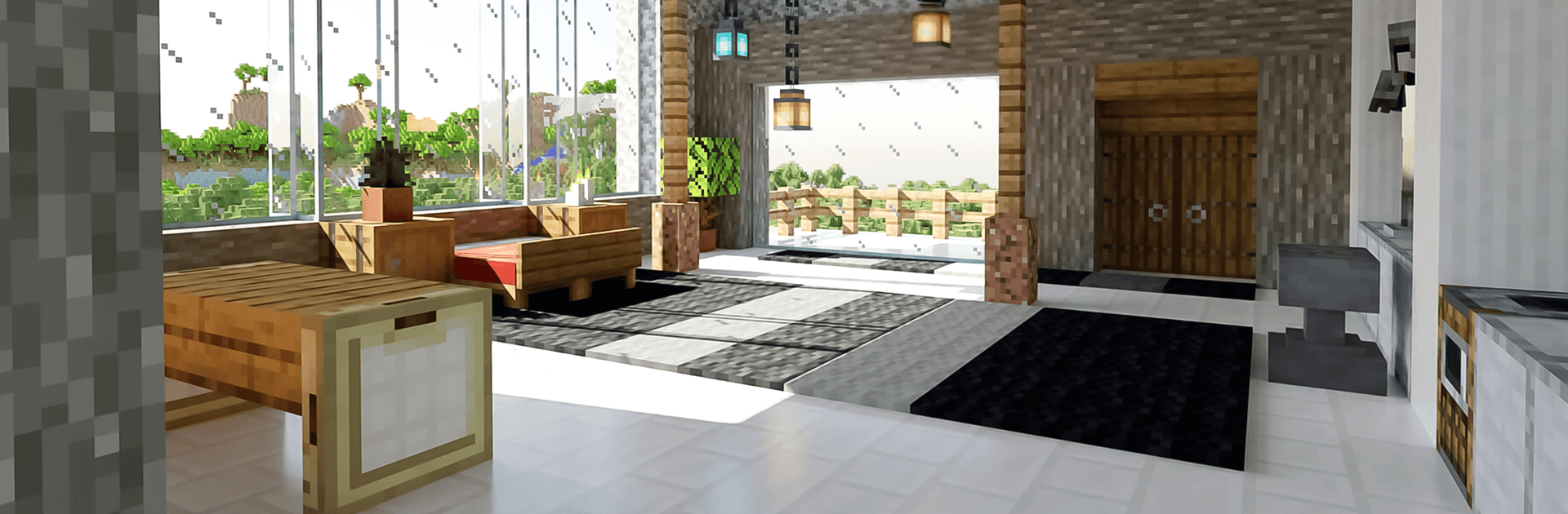
Block Crazy Robo World is a laid-back, build-anything playground where your ideas take center stage. This Simulation lets you shape a sprawling voxel world, switch between stress-free creation and resource-gathering survival, and wander through big, varied landscapes. Want a cozy village, a towering robot monument, or a sleek futuristic base? It’s all on the table, and you set the pace—on the go or on PC with BlueStacks if you like a bigger canvas.

Game Features

  • Boundless Building: Stack, shape, and decorate with loads of block types to craft homes, villages, castles, sci‑fi bases, and giant robot statues.
  • Two Ways to Play: Jump into Creative mode for unlimited supplies, or choose Survival to mine, craft, and build up safe shelters as you explore.
  • Big, Varied Worlds: Roam forests, deserts, oceans, snowy regions, and more, with rivers, mountains, caves, and hidden mines to uncover.
  • Daylight That Feels Right: Watch the world shift from bright mornings to warm, glowing sunsets while you keep building or exploring.
  • Crafting That Clicks: Gather resources, forge tools, and turn a simple hut into a fully kitted base one upgrade at a time.
  • Smooth, Simple Controls: Snap blocks into place quickly with an easy building system that keeps big projects feeling approachable.
  • Offline Friendly: Play solo without a connection, whether you’re expanding a city or spelunking for rare materials.
  • Voxel Style Pop: Enjoy colorful 3D cube art with crisp, readable worlds that make your creations stand out.

Start your journey now. Download the game on BlueStacks, invite your friends, and march on a new adventure.


Game Features

Enhancements

  • Macros
  • Multi Instance
  • Multi Instance Sync
  • Script
  • Enhancements
Macros

Macros

Automate the predictable in Block Crazy Robo World and transform your gameplay with Macros. Get access to inventive Macros in the BlueStacks Macro Community
Multi Instance

Multi Instance

Play Block Crazy Robo World on one window. And chat with your friend on the other. Press CTRL + Shift + 8 to open the Multi-Instance Manager. And start creating fresh instances or clone an existing one.
Multi Instance Sync

Multi Instance Sync

Play Block Crazy Robo World with the power of Multi-Instance Sync. Replicate what you are doing on the main instance on all other instances. Level up faster, play more.
Script

Script

Script your way to gaming glory in Block Crazy Robo World with BlueStacks Script. Write and run a set of commands to automate repeated tasks. Trigger the command by assigning it to any key.
Read More

How to Download and Play Block Crazy Robo World on PC or Mac

  • Download and install BlueStacks on your PC or Mac

  • Complete Google sign-in to access the Play Store, or do it later

  • Look for Block Crazy Robo World in the search bar at the top right corner

  • Click to install Block Crazy Robo World from the search results

  • Complete Google sign-in (if you skipped step 2) to install Block Crazy Robo World

  • Click the Block Crazy Robo World icon on the home screen to start playing

video
Watch Video

Minimum System Requirements

With BlueStacks 5, you can get started on a PC that fulfills the following requirements.

  • Operating System

    Microsoft Windows 7 or above, macOS 11 (Big Sur) or above

  • Processor

    Intel, AMD or Apple Silicon Processor

  • RAM

    at least 4GB

  • HDD

    10GB Free Disk Space

Note:

* You must be an Administrator on your PC. Up to date graphics drivers from Microsoft or the chipset vendor.

Block Crazy Robo World - FAQs

  • How to play Block Crazy Robo World on Windows PC & Mac?

    Play Block Crazy Robo World on your PC or Mac by following these simple steps.

    • Click on 'Play Block Crazy Robo World on PC’ to download BlueStacks
    • Install it and log-in to Google Play Store
    • Launch and play the game.
  • Why is BlueStacks the fastest and safest platform to play games on PC?

    BlueStacks respects your privacy and is always safe and secure to use. It does not carry any malware, spyware, or any sort of additional software that could harm your PC.

    It is engineered to optimize speed and performance for a seamless gaming experience.

  • What are Block Crazy Robo World PC requirements?

    Minimum requirement to run Block Crazy Robo World on your PC

    • OS: Microsoft Windows 7 or above MacOS 11 (Big Sur) or above
    • Processor: Intel, AMD or Apple Silicon Processor
    • RAM: Your PC must have at least 4GB of RAM. (Note that having 4GB or more disk space is not a substitute for RAM)
    • HDD: 10GB Free Disk Space.
    • You must be an Administrator on your PC.