Border Officer
Border Officer

Border Officer

Simulation

| Cheesecake Dev

Play on PC with BlueStacks or from our cloud

  • Overview
  • Game Features
  • How to Play

Page Modified On: December 15, 2025

Play Border Officer on PC or Mac

From the innovators and creators at Cheesecake Dev, Border Officer is another fun addition to the World of Simulation games. Go beyond your mobile screen and play it bigger and better on your PC or Mac. An immersive experience awaits you.

About the Game

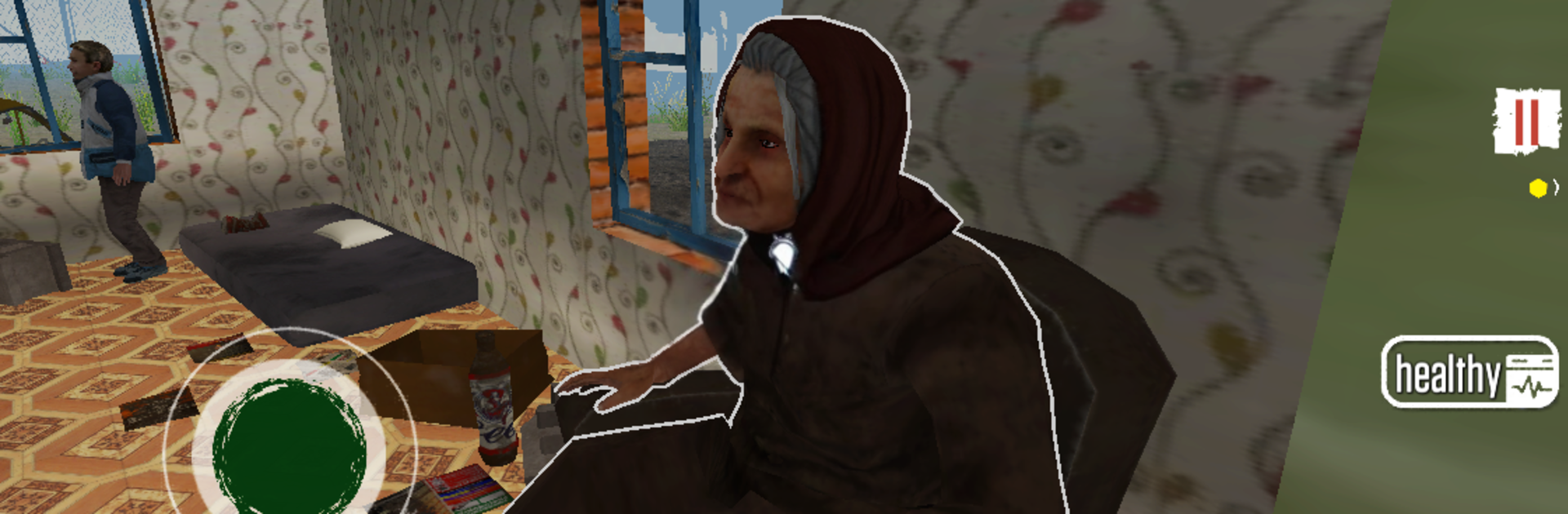
Stavronzka isn’t exactly thriving, but you’ve landed a job that could keep your family going—if you can handle the pressure. Border Officer is a Simulation game by Cheesecake Dev where you run a checkpoint, stamp passports, and try to stretch every paycheck while the state keeps moving the goalposts. It’s part paperwork puzzle, part moral tug-of-war, and every decision has a price.

Game Features

  • Border inspections, your call: Check documents, spot contradictions, and decide who gets through. Mess up and you’ll pay for it—literally.
  • Changing rules, daily: The state pushes out new directives all the time. Keep up with shifting requirements or face fines and angry supervisors.
  • Family first (or try to): Food, medicine, heat, rent—your household depends on your salary. Pick what to cover when the money doesn’t add up.
  • Choices with real weight: Play by the book, take a bribe, or link up with a secret organization. Each path opens doors and closes others.
  • Side hustles and risky bets: Feeling lucky? There are ways to earn extra cash, but bad calls can sink your budget fast.
  • A life outside the booth: You’ve got a small home and a state-issued car to manage. Commuting, upkeep, and daily errands all factor into survival.
  • Gritty, bleakly funny world: Meet desperate migrants, jittery officials, and oddballs with stories that make every shift a little tense—and weirdly human.
  • Play how you like: Be strict, be kind, be practical. Your style shapes outcomes and who you become in this job.
  • Smooth on a bigger screen: Prefer keyboard controls? It plays nicely on BlueStacks for a comfortable desktop setup.

Start your journey now. Download the game on BlueStacks, invite your friends, and march on a new adventure.


Game Features

Enhancements

  • Macros
  • Multi Instance
  • Multi Instance Sync
  • Script
  • Enhancements
Macros

Macros

Automate the predictable in Border Officer and transform your gameplay with Macros. Get access to inventive Macros in the BlueStacks Macro Community
Multi Instance

Multi Instance

Play Border Officer on one window. And chat with your friend on the other. Press CTRL + Shift + 8 to open the Multi-Instance Manager. And start creating fresh instances or clone an existing one.
Multi Instance Sync

Multi Instance Sync

Play Border Officer with the power of Multi-Instance Sync. Replicate what you are doing on the main instance on all other instances. Level up faster, play more.
Script

Script

Script your way to gaming glory in Border Officer with BlueStacks Script. Write and run a set of commands to automate repeated tasks. Trigger the command by assigning it to any key.
Read More

How to Download and Play Border Officer on PC or Mac

  • Download and install BlueStacks on your PC or Mac

  • Complete Google sign-in to access the Play Store, or do it later

  • Look for Border Officer in the search bar at the top right corner

  • Click to install Border Officer from the search results

  • Complete Google sign-in (if you skipped step 2) to install Border Officer

  • Click the Border Officer icon on the home screen to start playing

video
Watch Video

Minimum System Requirements

With BlueStacks 5, you can get started on a PC that fulfills the following requirements.

  • Operating System

    Microsoft Windows 7 or above, macOS 11 (Big Sur) or above

  • Processor

    Intel, AMD or Apple Silicon Processor

  • RAM

    at least 4GB

  • HDD

    10GB Free Disk Space

Note:

* You must be an Administrator on your PC. Up to date graphics drivers from Microsoft or the chipset vendor.

Border Officer - FAQs

  • How to play Border Officer on Windows PC & Mac?

    Play Border Officer on your PC or Mac by following these simple steps.

    • Click on 'Play Border Officer on PC’ to download BlueStacks
    • Install it and log-in to Google Play Store
    • Launch and play the game.
  • Why is BlueStacks the fastest and safest platform to play games on PC?

    BlueStacks respects your privacy and is always safe and secure to use. It does not carry any malware, spyware, or any sort of additional software that could harm your PC.

    It is engineered to optimize speed and performance for a seamless gaming experience.

  • What are Border Officer PC requirements?

    Minimum requirement to run Border Officer on your PC

    • OS: Microsoft Windows 7 or above MacOS 11 (Big Sur) or above
    • Processor: Intel, AMD or Apple Silicon Processor
    • RAM: Your PC must have at least 4GB of RAM. (Note that having 4GB or more disk space is not a substitute for RAM)
    • HDD: 10GB Free Disk Space.
    • You must be an Administrator on your PC.